Recycle Arcade Physics Bodies
Demonstrates how to optimize performance by pooling and recycling Arcade Physics bodies. Learn how to manually disable bodies, store them in a pool, and re-attach them to new sprites to avoid repeated memory allocation.
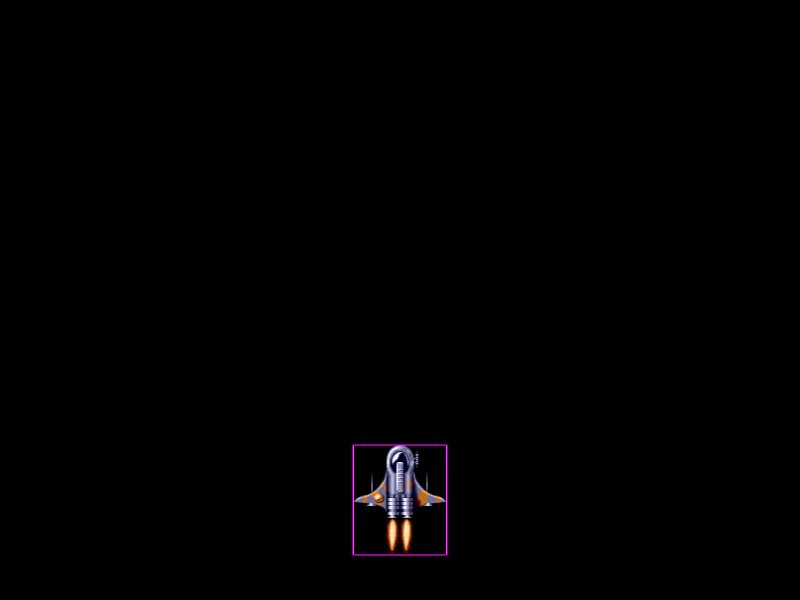
800 × 600
class Example extends Phaser.Scene
{
    constructor ()
    {
        super();
    }

    preload ()
    {
        this.load.setBaseURL('https://cdn.phaserfiles.com/v410');
        this.load.image('player', 'assets/sprites/ship.png');
        this.load.image('ship', 'assets/sprites/bsquadron1.png');
        this.load.image('apple', 'assets/sprites/apple.png');
        this.load.image('beball', 'assets/sprites/beball1.png');
        this.load.image('clown', 'assets/sprites/clown.png');
        this.load.image('ghost', 'assets/sprites/ghost.png');
    }

    create ()
    {
        const player = this.physics.add.image(400, 500, 'player');

        //  This array contains all the enemy sprites which are currently active and moving
        this.active = [];

        //  Create a pool of 100 physics bodies.

        //  To achieve this, we need a dummy Game Object they can pull default values from.

        this.pool = [];

        const dummy = this.add.image();
        const { world } = this.physics;

        for (let i = 0; i < 100; i++)
        {
            const body = new Phaser.Physics.Arcade.Body(world, dummy);

            this.pool.push(body);
        }

        //  Every 250ms we'll release an enemy
        this.time.addEvent({ delay: 250, callback: () => this.releaseEnemy(), loop: true });

        //  Let the player move the ship with the mouse
        this.input.on('pointermove', pointer =>
        {
            player.x = pointer.worldX;
            player.y = pointer.worldY;
        });

        // this.physics.add.collider(sprite, balls);
    }

    update ()
    {
        this.checkEnemyBounds();
    }

    checkEnemyBounds ()
    {
        const { world } = this.physics;

        //  Check which enemies have left the screen
        for (let i = this.active.length - 1; i >= 0; i--)
        {
            const enemy = this.active[i];

            if (enemy.y > 700)
            {
                //  Recycle this body
                const { body } = enemy;

                //  Remove it from the internal world trees
                world.disableBody(body);

                //  Clear the gameObject references
                body.gameObject = undefined;

                //  Put it back into the pool
                this.pool.push(body);

                //  Nuke the sprite
                enemy.body = undefined;
                enemy.destroy();

                //  Remove it from the active array
                this.active.splice(i, 1);

                //  ^^^ technically, you wouldn't ever destroy the sprite, but instead
                //  put them back into their own pools for later re-use, otherwise there's no
                //  point recycling the physics bodies!
            }
        }
    }

    releaseEnemy ()
    {
        const { pool } = this;

        const body = pool.pop();

        const x = Phaser.Math.Between(0, 800);
        const y = Phaser.Math.Between(-1200, 0);
        const frames =[ 'ship', 'apple', 'beball', 'clown', 'ghost' ];

        const enemy = this.add.image(x, y, Phaser.Utils.Array.GetRandom(frames));

        //  Link the sprite to the body
        enemy.body = body;
        body.gameObject = enemy;

        //  We need to do this to give the body the frame size of the sprite
        body.setSize();

        //  Now you could call 'setCircle' etc as required

        //  Insert the body back into the physics world
        this.physics.world.add(body);

        //  Give it some velocity
        body.setVelocity(0, Phaser.Math.Between(200, 400));

        //  Add to our active pool
        this.active.push(enemy);
    }
}

const config = {
    scale: { mode: Phaser.Scale.FIT },
    type: Phaser.AUTO,
    width: 800,
    height: 600,
    parent: 'game-container',
    physics: {
        default: 'arcade',
        arcade: {
            debug: true,
            debugShowVelocity: false
        }
    },
    scene: Example
};

const game = new Phaser.Game(config);
More in Arcade132 examples
 Remove ColliderThis example demonstrates how to disable collision detection between objects by removing a collider reference after the first contact occurs.
 Restarting a Physics SceneDemonstrates a complete scene lifecycle (Main Menu, Game, and Game Over) and how to properly restart a scene containing Arcade Physics sprites, custom world bounds, and camera controls.
 Rolling BodyDemonstrates how to simulate a rolling effect by synchronizing a physics body's angular velocity with its horizontal linear velocity.
 Rotate To PointerDemonstrates how to steer an Arcade Physics body towards the mouse pointer by calculating the shortest angle and applying angular velocity.