Physics Bodies on TileSprites
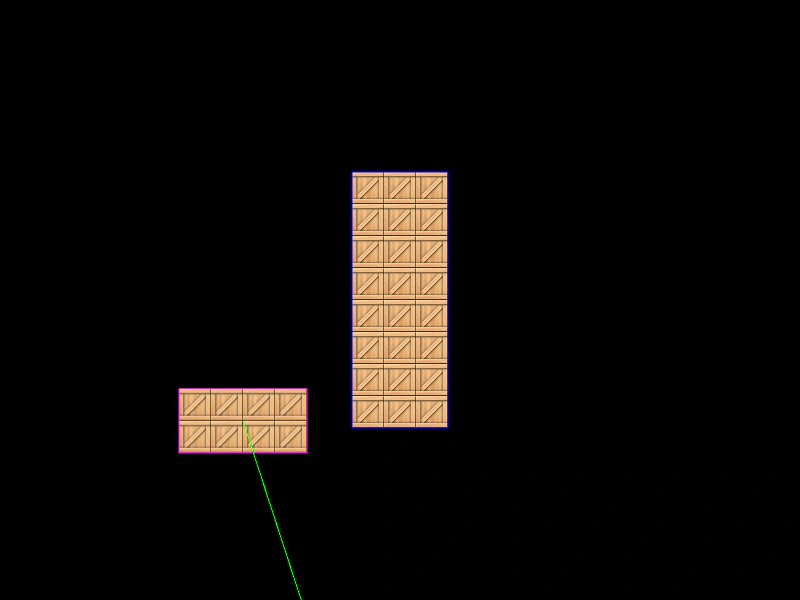
How to add dynamic and static Arcade Physics bodies to TileSprite objects, enabling collisions and movement for tiled textures.
800 × 600
class Example extends Phaser.Scene
{
    preload ()
    {
        this.load.setBaseURL('https://cdn.phaserfiles.com/v410');
        this.load.image('crate', 'assets/sprites/crate32.png');
    }

    create ()
    {
        //  Our dynamic TileSprite that will bounce around
        const block = this.add.tileSprite(100, 100, 32 * 4, 32 * 2, 'crate');

        this.physics.add.existing(block, false);

        block.body.setVelocity(130, 180);
        block.body.setBounce(1, 1);
        block.body.setCollideWorldBounds(true);

        //  Our static TileSprite that will just receive collide events
        const staticBlock = this.add.tileSprite(400, 300, 32 * 3, 32 * 8, 'crate');

        this.physics.add.existing(staticBlock, true);

        this.physics.add.collider(block, staticBlock);
    }
}

const config = {
    scale: { mode: Phaser.Scale.FIT },
    type: Phaser.AUTO,
    width: 800,
    height: 600,
    parent: 'game-container',
    physics: {
        default: 'arcade',
        arcade: {
            debug: true,
            gravity: { y: 200 }
        }
    },
    scene: Example
};

const game = new Phaser.Game(config);
More in Arcade132 examples
 Physics Body Without SpriteDemonstrates how to manually assign and recycle Arcade Physics bodies to non-physics Game Objects, such as Blitter Bobs, for custom pooling and high-performance physics handling.
 Pushable Physics BodiesDemonstrates the use of setPushable to determine if Arcade Physics bodies are moved when collided with, including how to toggle this property dynamically.
 Racecar MovementDemonstrates top-down vehicle physics using velocityFromRotation to move a sprite based on its orientation, with throttle and angular acceleration control.
 Random VelocityDemonstrates how to scatter physics bodies across a rectangle and assign them random velocity vectors using Phaser.Math.RandomXY.