Camera Shader Filter
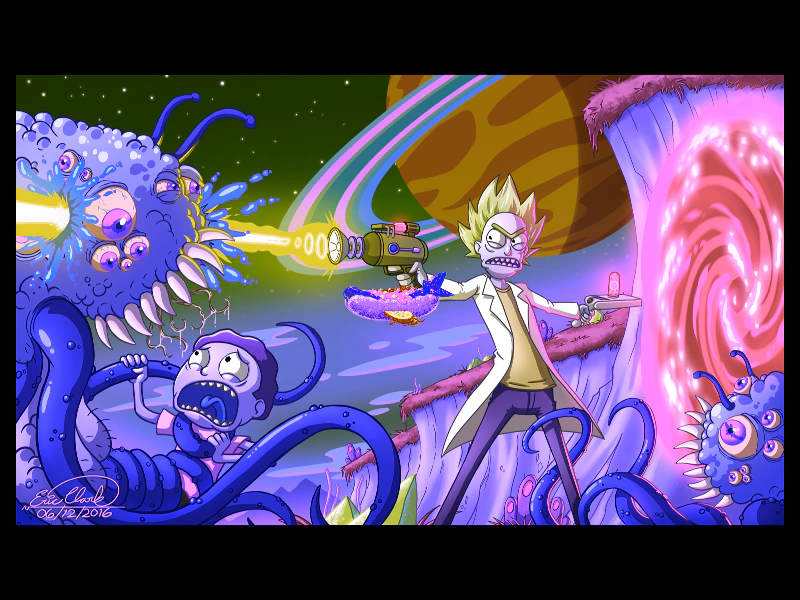
Apply an external shader filter to a camera to process its entire rendered output, featuring a hue rotation effect and smooth camera controls.
800 × 600
// #module
import HueRotate from './assets/rendernodes/FilterHueRotate.js';

export default class Example extends Phaser.Scene
{
    constructor()
    {
        super();
    }

    preload ()
    {
        this.load.setBaseURL('https://cdn.phaserfiles.com/v410');
        this.load.image('volcano', 'assets/pics/rick-and-morty-by-sawuinhaff-da64e7y.png');
        this.load.image('hotdog', 'assets/sprites/hotdog.png');
    }

    create ()
    {
        this.add.image(400, 300, 'volcano');
        this.add.image(400, 300, 'hotdog').setScrollFactor(0);

        this.cameras.main.filters.external.add(new HueRotate.Controller(this.cameras.main));

        this.cameras.main.setZoom(0.5);

        const cursors = this.input.keyboard.createCursorKeys();

        const controlConfig = {
            camera: this.cameras.main,
            left: cursors.left,
            right: cursors.right,
            up: cursors.up,
            down: cursors.down,
            acceleration: 0.06,
            drag: 0.0005,
            maxSpeed: 1.0
        };

        this.controls = new Phaser.Cameras.Controls.SmoothedKeyControl(controlConfig);
    }

    upload ()
    {
        this.controls.update(delta);
    }
}

const config = {
    scale: { mode: Phaser.Scale.FIT },
    type: Phaser.AUTO,
    parent: 'game-container',
    width: 800,
    height: 600,
    backgroundColor: '#000000',
    scene: Example,
    renderNodes: {
        FilterHueRotate: HueRotate.Filter,
    }
};

const game = new Phaser.Game(config);
More in Camera68 examples
 Camera Shake EffectLearn how to apply a screen shake effect to the main camera and use the camera shake start and complete events to trigger logic.
 Camera Smoothed Key ControlUse the SmoothedKeyControl class to pan and zoom the camera using keyboard inputs, featuring smooth acceleration and deceleration.
 Camera ViewportDemonstrates how to define the position and size of the camera's rendering area within the game canvas using the setViewport method.
 Camera Viewport BasicsLearn how to add a secondary camera and manipulate its basic properties including viewport size, scroll position, zoom, rotation, and background color.