Camera Filters and Layer Isolation
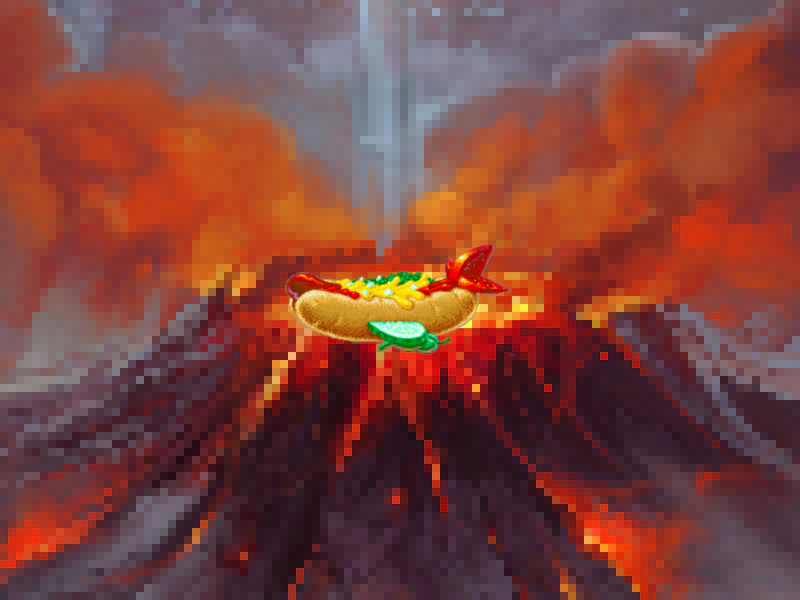
Demonstrates how to apply external post-processing filters to specific cameras and use the ignore method to isolate which game objects are rendered by each camera.
800 × 600
// #module

import Pixelated from './assets/rendernodes/FilterPixelated.js';

class Example extends Phaser.Scene
{
    constructor()
    {
        super();
    }

    preload ()
    {
        this.load.setBaseURL('https://cdn.phaserfiles.com/v410');
        this.load.image('volcano', 'assets/pics/the-end-by-iloe-and-made.jpg');
        this.load.image('hotdog', 'assets/sprites/hotdog.png');
    }

    create ()
    {
        const volcano = this.add.image(400, 300, 'volcano');
        const hotdog = this.add.image(400, 300, 'hotdog').setScrollFactor(0);

        this.cameras.main.ignore(hotdog);
        this.cameras.main.filters.external.add(new Pixelated.Controller(this.cameras.main));

        const cam1 = this.cameras.add(0, 0, 800, 600);

        cam1.ignore(volcano);

        const cursors = this.input.keyboard.createCursorKeys();

        const controlConfig = {
            camera: this.cameras.main,
            left: cursors.left,
            right: cursors.right,
            up: cursors.up,
            down: cursors.down,
            zoomIn: this.input.keyboard.addKey(Phaser.Input.Keyboard.KeyCodes.Q),
            zoomOut: this.input.keyboard.addKey(Phaser.Input.Keyboard.KeyCodes.E),
            acceleration: 0.06,
            drag: 0.0005,
            maxSpeed: 1.0
        };

        this.controls = new Phaser.Cameras.Controls.SmoothedKeyControl(controlConfig);
    }

    update (time, delta)
    {
        this.controls.update(delta);
    }
}

const config = {
    scale: { mode: Phaser.Scale.FIT },
    type: Phaser.AUTO,
    parent: 'game-container',
    width: 800,
    height: 600,
    backgroundColor: '#000000',
    scene: Example,
    renderNodes: {
        FilterPixelated: Pixelated.Filter,
    }
};

const game = new Phaser.Game(config);
More in Camera68 examples
 Camera Flash EffectTrigger a camera flash effect on user input and use event listeners to respond when the flash effect begins and finishes.
 Camera Follow OffsetDemonstrates how to use followOffset to adjust the camera position relative to its target, shifting the view as the player moves left or right.
 Camera Follow SpriteDemonstrates how to have the main camera follow a user-controlled physics sprite while constrained within specific world bounds.
 Camera Follow with Graphics LandscapeCreate a procedurally generated landscape using the Graphics API and configure the camera to follow a Matter physics-enabled sprite across a wide world.