CSV Tilemap
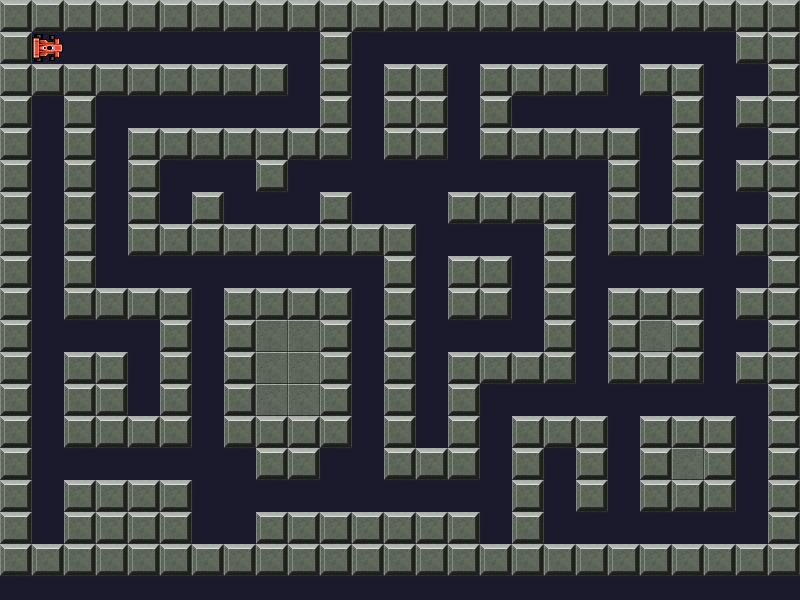
Demonstrates how to load and display a tilemap from a CSV file, including the requirement to manually specify tile dimensions when creating the map.
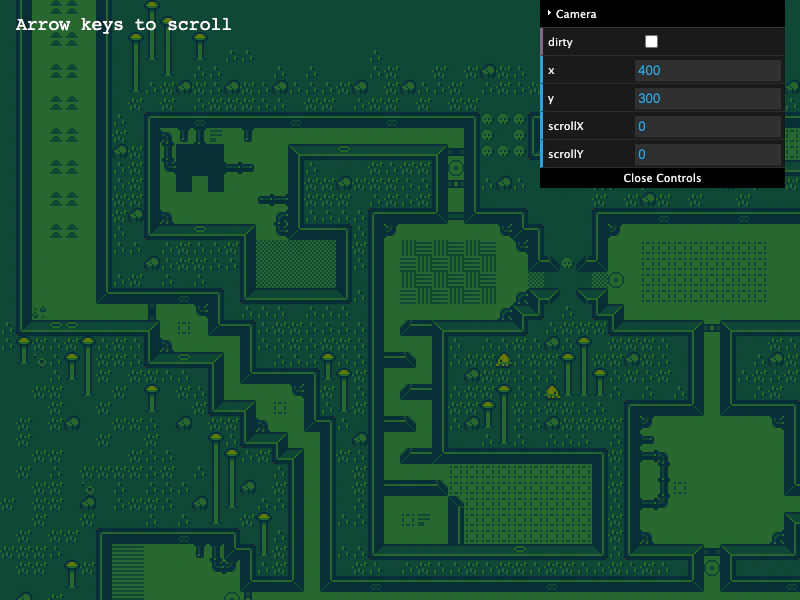
800 × 600
class Example extends Phaser.Scene
{
    controls;

    preload ()
    {
        this.load.setBaseURL('https://cdn.phaserfiles.com/v410');
        this.load.tilemapCSV('map', 'assets/tilemaps/csv/catastrophi_level2.csv');
        this.load.image('tiles', 'assets/tilemaps/tiles/catastrophi_tiles_16.png');
    }

    create ()
    {
        console.log(this.cache.tilemap.entries);

        // When loading a CSV map, make sure to specify the tileWidth and tileHeight
        const map = this.make.tilemap({ key: 'map', tileWidth: 16, tileHeight: 16 });
        const tileset = map.addTilesetImage('tiles');
        const layer = map.createLayer(0, tileset, 0, 0); // layer index, tileset, x, y
        layer.skipCull = true;

        this.cameras.main.setBounds(0, 0, map.widthInPixels, map.heightInPixels);

        const cursors = this.input.keyboard.createCursorKeys();

        const controlConfig = {
            camera: this.cameras.main,
            left: cursors.left,
            right: cursors.right,
            up: cursors.up,
            down: cursors.down,
            speed: 0.5
        };

        this.controls = new Phaser.Cameras.Controls.FixedKeyControl(controlConfig);

        const help = this.add.text(16, 16, 'Arrow keys to scroll', {
            fontSize: '18px',
            fill: '#ffffff'
        });

        help.setScrollFactor(0);

        const gui = new dat.GUI();

        const cam = this.cameras.main;

        cam.setBounds(0, 0, 4096, 4096);

        gui.addFolder('Camera');
        gui.add(cam, 'dirty').listen();
        gui.add(cam.midPoint, 'x').listen();
        gui.add(cam.midPoint, 'y').listen();
        gui.add(cam, 'scrollX').listen();
        gui.add(cam, 'scrollY').listen();
    }

    update (time, delta)
    {
        this.controls.update(delta);
    }
}

const config = {
    scale: { mode: Phaser.Scale.FIT },
    type: Phaser.AUTO,
    width: 800,
    height: 600,
    backgroundColor: '#2d2d2d',
    parent: 'game-container',
    pixelArt: true,
    scene: Example
};

const game = new Phaser.Game(config);
More in Tilemap48 examples
 Dungeon GeneratorLearn how to convert a procedurally generated dungeon layout into a dynamic Tilemap. This example demonstrates using weighted randomization for varied tile textures, tile-based collision, and a room discovery system that reveals areas as the player explores.
 Fill TilesDemonstrates how to use the fill method to replace a specific rectangular area of tiles with a new tile index based on the pointer position.
 Get Tiles Within Geometric ShapesDemonstrates how to use getTilesWithinShape to find tiles that intersect with a Rectangle, Circle, Line, or Triangle, with optional filtering for only colliding tiles.
 Grid MovementImplement grid-based movement and tile-based collision detection by checking tile indices at specific world coordinates before updating a sprite position.