Matter Physics Drag Filter
Demonstrates how to use collision filters with a mouse constraint to restrict which physics bodies can be dragged by the pointer.
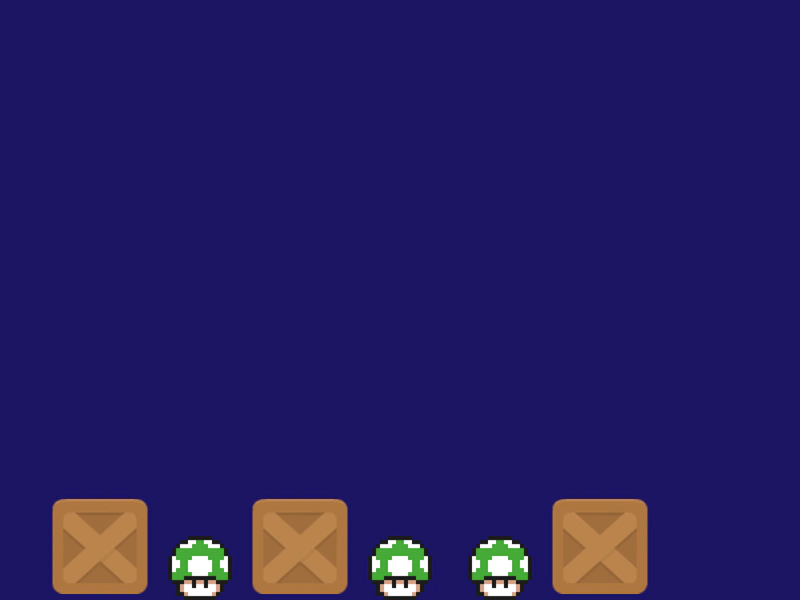
800 × 600
class Example extends Phaser.Scene
{
    preload ()
    {
        this.load.setBaseURL('https://cdn.phaserfiles.com/v410');
        this.load.image('block', 'assets/sprites/block.png');
        this.load.image('mushroom', 'assets/sprites/mushroom2.png');
    }

    create ()
    {
        this.matter.world.setBounds();

        //  Add a few blocks, you can drag all of these with the pointer

        const canDrag = this.matter.world.nextGroup();

        this.matter.add.image(100, 100, 'block', null, { chamfer: 16 }).setBounce(0.9).setCollisionGroup(canDrag);
        this.matter.add.image(300, 100, 'block', null, { chamfer: 16 }).setBounce(0.9).setCollisionGroup(canDrag);
        this.matter.add.image(600, 100, 'block', null, { chamfer: 16 }).setBounce(0.9).setCollisionGroup(canDrag);

        //  Add some mushrooms, you cannot drag these

        const noDrag = this.matter.world.nextGroup();

        this.matter.add.image(200, 100, 'mushroom', null, { chamfer: 16 }).setBounce(0.9).setCollisionGroup(noDrag);
        this.matter.add.image(400, 100, 'mushroom', null, { chamfer: 16 }).setBounce(0.9).setCollisionGroup(noDrag);
        this.matter.add.image(500, 100, 'mushroom', null, { chamfer: 16 }).setBounce(0.9).setCollisionGroup(noDrag);

        //  Our constraint

        this.matter.add.mouseSpring({ length: 1, stiffness: 0.6, collisionFilter: { group: canDrag } });
    }
}

const config = {
    scale: { mode: Phaser.Scale.FIT },
    type: Phaser.AUTO,
    width: 800,
    height: 600,
    backgroundColor: '#1b1464',
    parent: 'game-container',
    physics: {
        default: 'matter'
    },
    scene: Example
};

const game = new Phaser.Game(config);
More in Matterjs67 examples
 Matter Physics Simple BodyAn introduction to adding dynamic physics bodies and a static platform using the Matter.js physics engine.
 Matter Physics with Bitmap TextDemonstrates how to add a Matter.js physics body to a Bitmap Text object, allowing it to fall, bounce, and collide with other physical bodies.
 Matter Physics with Text ObjectsDemonstrates how to add Matter.js physics bodies to Text Game Objects, using both default rectangular bounds and custom polygon shapes.
 Matter Physics Wrap BoundsDemonstrates how to use the wrapBounds property in Matter.js to automatically wrap physics bodies around the screen when they exit a defined area.