Matter Body Velocity
Demonstrates how to manually set the horizontal and vertical velocity of a Matter.js physics body using setVelocity and setVelocityX.
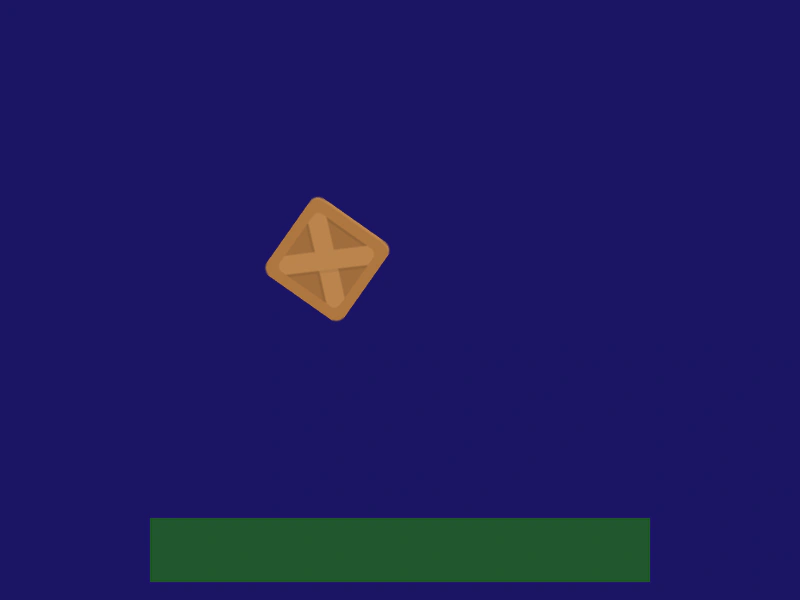
800 × 600
class Example extends Phaser.Scene
{
    preload ()
    {
        this.load.setBaseURL('https://cdn.phaserfiles.com/v410');
        this.load.image('block', 'assets/sprites/block.png');
        this.load.image('platform', 'assets/sprites/platform.png');
    }

    create ()
    {
        const block = this.matter.add.image(400, 100, 'block');

        block.setFriction(0.05);
        block.setFrictionAir(0.0005);
        block.setBounce(0.9);

        const ground = this.matter.add.image(400, 550, 'platform', null, { restitution: 0.4, isStatic: true });

        this.input.on('pointerdown', pointer =>
        {

            if (pointer.y > 300)
            {
                block.setVelocity(0, -10);
            }
            else if (pointer.x < 400)
            {
                block.setVelocityX(-8);
            }
            else
            {
                block.setVelocityX(8);
            }

        });
    }
}

const config = {
    scale: { mode: Phaser.Scale.FIT },
    type: Phaser.AUTO,
    width: 800,
    height: 600,
    backgroundColor: '#1b1464',
    parent: 'game-container',
    physics: {
        default: 'matter',
        matter: {
        }
    },
    scene: Example
};

const game = new Phaser.Game(config);
More in Matterjs67 examples
 Matter Custom Polygon BodiesDemonstrates how to create complex Matter physics bodies from custom vertex data strings to match the shape of polygon game objects.
 Matter JS BridgeCreate a flexible suspension bridge using a stack of physics bodies linked by a chain and anchored with world constraints.
 Matter JS Collision FilteringDemonstrates how to use collision categories and masks to control which physics bodies interact with each other and which pass through.
 Matter JS Collision GroupsDemonstrate how to control body interactions using Matter.js collision groups and categories to enable or disable collisions between specific objects.