Set Rectangle Position
Demonstrates how to position a geometric Rectangle using the setPosition method and by directly modifying its x and y properties.
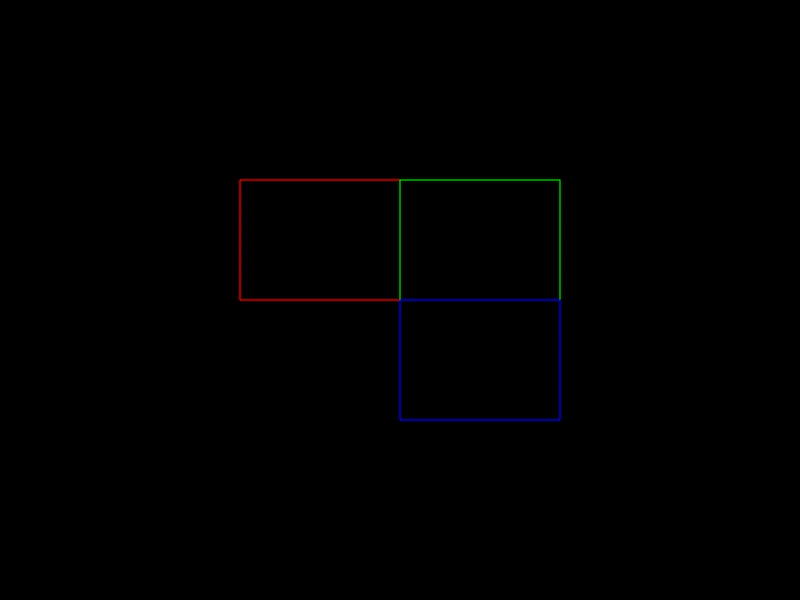
800 × 600
class Example extends Phaser.Scene
{
    create ()
    {
        const rect = new Phaser.Geom.Rectangle(0, 0, 160, 120);

        rect.setPosition(240, 180);

        const graphics = this.add.graphics({ lineStyle: { color: 0xff0000 } });
        graphics.strokeRectShape(rect);

        // move right by width
        rect.x += rect.width;

        graphics.lineStyle(1, 0x00ff00);
        graphics.strokeRectShape(rect);

        // move down by height
        rect.y += rect.height;

        graphics.lineStyle(1, 0x0000ff);
        graphics.strokeRectShape(rect);
    }
}

const config = {
    scale: { mode: Phaser.Scale.FIT },
    width: 800,
    height: 600,
    type: Phaser.AUTO,
    parent: 'game-container',
    scene: Example
};

const game = new Phaser.Game(config);
More in Rectangle46 examples
 Sprite to Rectangle PerimeterCalculates the point on a rectangle's perimeter that intersects with a line drawn from its center towards a moving sprite using an angle.
 Clone a RectangleDemonstrates using the Rectangle Clone method to create independent copies of a source rectangle.
 Copy From RectangleDemonstrates how to use the Rectangle.CopyFrom method to copy the position and dimensions of one rectangle geometry object to another.
 Create Rectangle GeometryDemonstrates how to define a basic rectangle geometry object and render it filled with color using a Graphics object.