Rectangle Offset
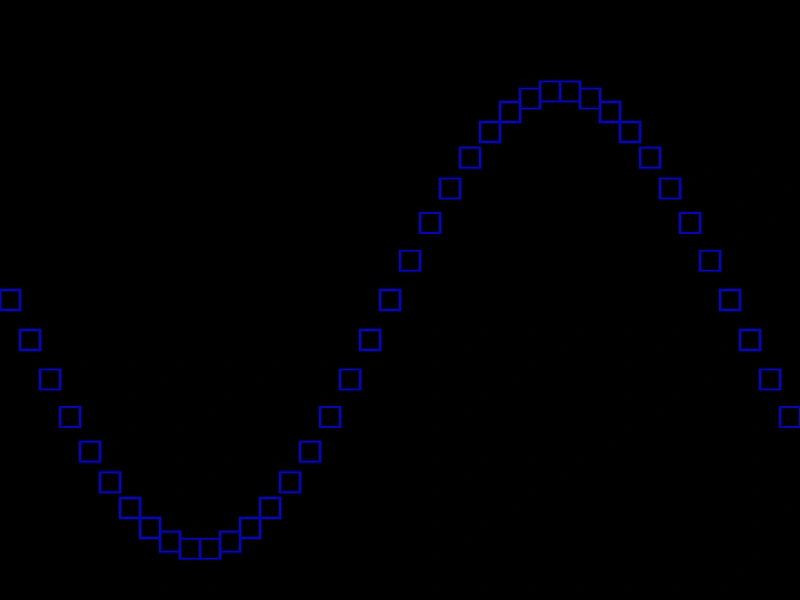
Demonstrates how to use the Offset function to shift the position of a Rectangle geometry object by specific x and y amounts.
800 × 600
class Example extends Phaser.Scene
{
    create ()
    {
        const graphics = this.add.graphics({ lineStyle: { width: 2, color: 0x0000aa } });

        const rect = new Phaser.Geom.Rectangle(0, 290, 20, 20);

        for (let angle = 0; rect.x < 800; angle += Math.PI / 18)
        {

            graphics.strokeRectShape(rect);

            Phaser.Geom.Rectangle.Offset(rect, 20, Math.cos(angle) * 40);
        }
    }
}

const config = {
    scale: { mode: Phaser.Scale.FIT },
    width: 800,
    height: 600,
    type: Phaser.AUTO,
    parent: 'game-container',
    scene: Example
};

const game = new Phaser.Game(config);
More in Rectangle46 examples
 Rectangle Offset PointDemonstrates how to shift a rectangle's position by applying the coordinates of a Point or Vector2 object.
 Rectangle OverlapsDemonstrates how to check for overlaps between two Rectangle objects using the Phaser.Geom.Rectangle.Overlaps function.
 Rectangle PerimeterCalculate and display the perimeter of a Rectangle geometry object as it is resized dynamically via pointer input.
 Rectangle Perimeter PointCalculates and visualizes a point moving along the perimeter of a rectangle based on a specific angle.