Clone a Rectangle
Demonstrates using the Rectangle Clone method to create independent copies of a source rectangle.
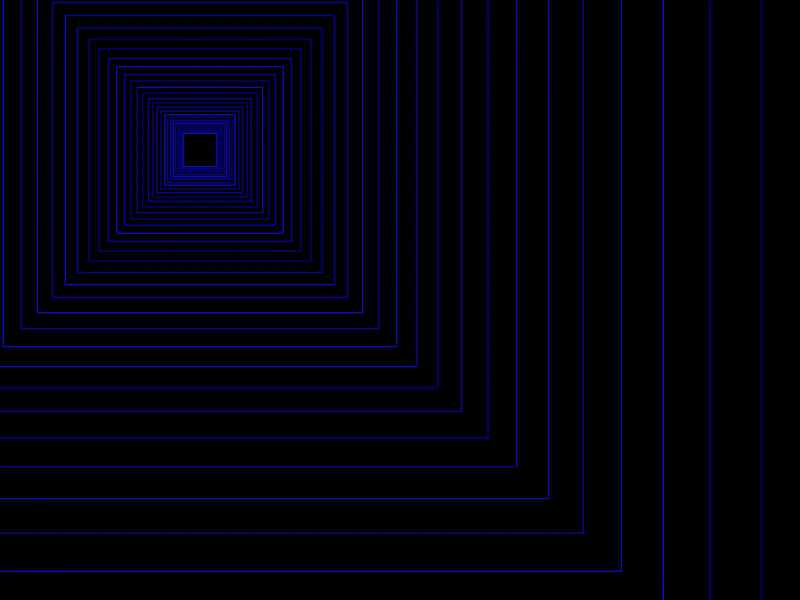
800 × 600
class Example extends Phaser.Scene
{
    rectangles = [];
    seedRect;
    graphics;

    create ()
    {
        this.graphics = this.add.graphics({ lineStyle: { color: 0x0000aa }, fillStyle: { color: 0x0000aa } });

        this.seedRect = new Phaser.Geom.Rectangle(400, 300, 30, 30);

        this.input.on('pointermove', pointer =>
        {

            Phaser.Geom.Rectangle.CenterOn(this.seedRect, pointer.x, pointer.y);

        });
    }

    update ()
    {
        const clone = Phaser.Geom.Rectangle.Clone(this.seedRect);

        this.rectangles.push(clone);

        this.graphics.clear();

        for (let i = 0; i < this.rectangles.length; i++)
        {
            const rect = this.rectangles[i];

            Phaser.Geom.Rectangle.Inflate(rect, rect.width * 0.05, rect.height * 0.05);

            if (rect.width > 1600)
            {
                this.rectangles.splice(i--, 1);
            }
            else
            {
                this.graphics.strokeRectShape(rect);
            }
        }
    }
}

const config = {
    scale: { mode: Phaser.Scale.FIT },
    width: 800,
    height: 600,
    type: Phaser.AUTO,
    parent: 'game-container',
    scene: Example
};

const game = new Phaser.Game(config);
More in Rectangle46 examples
 Copy From RectangleDemonstrates how to use the Rectangle.CopyFrom method to copy the position and dimensions of one rectangle geometry object to another.
 Create Rectangle GeometryDemonstrates how to define a basic rectangle geometry object and render it filled with color using a Graphics object.
 Decompose Rectangle into PointsDemonstrates how to use the Rectangle.Decompose method to extract the four corner coordinates of a Rectangle geometry object into an array of points.
 Floor RectangleDemonstrates the effect of rounding a rectangle's coordinates down to the nearest integer using the Floor utility method.