Rectangle Edges as Lines
Extract the four individual boundary edges of a Rectangle as Line objects using getLineA, getLineB, getLineC, and getLineD.
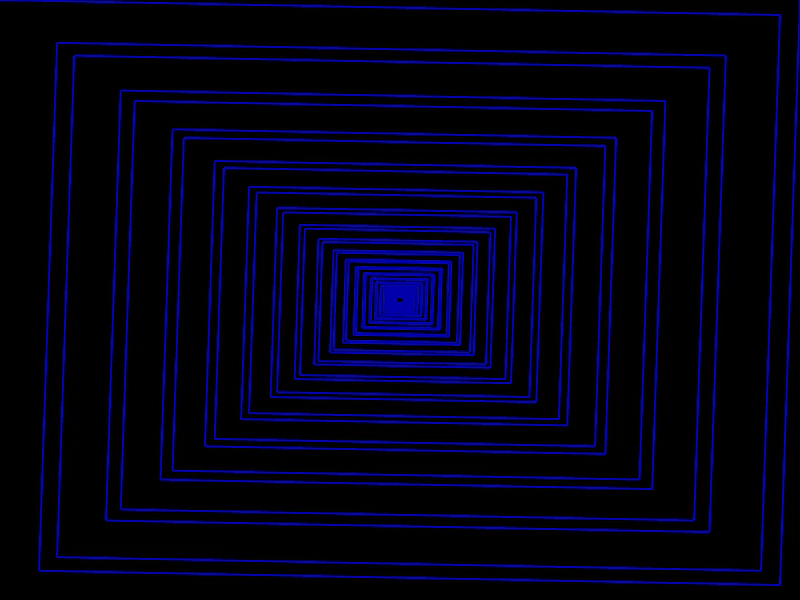
800 × 600
class Example extends Phaser.Scene
{
    create ()
    {
        const rect = new Phaser.Geom.Rectangle(0, 0, 800, 600);

        const graphics = this.add.graphics({ lineStyle: { width: 2, color: 0x0000aa } });

        let count = 0;
        const lines = [];

        while (rect.height > 5)
        {
            switch (count++ % 4)
            {
                case 0:
                    lines.push(rect.getLineA());
                    break;
                case 1:
                    lines.push(rect.getLineB());
                    break;
                case 2:
                    lines.push(rect.getLineC());
                    break;
                case 3:
                    lines.push(rect.getLineD());
                    break;
            }

            rect.width *= 0.95;
            rect.height *= 0.95;

            rect.centerX = 400;
            rect.centerY = 300;
        }

        for (let i = 0; i < lines.length - 1; i++)
        {
            const firstLine = lines[i];

            const secondLine = lines[i + 1];

            graphics.lineBetween(firstLine.x1, firstLine.y1, secondLine.x1, secondLine.y1);
            graphics.lineBetween(firstLine.x2, firstLine.y2, secondLine.x2, secondLine.y2);
        }
    }
}

const config = {
    scale: { mode: Phaser.Scale.FIT },
    width: 800,
    height: 600,
    type: Phaser.AUTO,
    parent: 'game-container',
    scene: Example
};

const game = new Phaser.Game(config);
More in Rectangle46 examples
 Rectangle EqualityDemonstrates how to use Phaser.Geom.Rectangle.Equals to check if two rectangle objects have the exact same position and dimensions.
 Rectangle Fit InsideDemonstrates how to scale and position a Rectangle to fit entirely within the bounds of another Rectangle using Phaser.Geom.Rectangle.FitInside.
 Rectangle Fit OutsideDemonstrates using Phaser.Geom.Rectangle.FitOutside to scale a rectangle so that it fully encloses a target rectangle while maintaining its original aspect ratio.
 Rectangle Floor AllDemonstrates using FloorAll to snap a rectangle's position and size to integer values, compared against a rectangle using sub-pixel floating point values.