Swapping Scenes
Demonstrates how to switch between two different scenes using the scene.switch method, which puts the current scene to sleep and starts or wakes the target scene on user interaction.
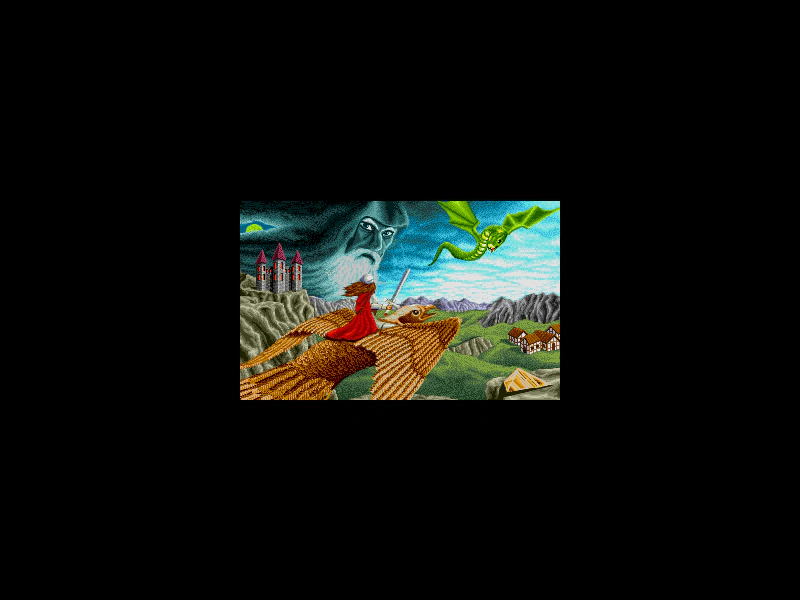
800 × 600
const sceneConfigA = {
    key: 'sceneA',
    create: createA,
    pack: {
        files: [
            { type: 'image', key: 'face', url: 'assets/pics/bw-face.png' }
        ]
    }
};

const sceneConfigB = {
    key: 'sceneB',
    create: createB,
    pack: {
        files: [
            { type: 'image', key: 'logo', url: 'assets/pics/monika-krawinkel-amberstar-title.png' }
        ]
    }
};

function createA ()
{
    this.add.image(400, 300, 'face');

    this.input.on('pointerdown', () =>
    {
        this.input.stopPropagation();
        this.scene.switch('sceneB');
    });
}

function createB ()
{
    this.add.image(400, 300, 'logo');

    this.input.on('pointerdown', () =>
    {
        this.input.stopPropagation();
        this.scene.switch('sceneA');
    });
}

const gameConfig = {
    scale: { mode: Phaser.Scale.FIT },
    type: Phaser.CANVAS,
    parent: 'game-container',
    width: 800,
    height: 600,
    scene: [ sceneConfigA, sceneConfigB ]
};

const game = new Phaser.Game(gameConfig);
More in Scenes52 examples
 Switching Scenes with ES6 ClassesDemonstrates how to transition between multiple game scenes using ES6 classes and the Scene Manager's start method.
 Switching to a Sub-Game SceneDemonstrates transitioning between a main world and a sub-game scene using Scene Switch and the Data Registry to pass information between them.
 UI Scene CommunicationDemonstrates how to run a UI Scene concurrently with a Game Scene and communicate between them using scene-level events to update scores.
 UI Scene OverlayDemonstrates how to run a dedicated UI Scene simultaneously with a Game Scene, using the Scene Event Emitter to communicate and update a score display between them.