Multiple Scenes and Multiple Cameras
Demonstrates running two active scenes simultaneously, with one scene using multiple camera viewports to create a tiled display of its content.
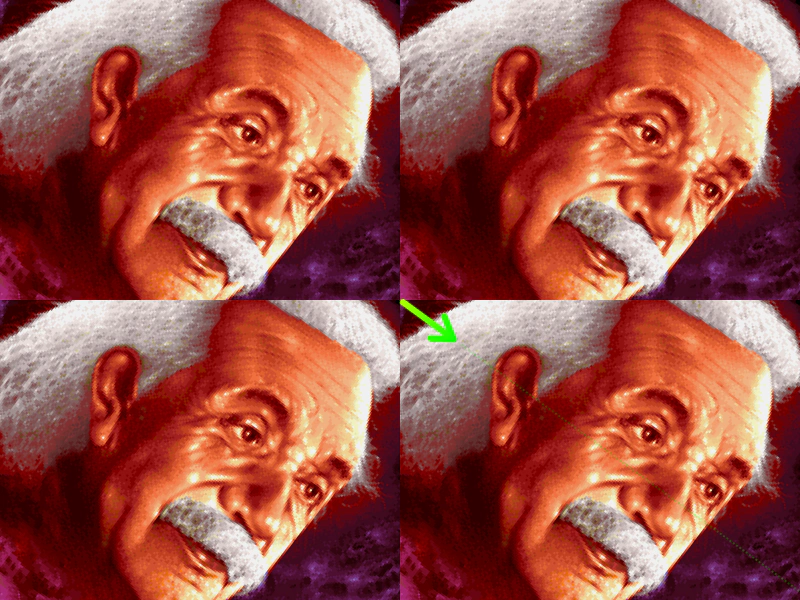
800 × 600
class Background extends Phaser.Scene
{
    constructor ()
    {
        super({ key: 'background', active: true });

        this.image;
    }

    preload ()
    {
        this.load.setBaseURL('https://cdn.phaserfiles.com/v410');
        this.load.image('einstein', 'assets/pics/ra-einstein.png');
    }

    create ()
    {
        this.image = this.add.image(200, 150, 'einstein');

        this.cameras.main.setSize(400, 300);

        this.cameras.add(400, 0, 400, 300);
        this.cameras.add(0, 300, 400, 300);
        this.cameras.add(400, 300, 400, 300);
    }

    update ()
    {
        this.image.rotation += 0.01;
    }
}

class Demo extends Phaser.Scene
{
    constructor ()
    {
        super({ key: 'demo', active: true });
    }

    preload ()
    {
        this.load.setBaseURL('https://cdn.phaserfiles.com/v410');
        this.load.image('arrow', 'assets/sprites/longarrow.png');
    }

    create ()
    {
        this.arrow = this.add.image(400, 300, 'arrow').setOrigin(0, 0.5);
    }

    update (time, delta)
    {
        this.arrow.rotation += 0.01;
    }
}

const config = {
    scale: { mode: Phaser.Scale.FIT },
    type: Phaser.WEBGL,
    width: 800,
    height: 600,
    backgroundColor: '#000000',
    parent: 'game-container',
    scene: [ Background, Demo ]
};

const game = new Phaser.Game(config);
More in Scenes52 examples
 Multiple Scenes From ClassesDemonstrates how to define and run multiple active scenes simultaneously using ES6 classes within the game configuration.
 Multiple Scenes from Configuration ObjectsDemonstrates how to define and run multiple simultaneous scenes using configuration objects. It covers scene-specific asset loading via pack files, custom render functions, and setting scene positions and dimensions.
 Multiple Scenes From InstancesThis example demonstrates how to create and add multiple Scene instances to a game configuration and launch one scene from another.
 Object-Based ScenesThis example demonstrates how to define Phaser Scenes using plain JavaScript objects instead of classes and how to launch and reference them from within other scenes.