Stagger Delay
Apply a staggered delay to a group of targets in a single tween, causing them to start their animation sequence at different intervals.
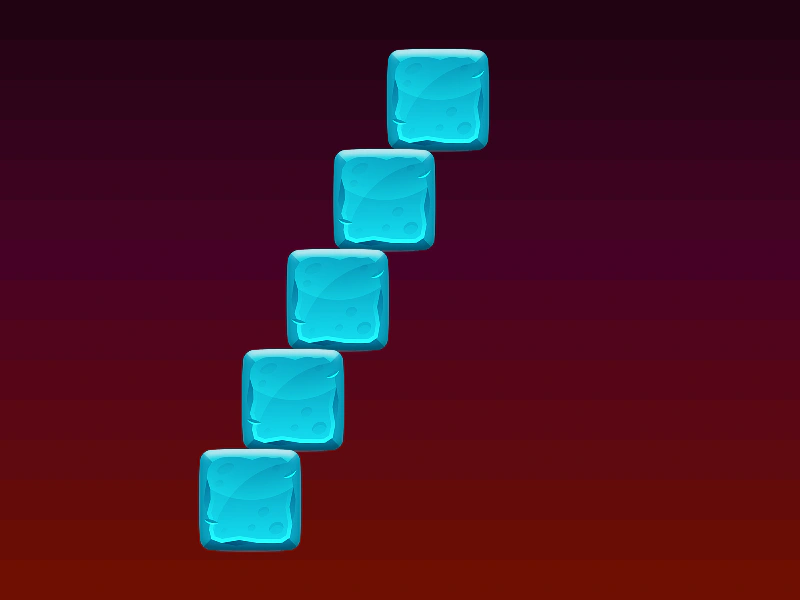
800 × 600
class Example extends Phaser.Scene
{
    constructor ()
    {
        super();
    }

    preload ()
    {
        this.load.setBaseURL('https://cdn.phaserfiles.com/v410');
        this.load.image('bg', 'assets/skies/sunset.png');
        this.load.image('block', 'assets/sprites/block-ice.png');
    }

    create ()
    {
        this.add.image(400, 300, 'bg');

        const image1 = this.add.image(100, 100, 'block').setScale(0.4);
        const image2 = this.add.image(100, 200, 'block').setScale(0.4);
        const image3 = this.add.image(100, 300, 'block').setScale(0.4);
        const image4 = this.add.image(100, 400, 'block').setScale(0.4);
        const image5 = this.add.image(100, 500, 'block').setScale(0.4);

        this.tweens.add({
            targets: [ image1, image2, image3, image4, image5 ],
            x: 700,
            yoyo: true,
            duration: 2000,
            ease: 'Sine.easeInOut',
            repeat: -1,
            delay: this.tweens.stagger(100)
        });
    }
}

const config = {
    scale: { mode: Phaser.Scale.FIT },
    type: Phaser.AUTO,
    width: 800,
    height: 600,
    backgroundColor: '#2d2d2d',
    parent: 'game-container',
    scene: Example
};

const game = new Phaser.Game(config);
More in Tweens58 examples
 Staggered Column TweensDemonstrates applying staggered scale and rotation animations to a grid of sprites using column-based delay calculations.
 Stop a TweenDemonstrates how to manually stop a running tween using the stop method, triggered by a pointer event.
 Tween Behavior with CPU LagDemonstrates how the tween system handles a significant main-thread block (CPU lag) while managing thousands of concurrent sprite tweens.
 Tween CallbacksDemonstrates how to use lifecycle event callbacks in a tween, including onStart, onComplete, onYoyo, onRepeat, onPause, and onResume.