Tween Lag Smoothing
Demonstrates how the tween system handles and recovers from significant CPU lag by simulating a long blocking process during tween playback.
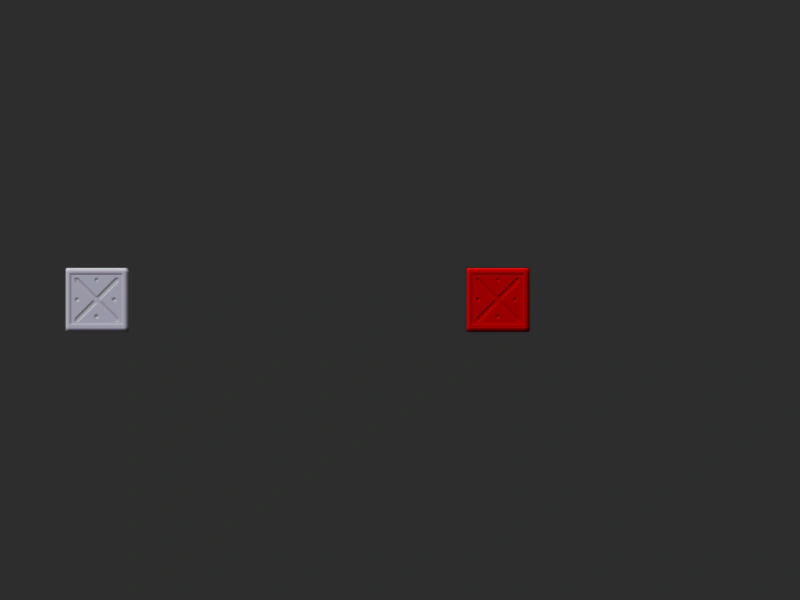
800 × 600
let shouldRun = true;

function blockCpuFor(ms) {
	var now = new Date().getTime();
    console.log('start blocking');
    var result = 0;
	while(shouldRun) {
		result += Math.random() * Math.random();
		if (new Date().getTime() > now +ms)
        {
            console.log('end blocking');
			return;
        }
	}
}

class Example extends Phaser.Scene
{
    constructor ()
    {
        super();
    }

    preload ()
    {
        this.load.setBaseURL('https://cdn.phaserfiles.com/v410');
        this.load.image('block', 'assets/sprites/steelbox.png');
    }

    create ()
    {
        const b1 = this.add.image(100, 300, 'block');
        const b2 = this.add.image(500, 300, 'block').setTint(0xff0000);

        this.input.once('pointerdown', () => {

            this.tweens.add({
                targets: b1,
                x: 500-64,
                duration: 2000,
                ease: 'Linear',
            });

            this.tweens.add({
                targets: b1,
                x: 700-64,
                duration: 1000,
                ease: 'Linear',
                delay: 2000
            });

            this.tweens.add({
                targets: b2,
                x: 700,
                duration: 1000,
                ease: 'Linear',
                delay: 2000
            });

            setTimeout(() => {
                blockCpuFor(1500)
            }, 1000);

        });
    }
}

const config = {
    scale: { mode: Phaser.Scale.FIT },
    type: Phaser.AUTO,
    width: 800,
    height: 600,
    backgroundColor: '#2d2d2d',
    parent: 'game-container',
    scene: Example,
    fps: {
        // smoothStep: false
        // limit: 30
    }
};

const game = new Phaser.Game(config);
More in Tweens58 examples
 Tween LoopDemonstrates how to repeat a tween multiple times using the loop property and how to use the onLoop callback to track the current loop count.
 Tween Manager Garbage Collection PerformanceA stress test creating thousands of single-use tweens to demonstrate how the Tween Manager efficiently handles high volume and internal garbage collection.
 Tween On Start CallbackDemonstrates how to use the onStart event and onStartParams to execute a function and pass custom data when a tween begins playing.
 Tween On Yoyo CallbackDemonstrates how to use the onYoyo callback to trigger logic specifically when a tween finishes its forward motion and begins to reverse direction.