Custom Filter with Secondary Texture Input
This example demonstrates how to create a multi-pass custom filter that uses a secondary image as a strength map to selectively control blur intensity across a Game Object.
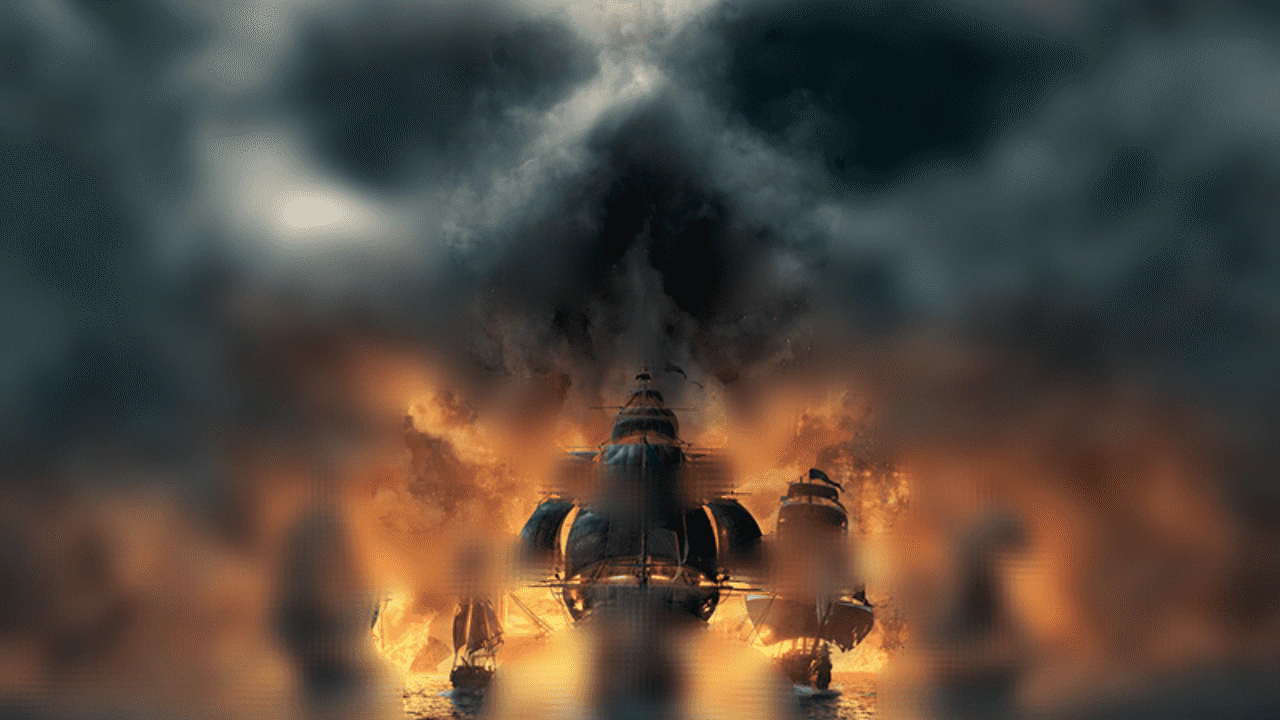
1280 × 720
// Define custom filter.

// This is a complex example of a custom filter which uses multiple passes
// and samples an image texture to control blur levels.
// This is a simplified version of the Blur filter, with extra texture input.

// The Controller is the main interface for the filter.
class BlurByTexture extends Phaser.Filters.Controller
{
    constructor (camera, x, y, steps, strengthMap)
    {
        // The name 'FilterBlurByTexture' is defined in FilterBlurByTexture.
        super(camera, 'FilterBlurByTexture');

        if (x === undefined) { x = 1; }
        if (y === undefined) { y = 1; }
        if (steps === undefined) { steps = 4; }
        if (strengthMap === undefined) { strengthMap = '__WHITE'; }

        // Properties on the controller are used to pass data to the shader.
        this.x = x;
        this.y = y;
        this.steps = steps;
        this.strengthMap = strengthMap;
    }
}

// This RenderNode is required for rendering the custom filter.
// Note that this doesn't use BaseFilterShader.
// It calls additional RenderNodes instead.
class FilterBlurByTexture extends Phaser.Renderer.WebGL.RenderNodes.BaseFilter
{
    constructor (manager)
    {
        // The name 'FilterBlurByTexture' is used by the Controller.
        // Because this is a BaseFilter, we don't need to pass the fragment shader.
        super('FilterBlurByTexture', manager);
    }

    // This method is called when the filter is run.
    // When extending BaseFilter, this method must be implemented.
    run (controller, inputDrawingContext, outputDrawingContext, padding)
    {
        // This method must be called when the filter is run.
        this.onRunBegin(outputDrawingContext);

        // Padding must be defined for the filter to work.
        // The base Controller returns a default padding of 0 on all sides.
        if (!padding)
        {
            padding = controller.getPadding();
        }


        // We define a proxy controller so we can modify it without affecting the original.
        var proxyController = {
            camera: controller.camera,
            x: controller.x,
            y: controller.y,
            steps: controller.steps,
            strengthMap: controller.strengthMap
        };

        var currentContext = inputDrawingContext;
        var filter = this.manager.getNode('FilterBlurByTexturePass');
        var steps = controller.steps;

        for (var i = 0; i < steps; i++)
        {
            /*
            Render alternating horizontal and vertical passes.
            Gaussian blurs are axis-separable,
            so this creates the same effect as a single pass with more samples,
            but is faster.
            We have to break this down into steps at this level
            because GLSL doesn't support a variable number of loop iterations,
            so we can't pass the number of steps as a uniform.
            */

            // Horizontal pass
            proxyController.x = controller.x;
            proxyController.y = 0;
            currentContext = filter.run(proxyController, currentContext, null, padding);

            if (i === 0)
            {
                // Stop adding padding after the first pass.
                padding = new Phaser.Geom.Rectangle();
            }

            // Vertical pass
            var output = (i === steps - 1) ? outputDrawingContext : null;
            proxyController.x = 0;
            proxyController.y = controller.y;
            currentContext = filter.run(proxyController, currentContext, output, padding);
        }

        outputDrawingContext = currentContext;


        // This method must be called when the filter is run.
        this.onRunEnd(outputDrawingContext);

        // The method must return the output drawing context.
        return outputDrawingContext;
    }
}

// The fragment shader for the filter.
const fragmentShaderBlurByTexture =
`
// BLUR_BY_TEXTURE_FS
#pragma phaserTemplate(shaderName)

precision mediump float;

uniform sampler2D uMainSampler;
uniform sampler2D strengthMap;
uniform vec2 resolution;
uniform vec2 offset;

varying vec2 outTexCoord;

void main ()
{
    vec2 uv = outTexCoord;

    vec4 strengthSample = texture2D(strengthMap, uv);
    float strength = (strengthSample.r + strengthSample.g + strengthSample.b) / 3.0;

    vec4 col = vec4(0.0);

    vec2 offset = vec2(1.333) * offset * strength;

    col += texture2D(uMainSampler, uv) * 0.29411764705882354;
    col += texture2D(uMainSampler, uv + (offset / resolution)) * 0.35294117647058826;
    col += texture2D(uMainSampler, uv - (offset / resolution)) * 0.35294117647058826;

    gl_FragColor = col;
}
`;

class FilterBlurByTexturePass extends Phaser.Renderer.WebGL.RenderNodes.BaseFilterShader
{
    constructor (manager)
    {
        // The name 'FilterBlurByTexturePass' is used by the FilterBlurByTexture node to access this node.
        super('FilterBlurByTexturePass', manager, null, fragmentShaderBlurByTexture);
    }

    // This method adds extra textures to the shader.
    // `textures` is an array of WebGLTextureWrapper objects.
    // `textures[0]` is always the framebuffer being filtered.
    setupTextures (controller, textures)
    {
        textures[1] = controller.camera.scene.sys.textures.getFrame(controller.strengthMap).glTexture;
    }

    setupUniforms (controller, drawingContext)
    {
        var programManager = this.programManager;

        // Tell the shader which texture unit to use.
        programManager.setUniform('strengthMap', 1);

        programManager.setUniform('resolution', [ drawingContext.width, drawingContext.height ]);
        programManager.setUniform('offset', [ controller.x, controller.y ]);
    }
}

// End custom filter definition.


class Example extends Phaser.Scene
{
    preload ()
    {
        this.load.setBaseURL('https://cdn.phaserfiles.com/v410');
        this.load.image('skull-and-bones', 'assets/pics/skull-and-bones.jpg');
        this.load.image('distortion5', 'assets/textures/distortion5.png');
    }

    create ()
    {
        if (!this.renderer.renderNodes.hasNode('FilterBlurByTexture'))
        {
            // Load the custom filter.
            // We load during scene creation because the renderer has booted by this point.
            this.renderer.renderNodes.addNodeConstructor('FilterBlurByTexture', FilterBlurByTexture);
            this.renderer.renderNodes.addNodeConstructor('FilterBlurByTexturePass', FilterBlurByTexturePass);
        }

        // Add an image to selectively blur.
        const image = this.add.image(640, 360, 'skull-and-bones')
        image.setScale(this.scale.width / image.width);
        image.enableFilters();
        const blurByTexture = image.filters.internal.add(
            new BlurByTexture(image.filterCamera, 4, 4, 4, 'distortion5')
        );

        // Tween the blur strength.
        this.tweens.add({
            targets: blurByTexture,
            x: 0,
            y: 0,
            duration: 3000,
            yoyo: true,
            repeat: -1
        });
    }
}

const config = {
    scale: { mode: Phaser.Scale.FIT },
    type: Phaser.AUTO,
    width: 1280,
    height: 720,
    backgroundColor: '#000000',
    parent: 'game-container',
    scene: Example
};

let game = new Phaser.Game(config);
More in Filters14 examples
 Custom Shine FilterLearn how to apply a custom external shine filter effect to a Game Object using a specialized render node controller.
 Custom Shine Filter with Progress ControlDemonstrates applying a custom shine filter to an image and manually controlling its animation progress using a tween.
 Filter SamplerDemonstrates how to use the Sampler filter to retrieve color data from a specific pixel coordinate on an image, using the result to update the game background color.
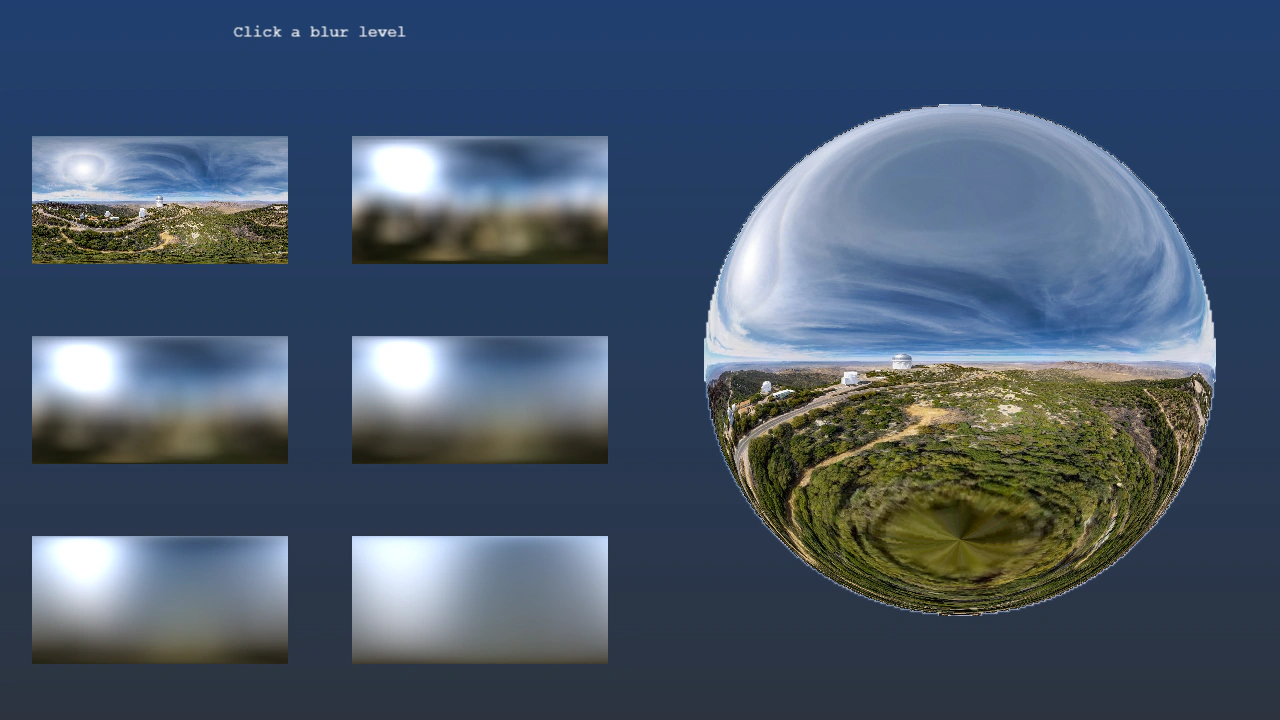 Panorama Blur FilterUse the Panorama Blur filter to pre-render blurred environment maps and apply them to normal-mapped sprites via the Image Light filter.