Random Position in Triangle
Demonstrates how to use the RandomTriangle action to randomly distribute a group of sprites within the boundaries of a triangle geometry object.
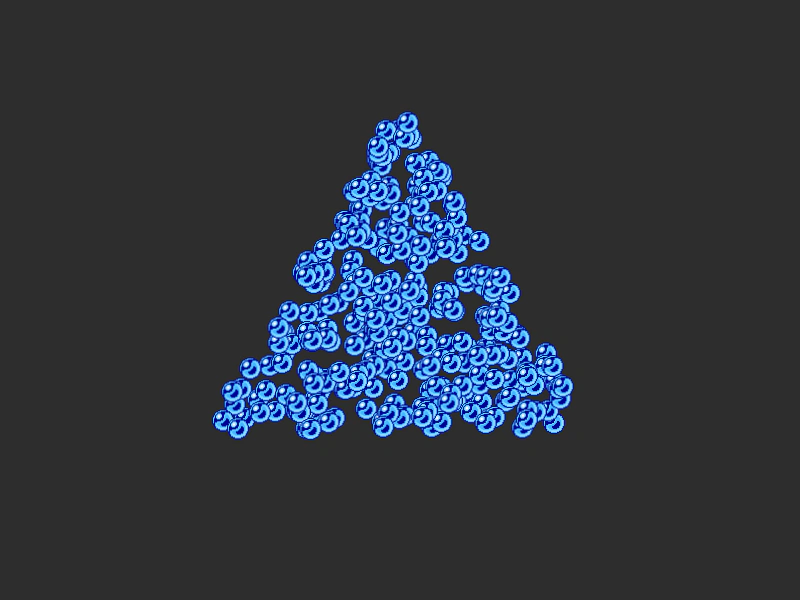
800 × 600
class Example extends Phaser.Scene
{
    constructor ()
    {
        super();
    }

    preload ()
    {
        this.load.setBaseURL('https://cdn.phaserfiles.com/v410');
        this.load.image('orb', 'assets/sprites/orb-blue.png');
    }

    create ()
    {
        //  Create 300 sprites (they all start life at 0x0)
        const group = this.add.group({ key: 'orb', frameQuantity: 300 });

        const triangle = new Phaser.Geom.Triangle.BuildEquilateral(400, 100, 380);
        // var triangle = new Phaser.Geom.Triangle.BuildRight(200, 400, 300, 200);

        //  Randomly position the sprites within the triangle
        Phaser.Actions.RandomTriangle(group.getChildren(), triangle);
    }
}

const config = {
    scale: { mode: Phaser.Scale.FIT },
    type: Phaser.AUTO,
    width: 800,
    height: 600,
    backgroundColor: '#2d2d2d',
    parent: 'game-container',
    scene: Example
};

const game = new Phaser.Game(config);
More in Actions49 examples
 Random Rectangle ActionDemonstrates how to randomly distribute a group of sprites within the boundaries of a geometric rectangle using the RandomRectangle action.
 Rotate AroundDemonstrates how to rotate a group of Game Objects around a fixed point in space using the RotateAround action.
 Rotate Around DistanceDemonstrates how to use the RotateAroundDistance action to rotate a group of game objects around a specific point while maintaining a fixed radius.
 Rotate Around Point with DistanceDemonstrates using the RotateAroundDistance action to orbit a group of sprites around a specific point at a fixed radius, with the rotation center following the pointer.