Add Shine Effect with Displacement Map
Demonstrates how to apply an animated shine effect to an image using a displacement map to create distorted light reflections.
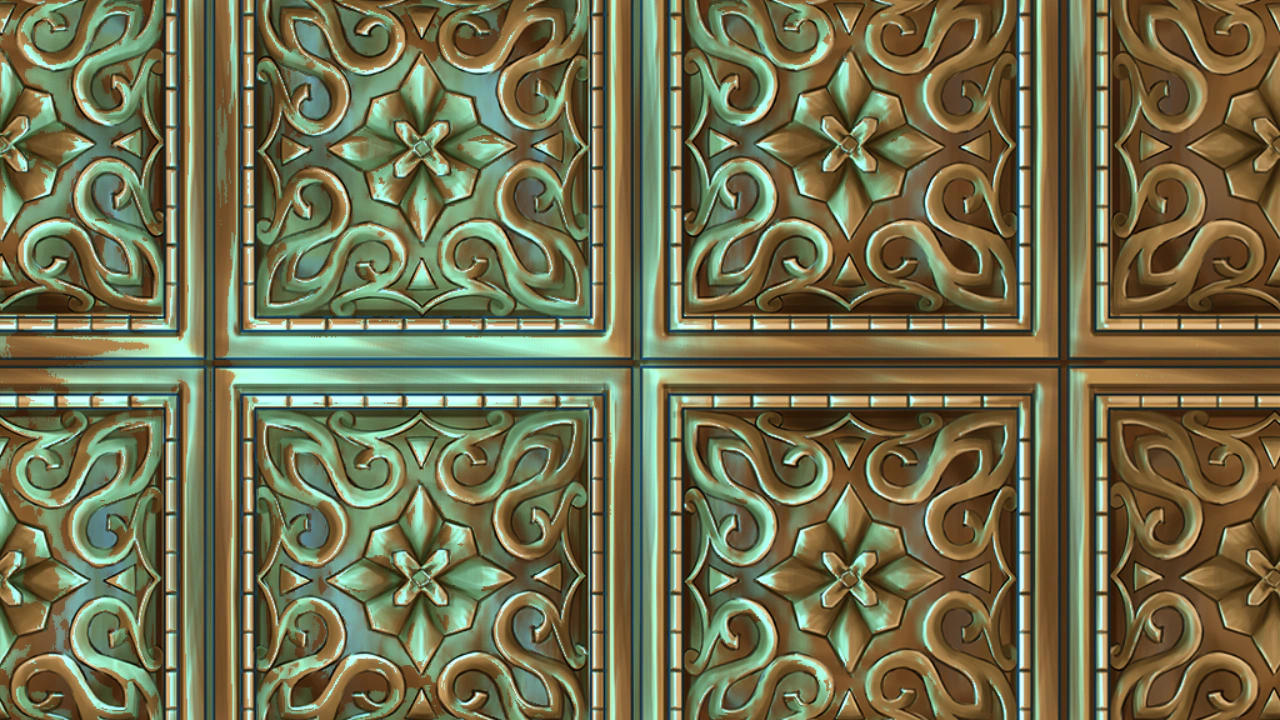
1280 × 720
class Example extends Phaser.Scene
{
    preload ()
    {
        this.load.setBaseURL('https://cdn.phaserfiles.com/v410');
        this.load.image('bg', 'assets/textures/gold.png');
        this.load.image('displacement', 'assets/textures/gold-n.png');
    }

    create ()
    {
        const bg = this.add.image(this.sys.scale.width / 2, this.sys.scale.height / 2, 'bg');
        Phaser.Actions.FitToRegion(bg, 1);

        Phaser.Actions.AddEffectShine(bg, {
            displacementMap: 'displacement',
            displacement: 1,
            colorFactor: [ 0, 1, 2, 1 ],
            direction: 0,
            scale: 1,
            duration: 5000,
            ease: 'Quad.inout',
            yoyo: true
        });
    }
}

const config = {
    scale: { mode: Phaser.Scale.FIT },
    type: Phaser.AUTO,
    width: 1280,
    height: 720,
    backgroundColor: '#2f3640',
    parent: 'game-container',
    scene: Example
};

const game = new Phaser.Game(config);
More in Actions49 examples
 Align Objects SequenceUses the AlignTo action to position an array of Game Objects sequentially relative to one another based on a specified alignment point.
 Align To ActionDemonstrates how to use the AlignTo action to position an array of Game Objects sequentially relative to each other, using the first object as the anchor.
 Align To OffsetDemonstrates using Phaser.Actions.AlignTo to position a sequence of sprites relative to each other with a dynamic vertical offset.
 Angle ActionDemonstrates how to use the Angle action to rotate an array of Game Objects by a fixed amount every frame.