Mass Scrolling Interactive Sprites
A stress test demonstrating input events and performance across 10,000 interactive sprites in a large grid, featuring camera controls and disabled camera culling.
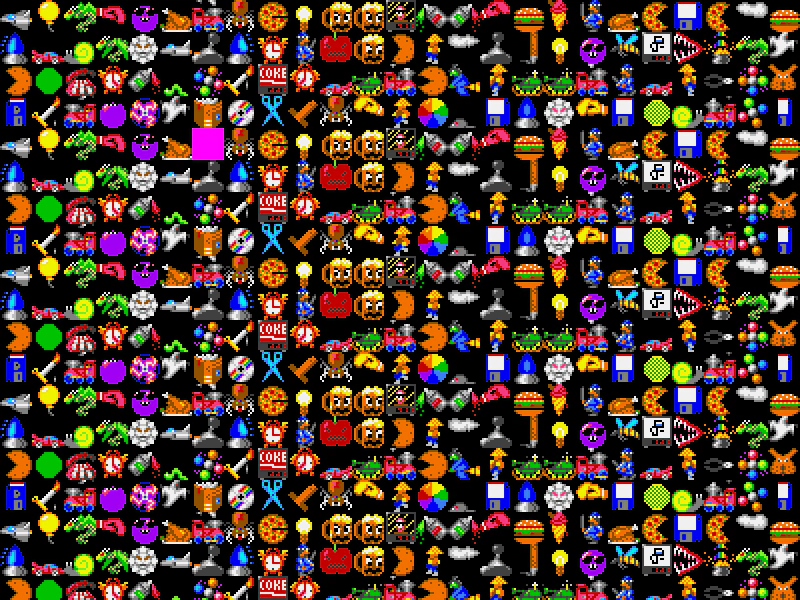
800 × 600
class Example extends Phaser.Scene
{
    controls;

    preload ()
    {
        this.load.setBaseURL('https://cdn.phaserfiles.com/v410');
        this.load.spritesheet('bobs', 'assets/sprites/bobs-by-cleathley.png', { frameWidth: 32, frameHeight: 32 });
    }

    create ()
    {
        //  Create a little 32x32 texture to use to show where the mouse is
        const graphics = this.make.graphics({ x: 0, y: 0, add: false, fillStyle: { color: 0xff00ff, alpha: 1 } });

        graphics.fillRect(0, 0, 32, 32);

        graphics.generateTexture('block', 32, 32);

        const highlighted = this.add.image(16, 16, 'block');

        //  All the Images can share the same Shape, no need for a unique instance per one, a reference is fine
        const hitArea = new Phaser.Geom.Rectangle(0, 0, 32, 32);
        const hitAreaCallback = Phaser.Geom.Rectangle.Contains;

        //  Create 10,000 Image Game Objects aligned in a grid
        //  Change this to 2000 on MS Edge as it can't seem to cope with 10k at the moment
        const group = this.make.group({
            classType: Phaser.GameObjects.Image,
            key: 'bobs',
            frame: Phaser.Utils.Array.NumberArray(0, 399),
            randomFrame: true,
            repeat: 24,
            max: 10000,
            hitArea: hitArea,
            hitAreaCallback: hitAreaCallback,
            gridAlign: {
                width: 100,
                cellWidth: 32,
                cellHeight: 32
            }
        });

        //  Camera controls
        const cursors = this.input.keyboard.createCursorKeys();

        const controlConfig = {
            camera: this.cameras.main,
            left: cursors.left,
            right: cursors.right,
            up: cursors.up,
            down: cursors.down,
            acceleration: 0.04,
            drag: 0.0005,
            maxSpeed: 0.7
        };

        this.cameras.main.disableCull = true;

        this.controls = new Phaser.Cameras.Controls.SmoothedKeyControl(controlConfig);

        this.input.on('pointerover', (pointer, gameObjects) =>
        {

            highlighted.setPosition(gameObjects[0].x, gameObjects[0].y);

        });

        this.input.on('gameobjectdown', (pointer, gameObject) =>
        {

            gameObject.visible = false;

        });
    }

    update (time, delta)
    {
        this.controls.update(delta);
    }
}

const config = {
    scale: { mode: Phaser.Scale.FIT },
    type: Phaser.WEBGL,
    parent: 'game-container',
    width: 800,
    height: 600,
    scene: Example
};

const game = new Phaser.Game(config);
More in Mouse25 examples
 Mass Sprite Input DetectionDemonstrates efficient pointer event handling for a large number of sprites arranged in a grid using groups and hit area callbacks.
 Mouse Down EventDetect a pointer down event and spawn a sprite at the pointer coordinates.
 Mouse Wheel InputCapture mouse wheel scroll events and use the delta values to scroll a TileSprite texture.
 Mouse Wheel Over Game ObjectHow to detect and handle mouse wheel scroll events specifically when the cursor is positioned over an interactive Game Object.