Circle Clone
Demonstrates how to create multiple independent copies of a Circle geometry object using the Clone method to build and animate a complex pattern.
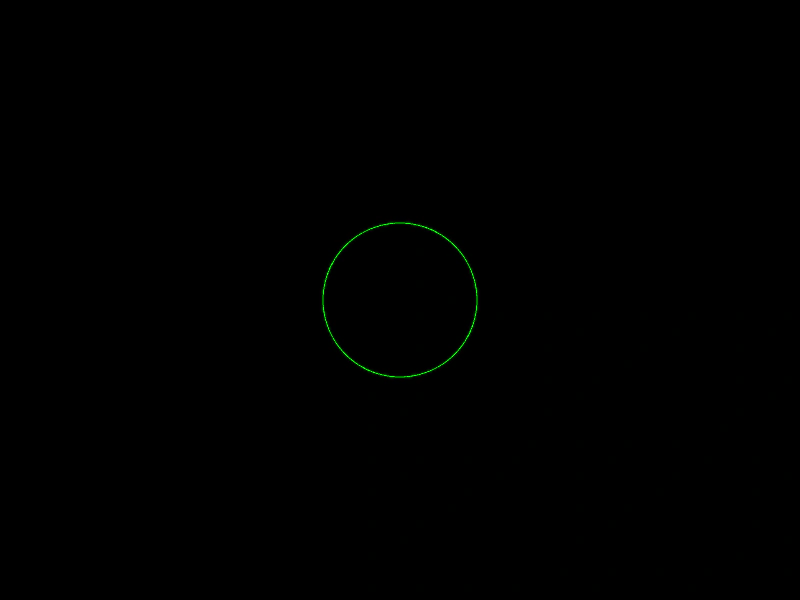
800 × 600
class Example extends Phaser.Scene
{
    circles;
    graphics;

    create ()
    {
        this.graphics = this.add.graphics({ lineStyle: { color: 0x00ff00 } });

        let circle = new Phaser.Geom.Circle(400, 300, 0);

        this.circles = [ circle ];

        for (let i = 0; i < 80; i++)
        {
            circle = Phaser.Geom.Circle.Clone(circle);
            circle.radius += 1;

            Phaser.Geom.Circle.CircumferencePoint(circle, i / 20 * Phaser.Math.PI2, circle);

            this.circles.push(circle);
        }
    }

    update ()
    {
        this.graphics.clear();

        for (let i = 0; i < this.circles.length; i++)
        {
            this.circles[i].radius += 1;
            if (this.circles[i].radius > 800)
            {
                this.circles[i].radius = 0;
            }

            this.graphics.strokeCircleShape(this.circles[i]);
        }
    }
}

const config = {
    scale: { mode: Phaser.Scale.FIT },
    width: 800,
    height: 600,
    type: Phaser.AUTO,
    parent: 'game-container',
    scene: Example
};

const game = new Phaser.Game(config);
More in Circle22 examples
 Circle Contains PointDemonstrates how to use the circle's contains method to detect if a point, such as the mouse pointer, is inside its boundary.
 Circle Contains PointDemonstrates how to use the Circle.ContainsPoint geometric test to check if a moving point is located inside a circle's area.
 Circle Contains RectangleDemonstrates how to check if a Rectangle is fully contained within the bounds of a Circle using Phaser.Geom.Circle.ContainsRect.
 Circle Copy FromDemonstrates how to use Phaser.Geom.Circle.CopyFrom to copy the position and radius of one circle geometry object into another.