Word Wrap By Width
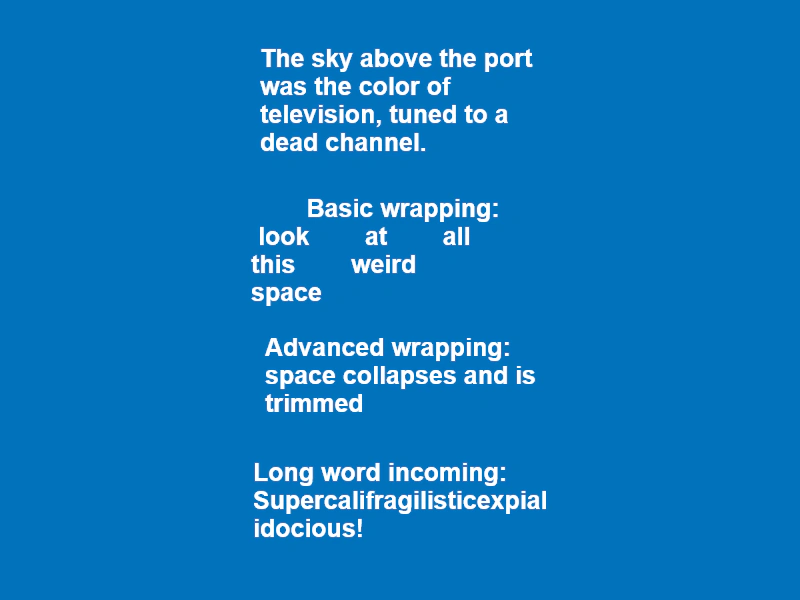
Demonstrates how to wrap text by a specified pixel width, highlighting the differences between basic wrapping and advanced wrapping for whitespace handling and long words.
800 × 600
class Example extends Phaser.Scene
{
    create ()
    {
        // Basic text wrapping based on width.
        this.make.text({
            x: 400,
            y: 100,
            text: 'The sky above the port was the color of television, tuned to a dead channel.',
            origin: { x: 0.5, y: 0.5 },
            style: {
                font: 'bold 25px Arial',
                fill: 'white',
                wordWrap: { width: 300 }
            }
        });

        // Basic wrap will NOT touch the whitespace in your text.
        this.make.text({
            x: 400,
            y: 250,
            text: '        Basic wrapping:        look        at        all        this        weird         space        ',
            origin: { x: 0.5, y: 0.5 },
            style: {
                font: 'bold 25px Arial',
                fill: 'white',
                wordWrap: { width: 300 }
            }
        });

        // Advanced wrap will collapse neighboring spaces into a single space and trim whitespace from
        // the start and end of each line.
        this.make.text({
            x: 400,
            y: 375,
            text: '        Advanced wrapping:        space        collapses        and        is        trimmed        ',
            origin: { x: 0.5, y: 0.5 },
            style: {
                font: 'bold 25px Arial',
                fill: 'white',
                wordWrap: { width: 300, useAdvancedWrap: true }
            }
        });

        // The advanced word wrapping algorithm will also break words that are longer than the specified
        // wrap width
        this.make.text({
            x: 400,
            y: 500,
            text: 'Long word incoming: Supercalifragilisticexpialidocious!',
            origin: { x: 0.5, y: 0.5 },
            style: {
                font: 'bold 25px Arial',
                fill: 'white',
                wordWrap: { width: 300, useAdvancedWrap: true }
            }
        });
    }
}

const config = {
    scale: { mode: Phaser.Scale.FIT },
    type: Phaser.CANVAS,
    width: 800,
    height: 600,
    backgroundColor: '#0072bc',
    parent: 'game-container',
    scene: Example
};

const game = new Phaser.Game(config);
More in Text29 examples
 Basic TextCreate text objects using default settings, style configuration objects, or method chaining to set font properties like family, size, and color.
 Basic Text CreationDemonstrates the simplest way to add and display a text string at specific coordinates in a scene.
 Change TextDemonstrates how to update the string content of a Text object dynamically using both the text property and the setText method.
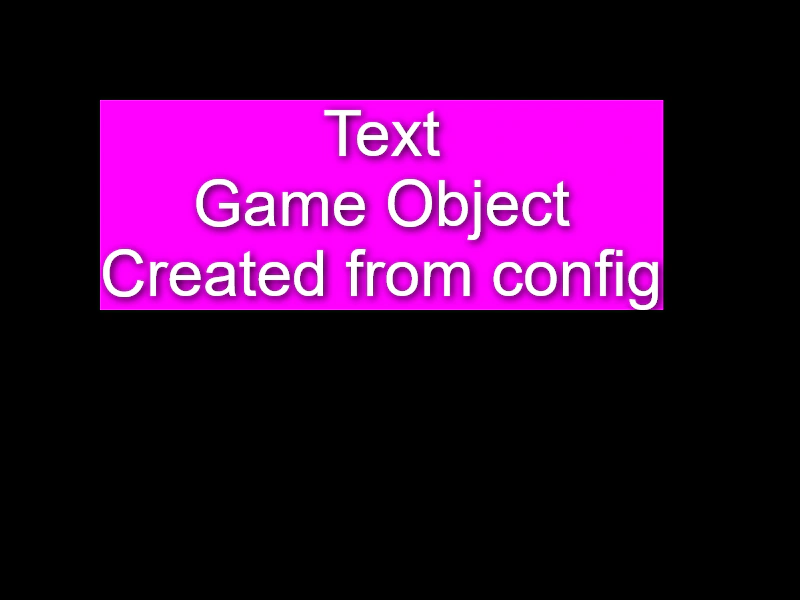 Create Text from ConfigurationDemonstrates how to create and style a Text Game Object by passing a configuration object to the Scene Maker.