Using a Shader as a Buffer
Demonstrates how to render a shader's output directly to a texture and use that texture as a sampler input for another shader.
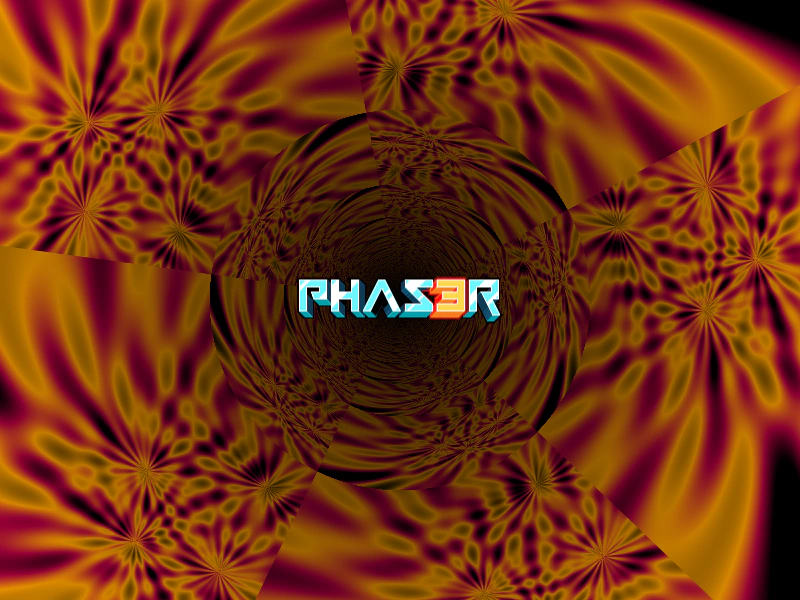
800 × 600
class Example extends Phaser.Scene
{
    preload ()
    {
        this.load.setBaseURL('https://cdn.phaserfiles.com/v410');
        this.load.image('logo', 'assets/sprites/phaser3-logo-small.png');
        this.load.glsl('Flower Plasma', 'assets/shaders/flower-plasma.frag');
        this.load.glsl('Tunnel', 'assets/shaders/tunnel.frag');
    }

    create ()
    {
        //  Here we create our shader. It has a size of 512 x 512.
        const bufferA = this.add.shader({
            name: 'Flower Plasma',
            fragmentKey: 'Flower Plasma',
            initialUniforms: {
                resolution: [ 512, 512 ]
            },
            setupUniforms: (setUniform, drawingContext) => {
                setUniform('time', this.game.loop.getDuration());
            }
        }, 0, 0, 512, 512);

        //  Now we tell it to render to a texture, instead of on the display list.
        //  The string given here is the key that is used when saving it to the Texture Manager:
        bufferA.setRenderToTexture('bufferA');

        this.add.shader({
            name: 'Tunnel',
            fragmentKey: 'Tunnel',
            initialUniforms: {
                resolution: [ 800, 600 ],
                iChannel0: 0,
                alpha: 1,
                origin: 2
            },
            setupUniforms: (setUniform, drawingContext) => {
                setUniform('time', this.game.loop.getDuration());
            }
        }, 400, 300, 800, 600, [ 'bufferA' ]);

        this.add.image(400, 300, 'logo');
    }
}

const config = {
    scale: { mode: Phaser.Scale.FIT },
    type: Phaser.WEBGL,
    parent: 'game-container',
    width: 800,
    height: 600,
    scene: Example
};

const game = new Phaser.Game(config);
More in Shaders15 examples
 Basic Texture ShaderDemonstrates how to create a custom shader that accepts an image texture as a uniform and applies it using texture coordinates.
 Change Shader TextureDemonstrates how to dynamically swap textures used by a shader at runtime using the setTextures method.
 Load ShaderLearn how to load an external GLSL fragment shader file and display it in your scene using a Shader Game Object.
 Render Shader to TextureDemonstrates how to render a fragment shader directly to a texture, which can then be used by standard Game Objects like Images and Sprites throughout your scene.