Scene Pack Files Payload
Demonstrates how to use the 'pack' property in a Scene configuration to load assets before the Scene starts, making them available before the preload function is even called.
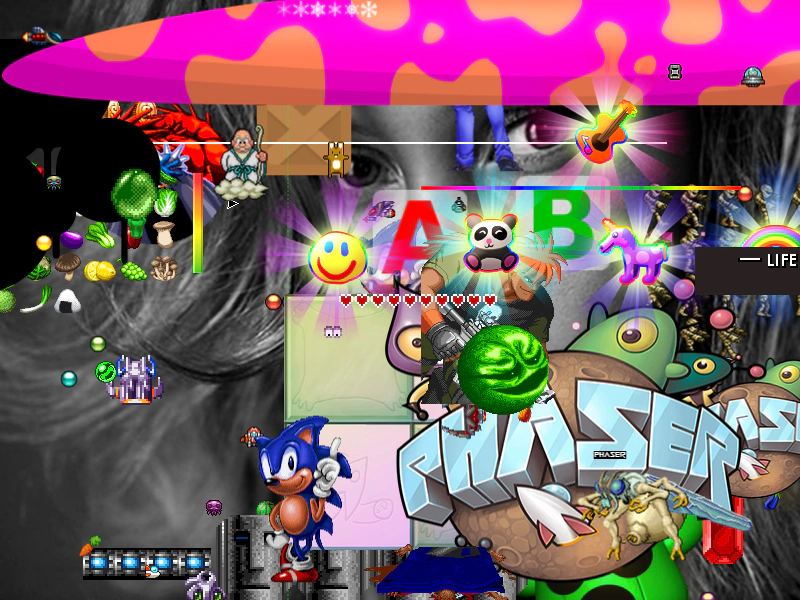
800 × 600
//  Files specified in the Scene config files payload
//  will be loaded in *before* the Scene is started,
//  meaning they're available before even the Scene.preload function (if set) is called

//  This is perfect for loading in small JSON config files for example,
//  or a tiny amount of preloader assets that the preloader itself needs to use.
class Example extends Phaser.Scene
{
    constructor ()
    {
        super({
            pack: {
                files: [
                    { type: 'image', key: 'sonic', url: 'assets/sprites/sonic_havok_sanity.png' },
                    { type: 'atlas', key: 'megaset', textureURL: 'assets/atlas/megaset-0.png', atlasURL: 'assets/atlas/megaset-0.json'}
                ]
            }
        });
    }

    preload ()
    {
        this.load.setBaseURL('https://cdn.phaserfiles.com/v410');
        //  You can still preload other assets too
        this.load.image('face', 'assets/pics/bw-face.png');
    }

    create ()
    {
        this.add.image(400, 300, 'face');
        this.add.image(400, 300, 'sonic');

        const atlasTexture = this.textures.get('megaset');

        const frames = atlasTexture.getFrameNames();

        for (let i = 0; i < frames.length; i++)
        {
            const x = Phaser.Math.Between(0, 800);
            const y = Phaser.Math.Between(0, 600);

            this.add.image(x, y, 'megaset', frames[i]);
        }
    }
}


const gameConfig = {
    scale: { mode: Phaser.Scale.FIT },
    type: Phaser.AUTO,
    parent: 'game-container',
    width: 800,
    height: 600,
    scene: Example
};

const game = new Phaser.Game(gameConfig);
More in Loader12 examples
 Load Animation JSONDemonstrates how to load animation configuration data from an external JSON file and apply those animations to sprites.
 Load External ScriptDemonstrates how to load an external JavaScript file and access its global functions within a scene.
 Load HTML to TextureDemonstrates how to load an external HTML file and convert it into a texture that can be used by Game Objects like Images or Sprites.
 Load Scene FileDemonstrates how to dynamically load a Scene class from an external JavaScript file using the Loader.