Custom Console Banner Colors
Demonstrates how to customize the text and background colors of the Phaser startup banner shown in the browser console, as well as how to hide the Phaser version info.
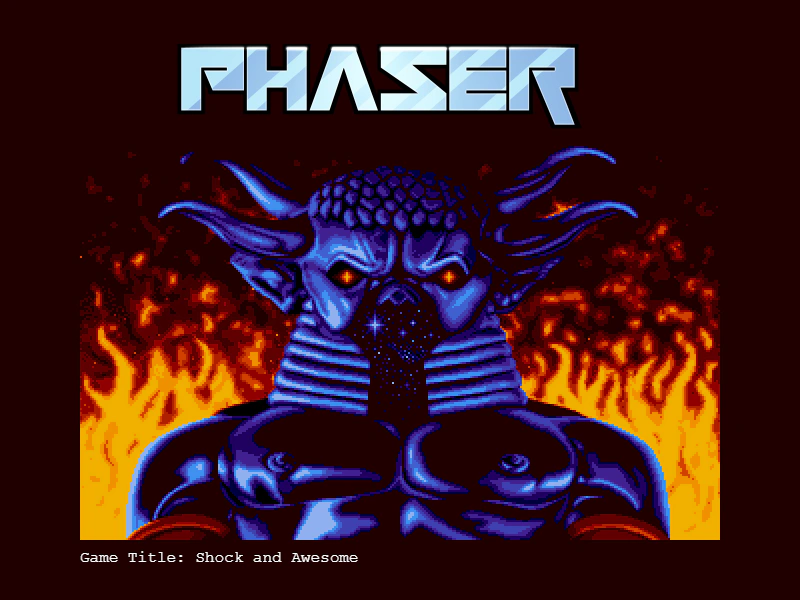
800 × 600
class Example extends Phaser.Scene
{
    constructor ()
    {
        super();
    }

    preload ()
    {
        this.load.setBaseURL('https://cdn.phaserfiles.com/v410');
        this.load.image('pic', 'assets/pics/baal-loader.png');
    }

    create ()
    {
        this.add.image(400, 300, 'pic');

        var text = this.add.text(80, 550, '', { font: '16px Courier', fill: '#ffffff' });

        text.setText([
            'Game Title: ' + game.config.gameTitle
        ]);
    }
}

const config = {
    scale: { mode: Phaser.Scale.FIT },
    type: Phaser.AUTO,
    parent: 'game-container',
    width: 800,
    height: 600,
    //  Open the Dev Tools
    //  The text in the banner will be in white on a neon pink background.
    //  The colors at the start of the background array define the blocks
    //  at the beginning of the banner
    title: 'Shock and Awesome',
    banner: {
        text: '#ffffff',
        background: [
            '#fff200',
            '#38f0e8',
            '#00bff3',
            '#ec008c'
        ],
        hidePhaser: true
    },
    scene: Example
};

const game = new Phaser.Game(config);
More in Game Config19 examples
 Custom WebGL CanvasDemonstrates how to provide a pre-existing canvas element and a manually created WebGL context to the Phaser Game configuration.
 Custom WebGL2 Canvas and ContextDemonstrates how to provide Phaser with a pre-existing HTML canvas and a manually created WebGL2 context using specific configuration attributes.
 Game Background TransparencyDemonstrates how to configure the game canvas with transparency using the backgroundColor and transparent properties, allowing HTML elements behind the game to show through.
 Game DestroyDemonstrates how to programmatically shut down and destroy a Phaser game instance, including removing the canvas, and then re-instantiate the game.