Tinting Multiple Images
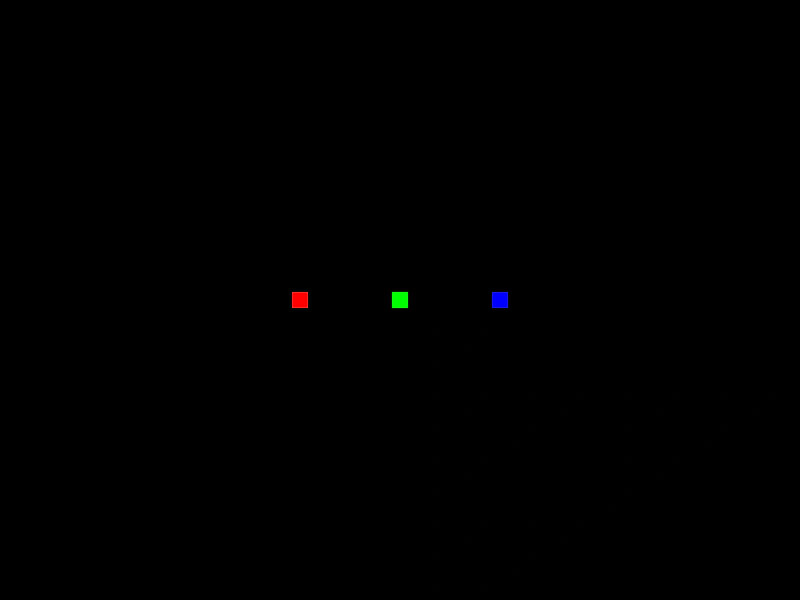
Demonstrates how to apply different color tints to multiple Image Game Objects using the same source texture.
800 × 600
class Example extends Phaser.Scene
{
    constructor ()
    {
        super();
    }

    preload ()
    {
        this.load.setBaseURL('https://cdn.phaserfiles.com/v410');
        this.load.image('pixel', 'assets/sprites/16x16.png');
    }

    create ()
    {
        this.add.image(300, 300, 'pixel').setTint(0xff0000);
        this.add.image(400, 300, 'pixel').setTint(0x00ff00);
        this.add.image(500, 300, 'pixel').setTint(0x0000ff);
    }
}

const config = {
    scale: { mode: Phaser.Scale.FIT },
    type: Phaser.WEBGL,
    parent: 'game-container',
    width: 800,
    height: 600,
    scene: Example
};

const game = new Phaser.Game(config);
More in Tint15 examples
 Tweening Image TintAnimate the tint of an image by using a Tween Counter to dynamically update color values over time.
 Atlas Frame TintDemonstrates applying multi-color gradient tints to individual images loaded from a texture atlas.
 Corner TintDemonstrates how to apply distinct colors to the four corners of a Game Object to create multi-color gradient effects.
 Per-Vertex TintDemonstrates how to apply individual tint colors to each of the four corners of an image to create unique gradient effects.