Timer Event Time Scale
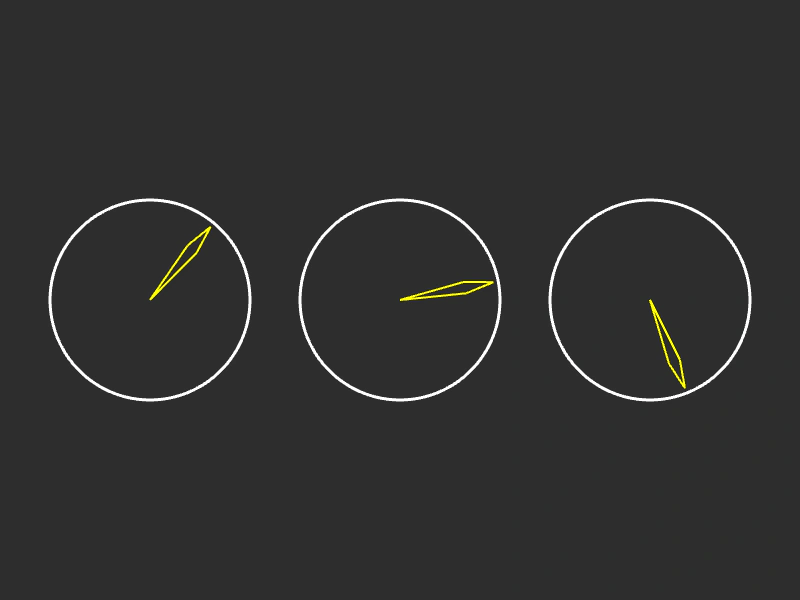
Demonstrates how to use the timeScale property to speed up or slow down individual Timer Events relative to the scene clock.
800 × 600
class Example extends Phaser.Scene
{
    clockSize = 100;
    timerEvent3;
    timerEvent2;
    timerEvent1;
    graphics;

    create ()
    {
        //  All 3 Timers are set for 5 seconds
        //  However the timeScale property scales the delay,
        //  causing the first timer to run for 10 seconds (half speed),
        //  and the 3rd to run for 2.5 seconds (twice speed)

        this.timerEvent1 = this.time.addEvent({ delay: 5000, timeScale: 0.5 });
        this.timerEvent2 = this.time.addEvent({ delay: 5000, timeScale: 1.0 });
        this.timerEvent3 = this.time.addEvent({ delay: 5000, timeScale: 2.0 });

        this.graphics = this.add.graphics({ x: 0, y: 0 });
    }

    update ()
    {
        this.graphics.clear();

        this.drawClock(150, 300, this.timerEvent1);
        this.drawClock(400, 300, this.timerEvent2);
        this.drawClock(650, 300, this.timerEvent3);
    }

    drawClock (x, y, timer)
    {
        //  Progress is between 0 and 1, where 0 = the hand pointing up and then rotating clockwise a full 360

        //  The frame
        this.graphics.lineStyle(3, 0xffffff, 1);
        this.graphics.strokeCircle(x, y, this.clockSize);

        let angle;
        let dest;
        let p1;
        let p2;
        let size;

        //  The overall progress hand (only if repeat > 0)
        if (timer.repeat > 0)
        {
            size = this.clockSize * 0.9;

            angle = (360 * timer.getOverallProgress()) - 90;
            dest = Phaser.Math.RotateAroundDistance({ x: x, y: y }, x, y, Phaser.Math.DegToRad(angle), size);

            this.graphics.lineStyle(2, 0xff0000, 1);

            this.graphics.beginPath();

            this.graphics.moveTo(x, y);

            p1 = Phaser.Math.RotateAroundDistance({ x: x, y: y }, x, y, Phaser.Math.DegToRad(angle - 5), size * 0.7);

            this.graphics.lineTo(p1.x, p1.y);
            this.graphics.lineTo(dest.x, dest.y);

            this.graphics.moveTo(x, y);

            p2 = Phaser.Math.RotateAroundDistance({ x: x, y: y }, x, y, Phaser.Math.DegToRad(angle + 5), size * 0.7);

            this.graphics.lineTo(p2.x, p2.y);
            this.graphics.lineTo(dest.x, dest.y);

            this.graphics.strokePath();
            this.graphics.closePath();
        }

        //  The current iteration hand
        size = this.clockSize * 0.95;

        angle = (360 * timer.getProgress()) - 90;
        dest = Phaser.Math.RotateAroundDistance({ x: x, y: y }, x, y, Phaser.Math.DegToRad(angle), size);

        this.graphics.lineStyle(2, 0xffff00, 1);

        this.graphics.beginPath();

        this.graphics.moveTo(x, y);

        p1 = Phaser.Math.RotateAroundDistance({ x: x, y: y }, x, y, Phaser.Math.DegToRad(angle - 5), size * 0.7);

        this.graphics.lineTo(p1.x, p1.y);
        this.graphics.lineTo(dest.x, dest.y);

        this.graphics.moveTo(x, y);

        p2 = Phaser.Math.RotateAroundDistance({ x: x, y: y }, x, y, Phaser.Math.DegToRad(angle + 5), size * 0.7);

        this.graphics.lineTo(p2.x, p2.y);
        this.graphics.lineTo(dest.x, dest.y);

        this.graphics.strokePath();
        this.graphics.closePath();
    }
}

const config = {
    scale: { mode: Phaser.Scale.FIT },
    type: Phaser.AUTO,
    width: 800,
    height: 600,
    backgroundColor: '#2d2d2d',
    parent: 'game-container',
    scene: Example
};

const game = new Phaser.Game(config);
More in Time11 examples
 Visualizing Timer ProgressDemonstrates how to use a Timer Event's getProgress and getOverallProgress methods to visually represent current iteration time and total sequence progress.
 Draw ClocksLearn how to use the progress value of multiple Timer Events to drive custom visual animations using Graphics objects.
 Looped EventUse the Time Manager to create a repeating timer event that triggers a callback function at a fixed interval indefinitely.
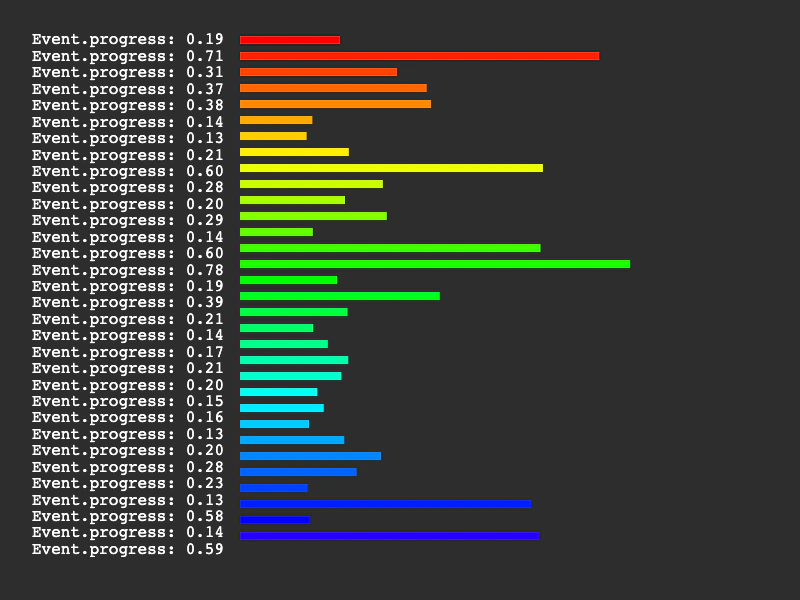 Multiple TimersLearn how to manage multiple simultaneous timer events. This example demonstrates how to create several looped timers with varying delays and visualize their individual progress using text and graphics.