Random Frame Group Creation
Demonstrates how to populate a group with sprites that are assigned random frames from a spritesheet and organized into a grid layout.
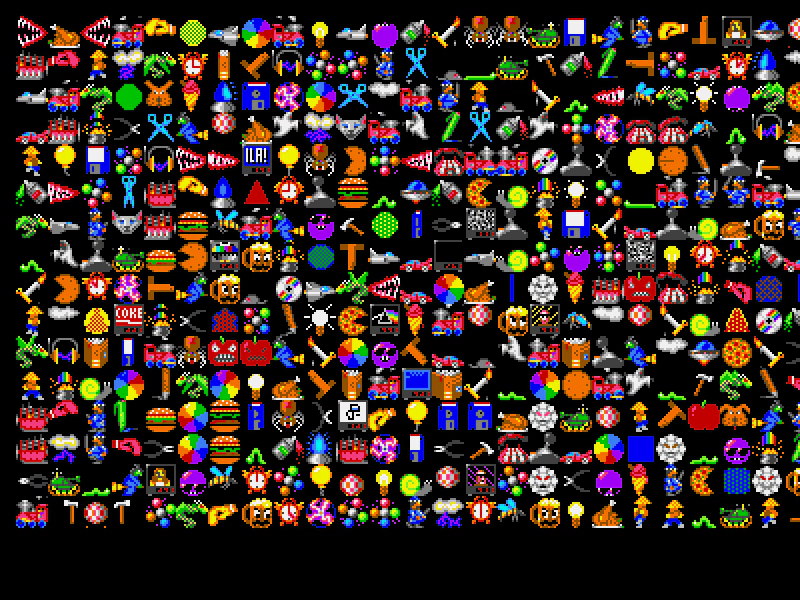
800 × 600
class Example extends Phaser.Scene
{
    preload ()
    {
        this.load.setBaseURL('https://cdn.phaserfiles.com/v410');
        this.load.spritesheet('bobs', 'assets/sprites/bobs-by-cleathley.png', { frameWidth: 32, frameHeight: 32 });
    }

    create ()
    {
        //  This will create a Group with 400 children.
        //  Each child will use the 'bobs' texture and a random frame number between 0 and 399 (inclusive)
        //  Change 'randomFrame' to false to see the difference it makes

        const group = this.make.group({
            key: 'bobs',
            frame: Phaser.Utils.Array.NumberArray(0, 399),
            randomFrame: true,
            gridAlign: {
                x: 16,
                y: 16,
                width: 25,
                height: 25,
                cellWidth: 32,
                cellHeight: 32
            }
        });
    }
}

const config = {
    scale: { mode: Phaser.Scale.FIT },
    type: Phaser.WEBGL,
    parent: 'game-container',
    width: 800,
    height: 600,
    scene: Example
};

const game = new Phaser.Game(config);
More in Group15 examples
 Shuffle Group ChildrenDemonstrates how to use Phaser.Actions.Shuffle to randomly reorder the render depth of children within a Group.
 Sprite PoolDemonstrates how to implement an object pool using a Group to efficiently recycle sprites, manage a maximum capacity, and monitor active versus inactive objects.
 Swirl Rotation ActionDemonstrates using Phaser.Actions.Rotate to apply an incremental rotation to a group of sprites, creating a swirling visual effect.
 Create Group from ConfigDemonstrates how to populate a Group using configuration objects or arrays to define repetition, spacing, and initial properties for multiple sprites.