Manual Resize and Aspect Ratio Fit
Demonstrates how to use the RESIZE scale mode to manually manage multiple scenes with different scaling rules. One scene fills the entire window while another maintains a fixed aspect ratio and centers itself using camera viewports.
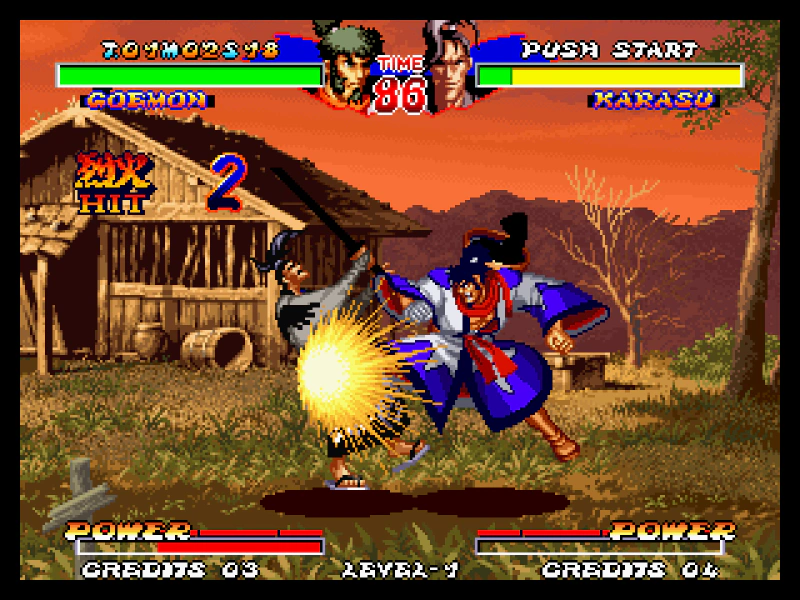
640 × 960
//  This Scene has no aspect ratio lock, it will scale to fit the browser window, but will zoom to match the Game
class BackgroundScene extends Phaser.Scene
{
    gameScene;
    layer;

    constructor ()
    {
        super('BackgroundScene');
    }

    preload ()
    {
        this.load.setBaseURL('https://cdn.phaserfiles.com/v410');
        this.load.image('logo', 'assets/sprites/phaser3-logo-x2.png');
        this.load.image('fakegame', 'assets/pics/ninja-masters2.png');
    }

    create ()
    {
        this.layer = this.add.container();

        const bg = this.add.image(0, 0, 'fakegame');

        this.layer.add(bg);

        //  We launch this Scene first because we can't use `getZoom` otherwise
        this.scene.launch('GameScene');

        this.gameScene = this.scene.get('GameScene');
    }

    updateCamera ()
    {
        const width = this.scale.gameSize.width;
        const height = this.scale.gameSize.height;

        const camera = this.cameras.main;

        camera.setViewport(0, 0, width, height);

        this.layer.setPosition(width / 2, height / 2);
        this.layer.setScale(this.gameScene.getZoom());
    }

    resize ()
    {
        this.updateCamera();
    }
}

//  This Scene is aspect ratio locked at 640 x 960 (and scaled and centered accordingly)
class GameScene extends Phaser.Scene
{
    backgroundScene;
    parent;
    sizer;

    constructor ()
    {
        super('GameScene');
    }

    create ()
    {
        const width = this.scale.gameSize.width;
        const height = this.scale.gameSize.height;

        this.parent = new Phaser.Structs.Size(width, height);
        this.sizer = new Phaser.Structs.Size(640, 960, Phaser.Structs.Size.HEIGHT_CONTROLS_WIDTH, this.parent);

        this.parent.setSize(width, height);
        this.sizer.setSize(width, height);

        this.backgroundScene = this.scene.get('BackgroundScene');

        this.updateCamera();

        this.scale.on('resize', this.resize, this);

        //  Normal game stuff from here on down
        this.add.image(640 / 2, 960 / 2, 'fakegame');
    }

    updateCamera ()
    {
        const camera = this.cameras.main;

        const x = Math.ceil((this.parent.width - this.sizer.width) * 0.5);
        const y = 0;
        const scaleX = this.sizer.width / 640;
        const scaleY = this.sizer.height / 960;

        camera.setViewport(x, y, this.sizer.width, this.sizer.height);
        camera.setZoom(Math.max(scaleX, scaleY));
        camera.centerOn(320, 480);

        this.backgroundScene.updateCamera();
    }

    getZoom ()
    {
        return this.cameras.main.zoom;
    }

    resize (gameSize, baseSize, displaySize, resolution)
    {
        const width = gameSize.width;
        const height = gameSize.height;

        this.parent.setSize(width, height);
        this.sizer.setSize(width, height);

        this.updateCamera();
    }
}

const config = {
    type: Phaser.AUTO,
    backgroundColor: '#000000',
    scale: {
        mode: Phaser.Scale.RESIZE,
        parent: 'game-container',
        width: 640,
        height: 960,
        min: {
            width: 320,
            height: 480
        },
        max: {
            width: 1920,
            height: 1400
        }
    },
    scene: [ BackgroundScene, GameScene ]
};

const game = new Phaser.Game(config);
More in Scalemanager24 examples
 Manually ResizeDemonstrates how to handle game resizing manually by disabling automatic scaling and updating the camera and game objects in response to window resize events.
 Manually Resize With ZoomDemonstrates how to manually update the game scale and recalculate the maximum zoom level using Phaser.Scale.MAX_ZOOM when the Scale Manager mode is set to NONE.
 Mobile Responsive Game LayoutDemonstrates a multi-scene approach for mobile games where a flexible background fills the entire screen while the main game area maintains a fixed aspect ratio. It uses the Scale Manager's resize event, camera viewports, and manual zoom calculations to keep the game centered and scaled across different device resolutions.
 No Scale with Auto CenterThis example shows how to disable canvas scaling while keeping the game centered both horizontally and vertically within its parent container.