DOM Element Camera Movement
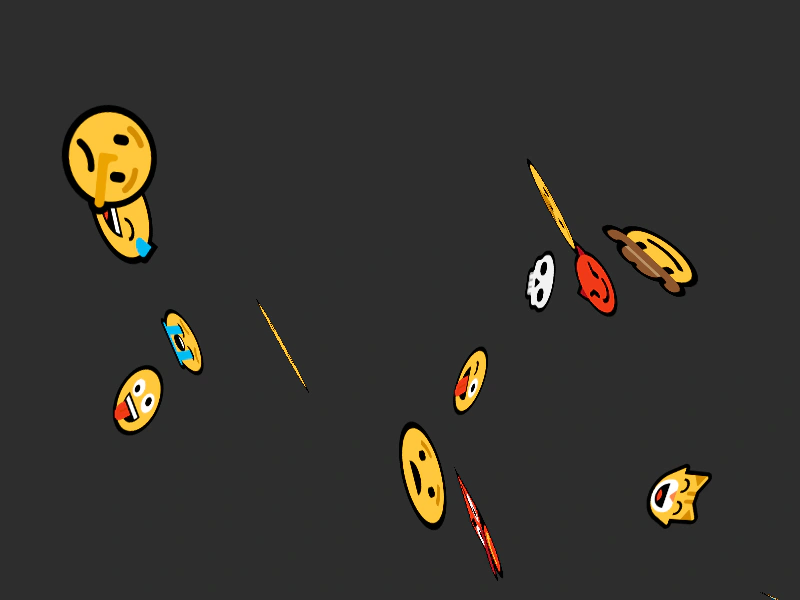
Demonstrates how DOM elements interact with camera movement, featuring parallax scroll factors and 3D CSS rotations.
800 × 600
class Example extends Phaser.Scene
{
    controls;

    preload ()
    {
        this.load.setBaseURL('https://cdn.phaserfiles.com/v410');
        this.load.image('einstein', 'assets/pics/ra-einstein.png');
    }

    create ()
    {
        const smileys = [ '😀','😁','😂','🤣','😃','😄','😅','😆','😉','😊','😋','😎','😍','😘','😗','😙','😚','️🙂','🤗','🤩','🤔','🤨','😐','😑','😶','🙄','😏','😣','😥','😮','🤐','😯','😪','😫','😴','😌','😛','😜','😝','🤤','😒','😓','😔','😕','🙃','🤑','😲','☹️','🙁','😖','😞','😟','😤','😢','😭','😦','😧','😨','😩','🤯','😬','😰','😱','😳','🤪','😵','😡','😠','🤬','😷','🤒','🤕','🤢','🤮','🤧','😇','🤠','🤡','🤥','🤫','🤭','🧐','🤓','😈','👿','👹','👺','💀','👻','👽','🤖','💩','😺','😸','😹','😻','😼','😽','🙀','😿','😾' ];

        //  Create a bunch of random divs all over the place

        let sf = 0.5;
        let px = 64;

        for (let i = 1; i <= 100; i++)
        {
            const x = Phaser.Math.Between(100, 2000);
            const y = Phaser.Math.Between(100, 2000);

            const element = this.add.dom(x, y, 'div', `font-size: ${px}px`, Phaser.Utils.Array.GetRandom(smileys)).setScrollFactor(sf);

            element.setPerspective(800);

            element.rotate3d.set(Math.random(), Math.random(), Math.random(), 0);

            this.tweens.add({
                targets: element.rotate3d,
                w: 180,
                duration: 2000,
                ease: 'Sine.easeInOut',
                loop: -1,
                yoyo: true
            });

            if (i % 50 === 0)
            {
                sf += 0.1;
                px += 32;
            }
        }

        this.cameras.main.setBounds(0, 0, 4000, 4000);

        const cursors = this.input.keyboard.createCursorKeys();

        const controlConfig = {
            camera: this.cameras.main,
            left: cursors.left,
            right: cursors.right,
            up: cursors.up,
            down: cursors.down,
            zoomIn: this.input.keyboard.addKey(Phaser.Input.Keyboard.KeyCodes.Q),
            zoomOut: this.input.keyboard.addKey(Phaser.Input.Keyboard.KeyCodes.E),
            acceleration: 0.06,
            drag: 0.0005,
            maxSpeed: 1.0
        };

        this.controls = new Phaser.Cameras.Controls.SmoothedKeyControl(controlConfig);
    }

    update (time, delta)
    {
        this.controls.update(delta);
    }
}

const config = {
    type: Phaser.AUTO,
    backgroundColor: '#2d2d2d',
    scale: {
        _mode: Phaser.Scale.FIT,
        parent: 'game-container',
        width: 800,
        height: 600
    },
    dom: {
        createContainer: true
    },
    scene: Example
};

const game = new Phaser.Game(config);
More in Dom Element19 examples
 DOM Element CSS Style ObjectDemonstrates how to create a DOM element and apply multiple CSS styles to it using a JavaScript style object.
 DOM Element from DivDemonstrates how to create a standard HTML div, style it, and add it to the scene as a DOM Game Object. It also shows how to apply transformations and nest the DOM element within a Phaser Container.
 DOM Element in a ContainerDemonstrates how DOM elements behave when parented to a Container, including the inheritance of rotation and scale transformations.
 DOM Element in a ContainerDemonstrates placing a DOM element inside a Container and applying rotations and scale transformations using Tweens.