CSS Styled DOM Text
Demonstrates how to load an external CSS file and apply styles to DOM elements using class names, while treating them as game objects that can be rotated and animated with tweens.
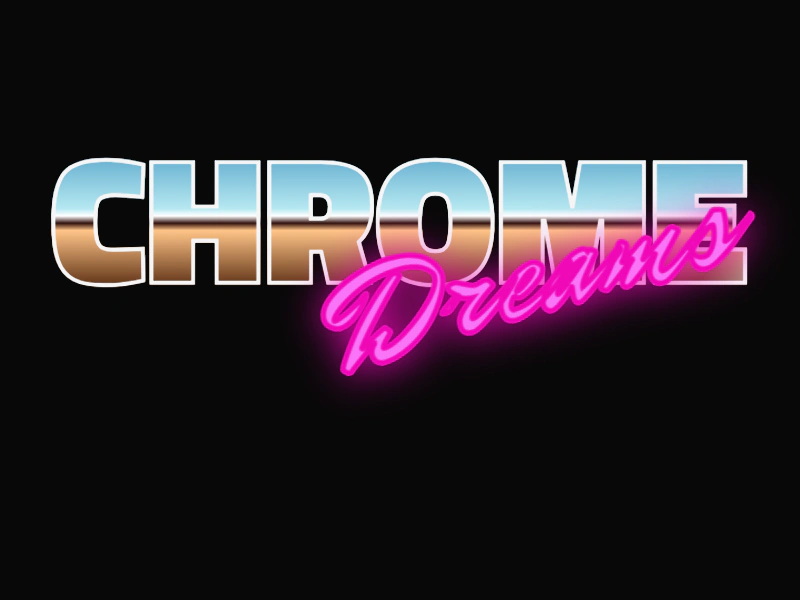
800 × 600
class Example extends Phaser.Scene
{
    preload ()
    {
        this.load.setBaseURL('https://cdn.phaserfiles.com/v410');
        this.load.css('80s', 'assets/loader-tests/80stypography.css');
    }

    create ()
    {
        const h1 = this.add.dom(450, 100, 'h1', null, 'CHROME');

        h1.setClassName('chrome');

        const h2 = this.add.dom(570, 180, 'h2', null, 'Dreams');

        h2.setClassName('dreams');
        h2.setAngle(-15);

        this.tweens.add({
            targets: [ h1, h2 ],
            y: 500,
            duration: 3000,
            ease: 'Sine.easeInOut',
            loop: -1,
            yoyo: true
        });
    }
}

const config = {
    scale: { mode: Phaser.Scale.FIT },
    type: Phaser.AUTO,
    width: 800,
    height: 600,
    backgroundColor: '#080808',
    parent: 'game-container',
    dom: {
        createContainer: true
    },
    scene: Example
};

const game = new Phaser.Game(config);
More in Dom Element19 examples
 Div DepthThis example demonstrates how to use DOM Game Objects and control their rendering order relative to each other using the setDepth method.
 DOM Element 3D RotationDemonstrates how to apply 3D rotation and perspective to a DOM Game Object and animate the rotation using a Tween.
 DOM Element Arcade PhysicsDemonstrates how to integrate a DOM element into the Arcade Physics system and move it using keyboard controls.
 DOM Element Blend ModesDemonstrates how to apply CSS blend modes to DOM Game Objects, allowing them to interact visually with underlying scene content.