Copying Images to Dynamic Textures
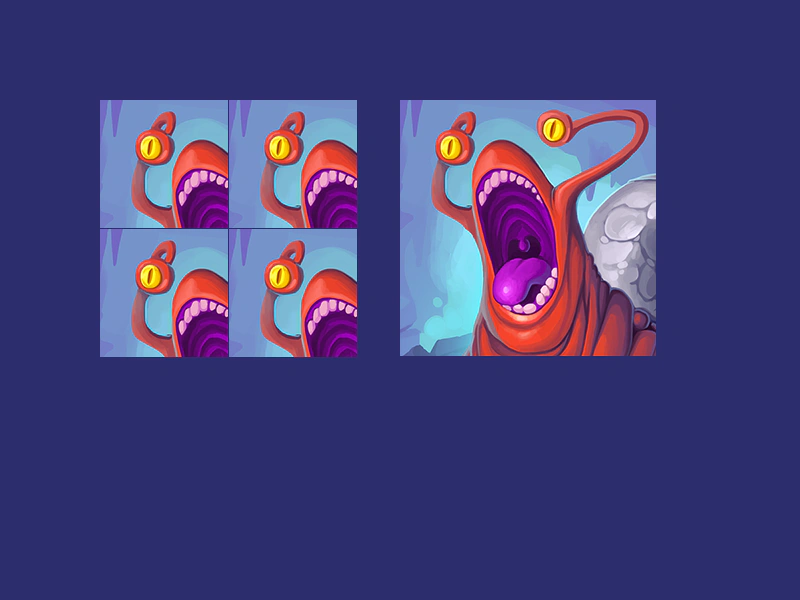
Learn how to use the stamp method to draw an existing image onto a Dynamic Texture.
800 × 600
class Example extends Phaser.Scene
{
    constructor ()
    {
        super();
    }

    preload ()
    {
        this.load.setBaseURL('https://cdn.phaserfiles.com/v410');
        this.load.image('card', 'assets/pics/slug.png');
    }

    create ()
    {
        //  card image is 256 x 256 in size
        const area1 = this.textures.addDynamicTexture('area1', 128, 128);
        const area2 = this.textures.addDynamicTexture('area2', 128, 128);
        const area3 = this.textures.addDynamicTexture('area3', 128, 128);
        const area4 = this.textures.addDynamicTexture('area4', 128, 128);

        area1.fill(0x00ff00);
        area2.fill(0x00ff00);
        area3.fill(0x00ff00);
        area4.fill(0x00ff00);

        area1.stamp('card', null, 128, 128);
        area2.stamp('card', null, 128, 128);
        area3.stamp('card', null, 128, 128);
        area4.stamp('card', null, 128, 128);

        area1.render();
        area2.render();
        area3.render();
        area4.render();

        this.add.sprite(100, 100, 'area1').setOrigin(0);
        this.add.sprite(100 + 129, 100, 'area2').setOrigin(0);
        this.add.sprite(100, 100 + 129, 'area3').setOrigin(0);
        this.add.sprite(100 + 129, 100 + 129, 'area4').setOrigin(0);

        this.add.sprite(400, 100, 'card').setOrigin(0);
    }
}

const config = {
    scale: { mode: Phaser.Scale.FIT },
    type: Phaser.AUTO,
    parent: 'game-container',
    width: 800,
    height: 600,
    backgroundColor: '#2d2d6d',
    scene: Example
};

const game = new Phaser.Game(config);
More in Dynamic Textures7 examples
 Create Dynamic TextureDemonstrates how to create a new Dynamic Texture at runtime and compose it by stamping multiple frames from a texture atlas using custom scale, alpha, and blend modes.
 Dynamic Texture Camera ControlDemonstrates how to use the internal camera of a Dynamic Texture to offset and position content rendered within it.
 Dynamic Texture StampingCreate custom textures at runtime by compositing multiple frames from an atlas using the stamp method, featuring custom blend modes, alpha settings, and sprite-like origins.
 Get Pixel From Dynamic TextureDemonstrates how to retrieve color data from a specific coordinate within a Dynamic Texture using the snapshotPixel method.