Animated Sprite Filter Mask
Demonstrates how to use an animated sprite as a mask for another game object using the filter system, allowing you to create dynamic masking effects based on animation frames.
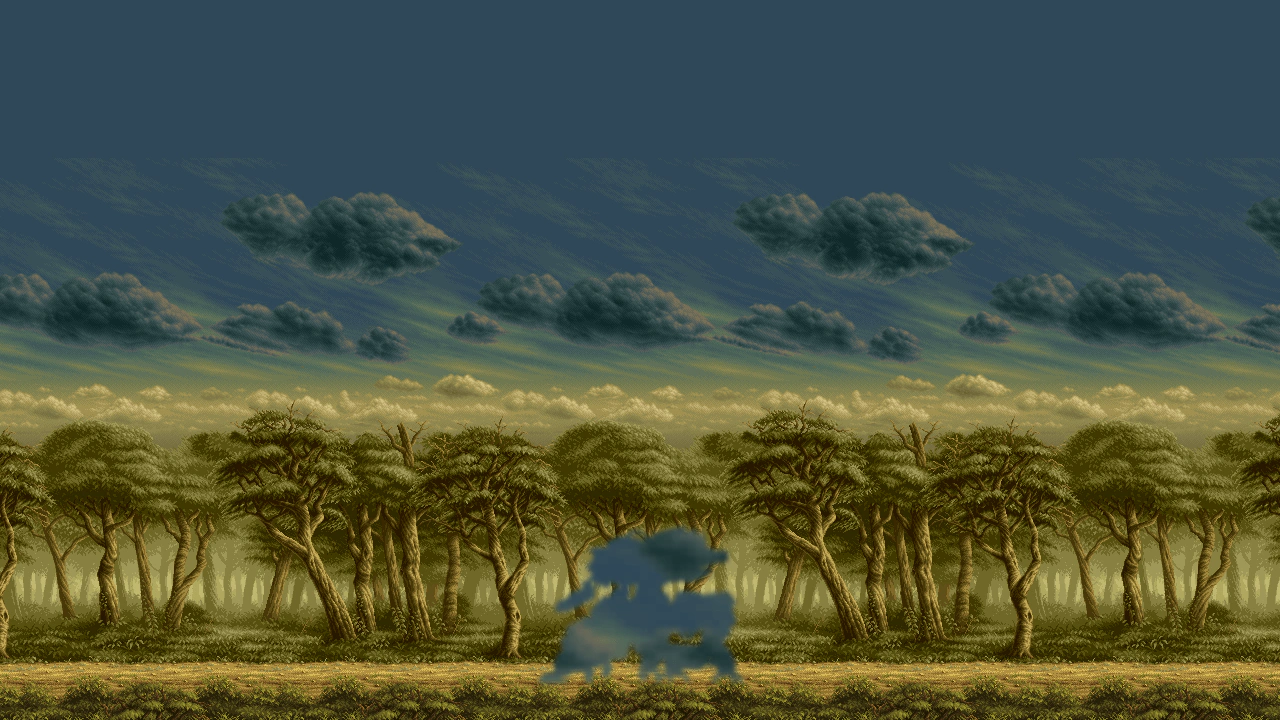
1280 × 720
class Example extends Phaser.Scene
{
    preload ()
    {
        this.load.setBaseURL('https://cdn.phaserfiles.com/v410');
        this.load.atlas('walker', 'assets/animations/walker.png', 'assets/animations/walker.json');
        this.load.image('sky', 'assets/skies/ms3-sky.png');
        this.load.image('trees', 'assets/skies/ms3-trees.png');
    }

    create ()
    {
        this.bg = this.add.tileSprite(0, 158, 1280, 296, 'sky')
        .setOrigin(0, 0);
        this.trees = this.add.tileSprite(0, 400, 1280, 320, 'trees')
        .setOrigin(0, 0);

        const animConfig = {
            key: 'walk',
            frames: 'walker',
            frameRate: 60,
            repeat: -1
        };

        this.anims.create(animConfig);

        const sprite = this.add.sprite(640, 120, 'walker', 'frame_0000')
        .setVisible(false);

        sprite.play('walk');

        // Create a band of clouds.
        this.clouds = this.add.tileSprite(0, 484, 1280, 296, 'sky')
        .setOrigin(0, 0)
        .enableFilters();
        const cloudFiltersInternal = this.clouds.filters.internal;
        cloudFiltersInternal.addPixelate(6);
        cloudFiltersInternal.addMask(sprite);
        cloudFiltersInternal.addBlur(0, 1, 1, 1);
    }

    update ()
    {
        this.bg.tilePositionX -= 2;
        this.trees.tilePositionX -= 6;
        this.clouds.tilePositionX += 1;
    }
}

const config = {
    scale: { mode: Phaser.Scale.FIT },
    type: Phaser.AUTO,
    width: 1280,
    height: 720,
    backgroundColor: '#304858',
    parent: 'game-container',
    scene: Example
};

let game = new Phaser.Game(config);