Palette Swap With Gradient Map
Demonstrates how to use a Gradient Map filter to dynamically swap colors on a sprite by mapping image values to a new color ramp.
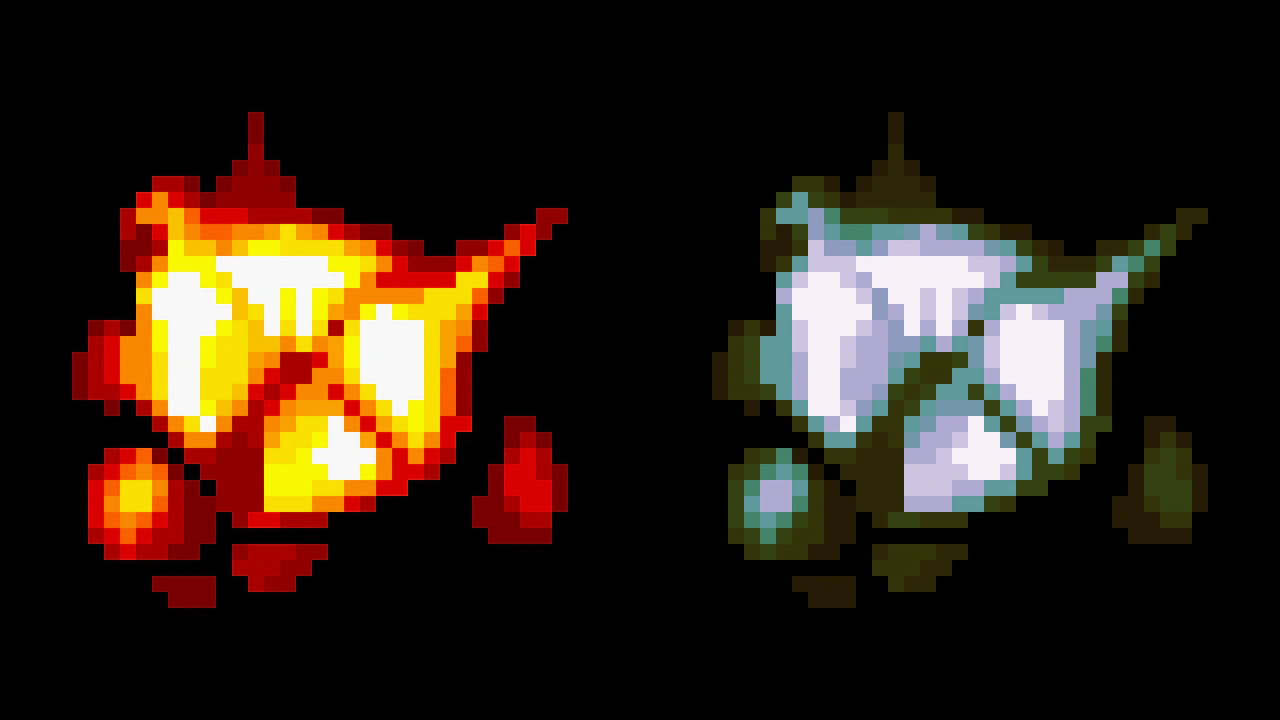
1280 × 720
class Example extends Phaser.Scene
{
    original;
    swapped;
    gradientMap;

    preload ()
    {
        this.load.setBaseURL('https://cdn.phaserfiles.com/v410');
        this.load.image('sprite', 'assets/sprites/shmup-boom.png');
    }

    create ()
    {
        this.original = this.add.image(320, 360, 'sprite').setScale(16);
        this.swapped = this.add.image(960, 360, 'sprite').setScale(16);

        // Map the colors to a gradient.
        // You can define several bands based on image value,
        // and assign different colors to do palette swapping,
        // if the source image has values that fit this approach.
        this.gradientMap = this.swapped.enableFilters().filters.internal.addGradientMap({
            ramp: {
                colorStart: 0x010000,
                colorEnd: 0xfffeff,
                colorSpace: 2
            }
        });
    }
}

const config = {
    scale: { mode: Phaser.Scale.FIT },
    type: Phaser.WEBGL,
    width: 1280,
    height: 720,
    parent: 'game-container',
    smoothPixelArt: true,
    scene: Example
};

const game = new Phaser.Game(config);