Loading and Parsing XML Files
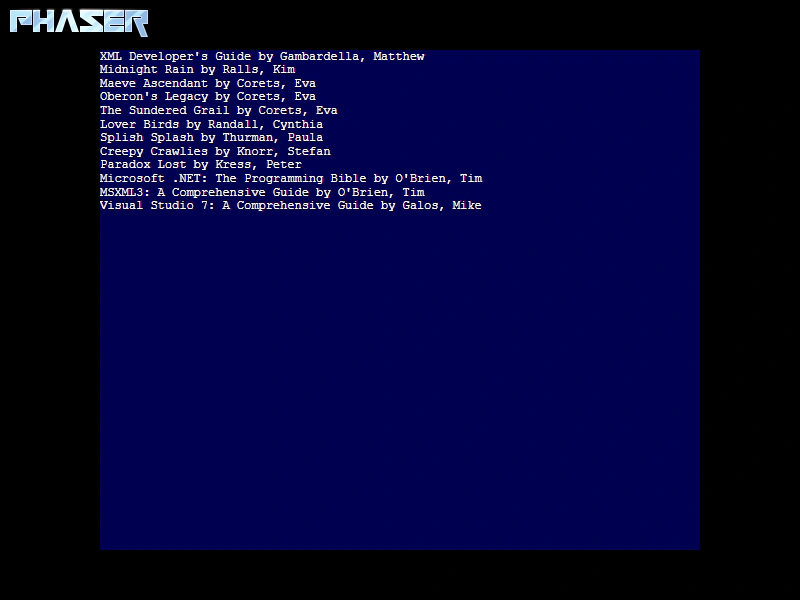
Demonstrates how to load an external XML file, retrieve it from the cache, and parse its content using standard DOM methods to extract data for use within the game.
800 × 600
class Example extends Phaser.Scene
{
    constructor ()
    {
        super();
    }

    preload ()
    {
        this.load.setBaseURL('https://cdn.phaserfiles.com/v410');
        this.load.image('logo', 'assets/sprites/phaser.png');
        this.load.xml('data', 'assets/loader-tests/test.xml');
    }

    create ()
    {
        this.add.image(8, 8, 'logo').setOrigin(0);

        const catalog = this.cache.xml.get('data');

        const books = catalog.getElementsByTagName('book');

        let data = '';

        Array.from(books).forEach(book => {

            const title = book.getElementsByTagName('title')[0].childNodes[0].nodeValue;
            const author = book.getElementsByTagName('author')[0].childNodes[0].nodeValue;

            data = data.concat(`${title} by ${author}\n`);
        });

        this.add.dom(400, 300, 'div', 'background-color: rgba(0, 0, 80); width: 600px; height: 500px; font: 12px Courier; color: white; overflow: hidden', data);
    }
}

const config = {
    scale: { mode: Phaser.Scale.FIT },
    type: Phaser.AUTO,
    parent: 'game-container',
    width: 800,
    height: 600,
    dom: {
        createContainer: true
    },
    scene: Example
};

const game = new Phaser.Game(config);