Loading Tilemaps with Normal Maps
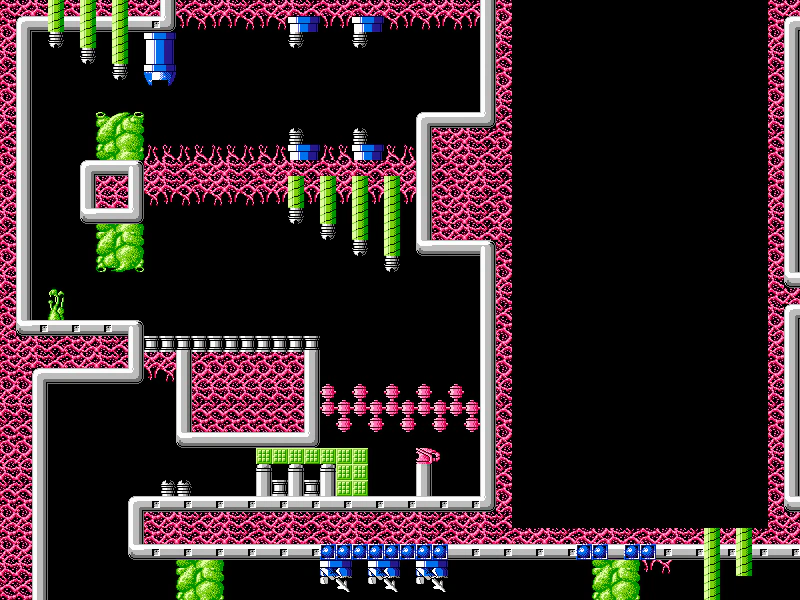
Demonstrates how to load a Tiled JSON map with a corresponding normal map to enable dynamic 2D lighting effects on map layers.
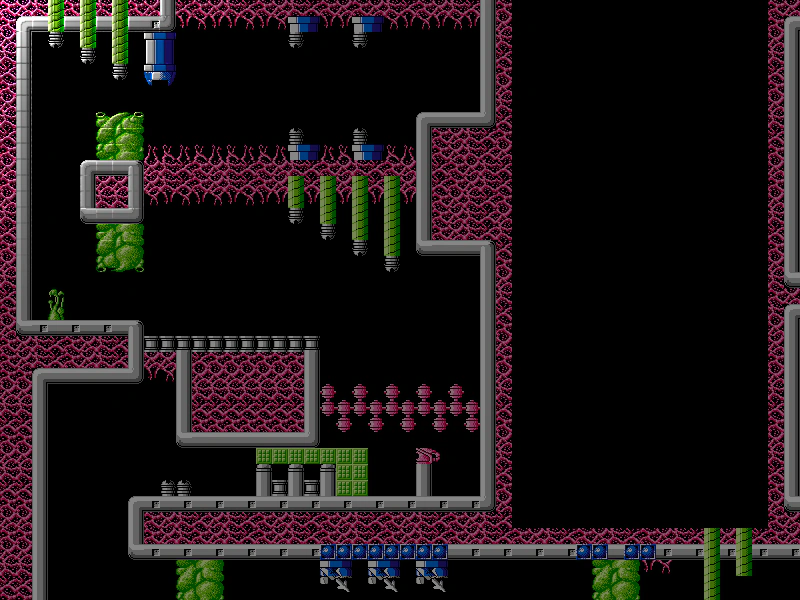
800 × 600
class Example extends Phaser.Scene
{
    controls;

    preload ()
    {
        this.load.setBaseURL('https://cdn.phaserfiles.com/v410');
        this.load.setPath('assets/tilemaps/');

        this.load.image('tiles', [ 'tiles/cybernoid.png', 'tiles/cybernoid_n.png' ]);

        this.load.tilemapTiledJSON('map', 'maps/cybernoid.json');
    }

    create ()
    {
        const light = this.lights.addLight(0, 0, 300);

        this.lights.enable().setAmbientColor(0x888888);

        this.input.on('pointermove', function (pointer)
        {

            light.x = this.cameras.main.scrollX + pointer.x;
            light.y = this.cameras.main.scrollY + pointer.y;

        }, this);

        const map = this.make.tilemap({ key: 'map' });

        const tiles = map.addTilesetImage('cybernoid', 'tiles');

        const layer = map.createLayer(0, tiles, 0, 0);

        layer.setLighting(true);

        this.cameras.main.setBounds(0, 0, map.widthInPixels, map.heightInPixels);

        const cursors = this.input.keyboard.createCursorKeys();

        const controlConfig = {
            camera: this.cameras.main,
            left: cursors.left,
            right: cursors.right,
            up: cursors.up,
            down: cursors.down,
            speed: 0.5
        };

        this.controls = new Phaser.Cameras.Controls.FixedKeyControl(controlConfig);
    }

    update (time, delta)
    {
        this.controls.update(delta);
    }
}

const config = {
    scale: { mode: Phaser.Scale.FIT },
    type: Phaser.WEBGL,
    width: 800,
    height: 600,
    backgroundColor: '#2d2d2d',
    parent: 'game-container',
    pixelArt: true,
    scene: Example
};

const game = new Phaser.Game(config);
More in Tile Maps5 examples
 Load Tilemap from Local JSON ObjectDemonstrates how to create a Tiled map by passing a local JavaScript object directly to the loader, rather than fetching an external JSON file.
 Load Tilemap JSONDemonstrates how to load a Tiled JSON file using the Loader, create a tilemap from the data, and display a layer with simple camera controls.
 Load Tilemap JSON from ObjectDemonstrates loading a Tiled JSON map by passing a configuration object to the loader instead of individual arguments.
 Load Tilemap via Scene PayloadDemonstrates how to preload tilemap JSON and tileset image assets directly through the Scene configuration object using a pack file definition.