Load Binary Data
Demonstrates how to load raw binary files into the loader, retrieve them from the binary cache as TypedArrays, and parse specific byte offsets from the data buffer.
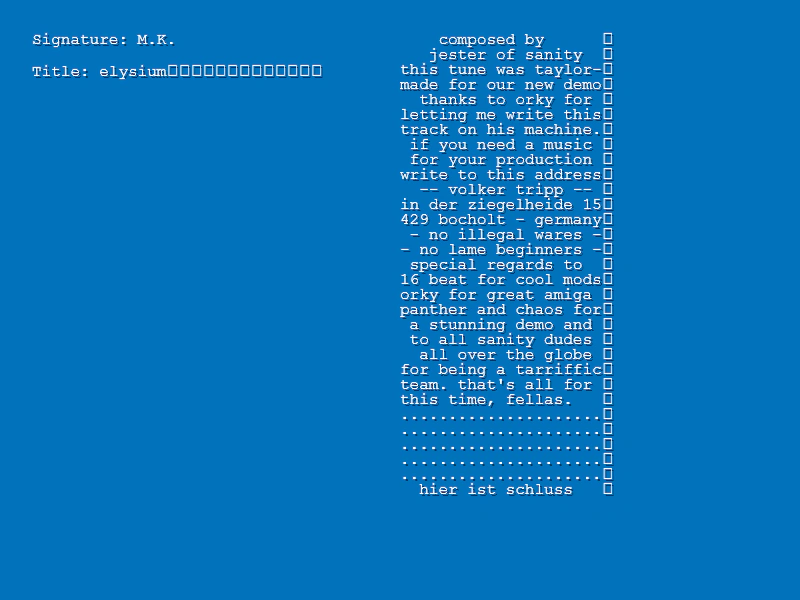
800 × 600
class Example extends Phaser.Scene
{
    preload ()
    {
        this.load.setBaseURL('https://cdn.phaserfiles.com/v410');
        this.load.binary('mod', 'assets/audio/protracker/elysium.mod', Uint8Array);
    }

    create ()
    {
        const buffer = this.cache.binary.get('mod');

        // var buffer = new Uint8Array(this.cache.binary.get('mod'));

        //   getString scans the binary file between the two values given,
        //   returning the characters it finds there as a string

        const signature = this.getString(buffer, 1080, 1084);

        const text = this.add.text(32, 32, `Signature: ${signature}`, { fill: '#ffffff' });
        text.setShadow(2, 2, 'rgba(0,0,0,0.5)', 0);

        const title = this.getString(buffer, 0, 20);
        const text2 = this.add.text(32, 64, `Title: ${title}`, { fill: '#ffffff' });
        text2.setShadow(2, 2, 'rgba(0,0,0,0.5)', 0);

        //  Get the sample data
        const sampleText = [];

        for (let i = 0; i < 31; i++)
        {
            const st = 20 + i * 30;
            sampleText.push(this.getString(buffer, st, st + 22));
        }

        const text3 = this.add.text(400, 32, sampleText, { fill: '#ffffff' });
        text3.setShadow(2, 2, 'rgba(0,0,0,0.5)', 0);
    }

    getString (buffer, start, end)
    {
        let output = '';

        for (let i = start; i < end; i++)
        {
            output += String.fromCharCode(buffer[i]);
        }

        return output;
    }
}

const config = {
    scale: { mode: Phaser.Scale.FIT },
    type: Phaser.AUTO,
    parent: 'game-container',
    width: 800,
    height: 600,
    backgroundColor: '#0072bc',
    scene: Example
};

const game = new Phaser.Game(config);
More in Binary3 examples
 Load Binary Data From ObjectDemonstrates how to load binary files using a configuration object and retrieve them from the cache to extract and parse raw byte data.
 Load and Parse Binary DataDemonstrates how to load a binary file and manually extract information by reading specific byte offsets from the binary cache.