Text Shadow Filter
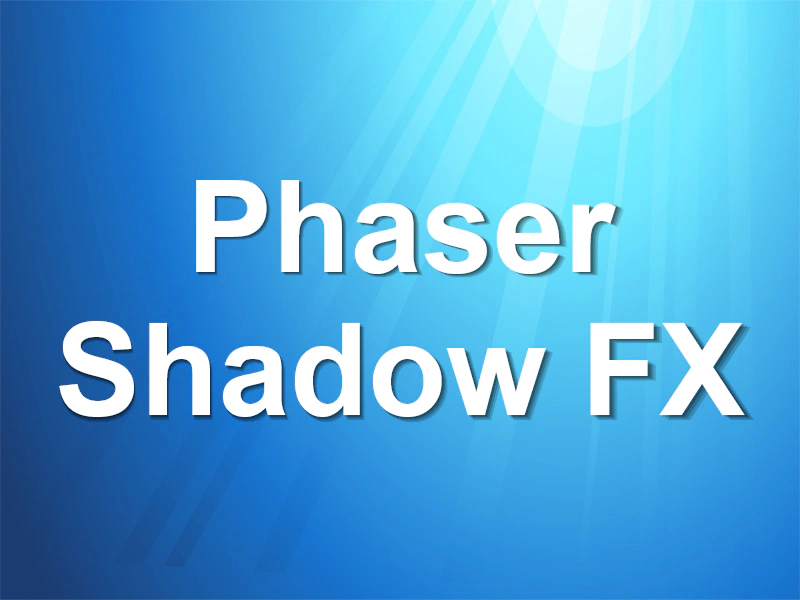
Demonstrates how to apply a dynamic drop shadow effect to a Text object using the external filter system.
800 × 600
class Example extends Phaser.Scene
{
    preload ()
    {
        this.load.setBaseURL('https://cdn.phaserfiles.com/v410');
        this.load.image('bg', 'assets/pics/undersea.jpg');
    }

    create ()
    {
        this.add.image(400, 300, 'bg');

        const text = this.add.text(400, 300, 'Phaser\nShadow FX', { align: 'center' });

        text.setOrigin(0.5, 0.5);
        text.setResolution(window.devicePixelRatio);
        text.setFontFamily('Arial');
        text.setFontStyle('bold');
        text.setFontSize(128);

        const fx = text.enableFilters().filters.external.addShadow(0, 0, 0.06, 0.75, 0x000000, 4, 0.8);
    }
}

const config = {
    scale: { mode: Phaser.Scale.FIT },
    type: Phaser.AUTO,
    width: 800,
    height: 600,
    backgroundColor: '#000000',
    parent: 'game-container',
    scene: Example
};

const game = new Phaser.Game(config);