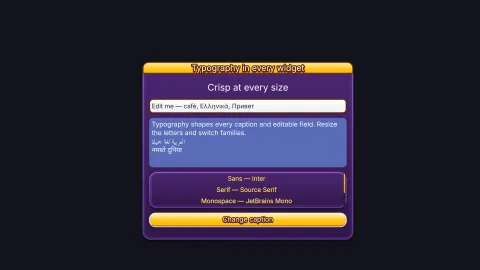

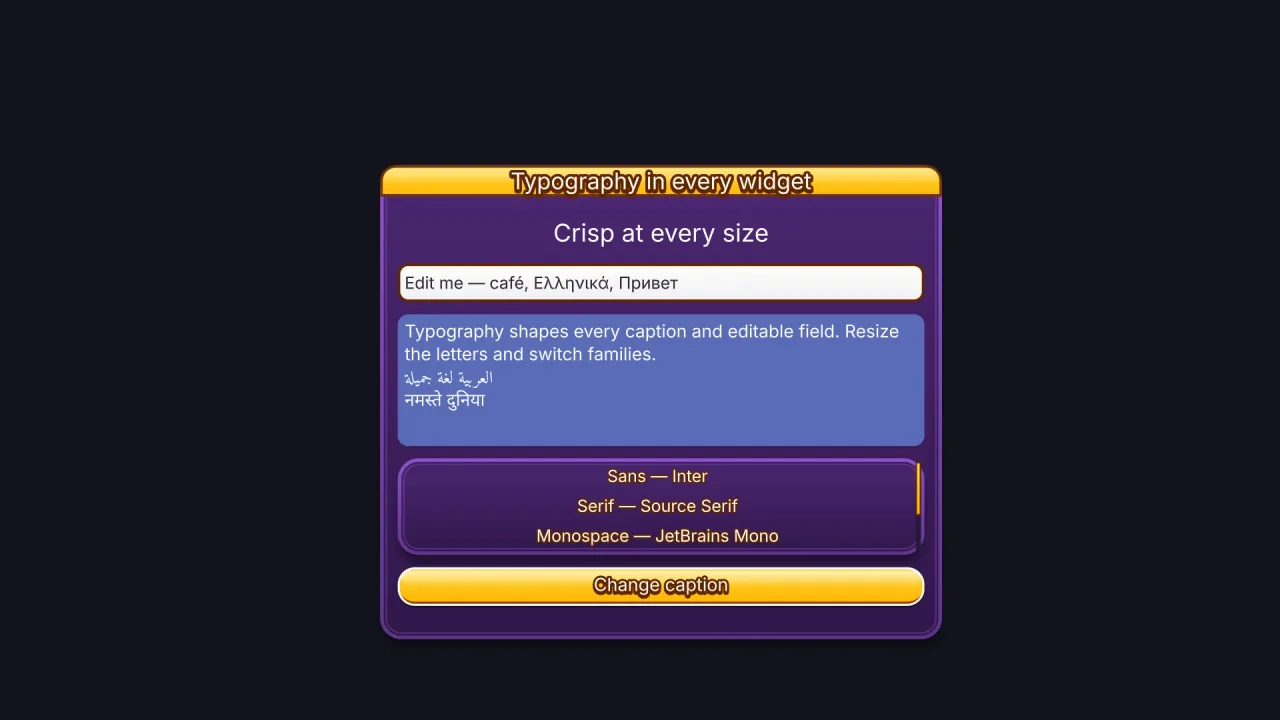
What it does
You make a widget with one call, such as game.ui.button, and get back a handle whose ui object is its live state.
Give a window or panel a layout and it places what you put in it, in rows and columns like CSS flexbox, and
containers nest. A button with no width fits its icon and caption; one with a width shrinks its caption to fit. A menu
never has to be measured, and nothing spills over an edge.
Every panel is drawn by one rounded-box signed-distance shader, and the panels share a single draw. A style is just the
fields that shader reads, from fills and rims to gloss, shine, shadows and a lip the face presses into. A style with a
designHeight scales every measure with the widget, so one style fits a 40 px button and a 120 px one.
The fiddly parts of interface work are done for you. The pointer goes to the widget on top, and panels stop it reaching the game world behind them. A modal lifts a dialog above everything and makes the rest inert. Focus moves by Tab, arrow keys or a gamepad, and text fields use the browser's own editing underneath, so selection, clipboard, input methods and phone keyboards work. Headless, the widgets still lay out and answer input, so menus can be tested without a screen.
Features
- Thirteen kinds of widget — panel, label, button, toggle, checkbox, radio, slider, progress bar, window, input, textarea, scrollable list and dropdown.
- Flex layout — nested rows and columns with padding, gaps,
alignandjustify, and'auto'sizes that fit a container to its children. - Buttons that fit — sized to their icon and caption, or shrinking their content to a fixed width, never below 30%.
- A material in every panel — gradients, chrome and tube rims, bevels, gloss, glints, shine, a pressable lip, shadows, patterns and textures, with hover, pressed and disabled overrides.
- A finished look from the start — with no skin chosen, every widget wears the candy look: yellow pills with a
white rim, a jelly gloss and a lip, purple windows with title bars, and buttons in ten named colours plus
good,warnandbad, drawn in the engine's bold sans. - Game-text captions — thick strokes, extrusions, hard shadows and gradient letters, set with Typography's shaping and font fallback.
- 125 icons — play, sound, menu, reward and shop symbols tinted by the style, plus a ready
pauseButtonandmuteButton. - Sliders in the game's units —
min,maxandstepmake a slider report a difficulty of 2, not 0.67. - Modals — stacked dialogs that take all input until closed, with focus trapped inside and restored afterwards.
- Keyboard and gamepad menus — Tab order, spatial arrow keys, and Start, A and B on a standard pad.
- Themes as files — a
phaser-ae-ui-themeJSON file holds every role's style, its fonts and a matching dialogue box;loadThemereads one anddefineThemereplaces one live.
Good for
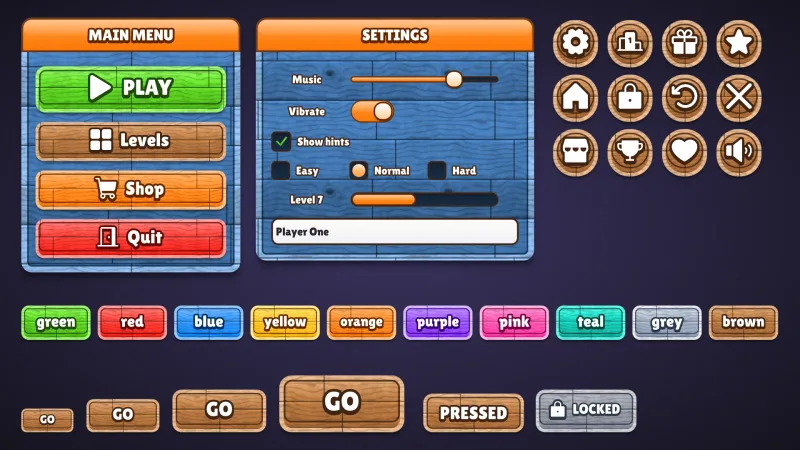
- Title screens and main menus — a window of buttons in a column, and a title label that grows with its height.
- Pause and settings screens — toggles, stepped sliders, checkboxes and dropdowns.
- Shops and inventories — scrolling lists, coin, gem and cart icons, and clipped panels.
- Confirmation dialogs — a modal that keeps clicks away from the menu and the game behind it.
- Name entry and chat — inputs and textareas with real selection, clipboard and phone keyboards.
- Touch HUDs — square icon buttons for pause, sound and back, kept inside the screen's safe rectangle.
- Controller play — menus a gamepad can move through without a pointer.
Make it yours
Every look is data. Define a named style with defineStyle, inheriting another with base, each with its own
hover, pressed and disabled looks, or restyle one widget's parts, such as a slider's knob, with roles. Gather
the styles into a theme, with defineTheme or a JSON file and loadTheme, and set game.ui.theme to reskin every
widget at once. Captions take any loaded Typography font or fallback stack, through a style or game.ui.font.
Two quite different interfaces come from the same widgets. A casual mobile game composes a ui-skin-* pack and gets
glossy pill buttons that press into their lips, round icon buttons for pause and sound, and windows to match. A gothic
RPG loads a theme file of its own: cut corners, a double gold rim, grained dark windows, upper-case serif captions and
a dialogue box in the same colours.
A quick look
A main menu laid out by its window, a volume slider, and the ready-made pause and sound buttons:
const win = game.ui.window({ anchor: 'center', w: 320, h: 240, title: 'MAIN MENU', layout: { padding: 16, gap: 12, align: 'stretch' } });
game.ui.button({ parent: win, h: 40, text: 'PLAY', style: 'good', onClick: () => game.scenes.go('play') });
game.ui.button({ parent: win, h: 40, text: 'OPTIONS' });
game.ui.slider({ anchor: 'bottom', y: -24, w: 240, h: 22, value: 0.7, onChange: v => game.sound.volume('music', v) });
game.ui.pauseButton();                       // opens the 'pause' scene over play
game.ui.muteButton();                        // follows the sound however it was muted
Works with
typography— required; it draws every caption and label.ui-skinsand theui-skin-*packs — complete game looks for every widget, chosen by name.ui-texture-wood,ui-texture-paper,ui-texture-stone— tiling textures a style can name.bars— styled, animated meters for health, timers and cooldowns; this pack's progress bar is the plain menu widget.dialogue— speech boxes that wear the active theme's dialogue section.core-2d,core-3dandcore-vector— include this pack, so most games have it already.nine-slice— resizable panels cut from your own sprite art instead of the shader.
Good to know
- Layout is flex rows and columns only: no wrapping, no grid and no percentage sizes.
- There is one pointer and one keyboard or controller focus.
textOutlineis limited to about a twentieth of the font size; the thickertextStrokedraws the caption 9 to 33 times, which suits buttons and headings, not a label rewritten every frame.- Widgets are screen-space by default; on a world layer they scroll like sprites but still read the pointer in screen pixels.
- Fonts must cover the characters you use, so load a fallback stack for other scripts, and check a real screen reader and phone keyboard yourself: headless tests cannot.