
The pack
ui
function ui(): Pack<{ ui: UiApi }, UiTopics>The UI pack: retained widgets on the screen layer. Panels are roster objects drawn by a rounded-box SDF drawer —
fill or gradient, rim, bevel lit from a direction, gloss cap, inner shadow, drop shadow, per-corner radius, tint,
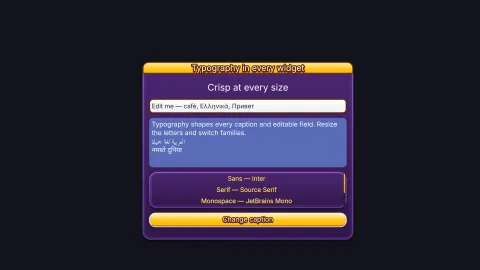
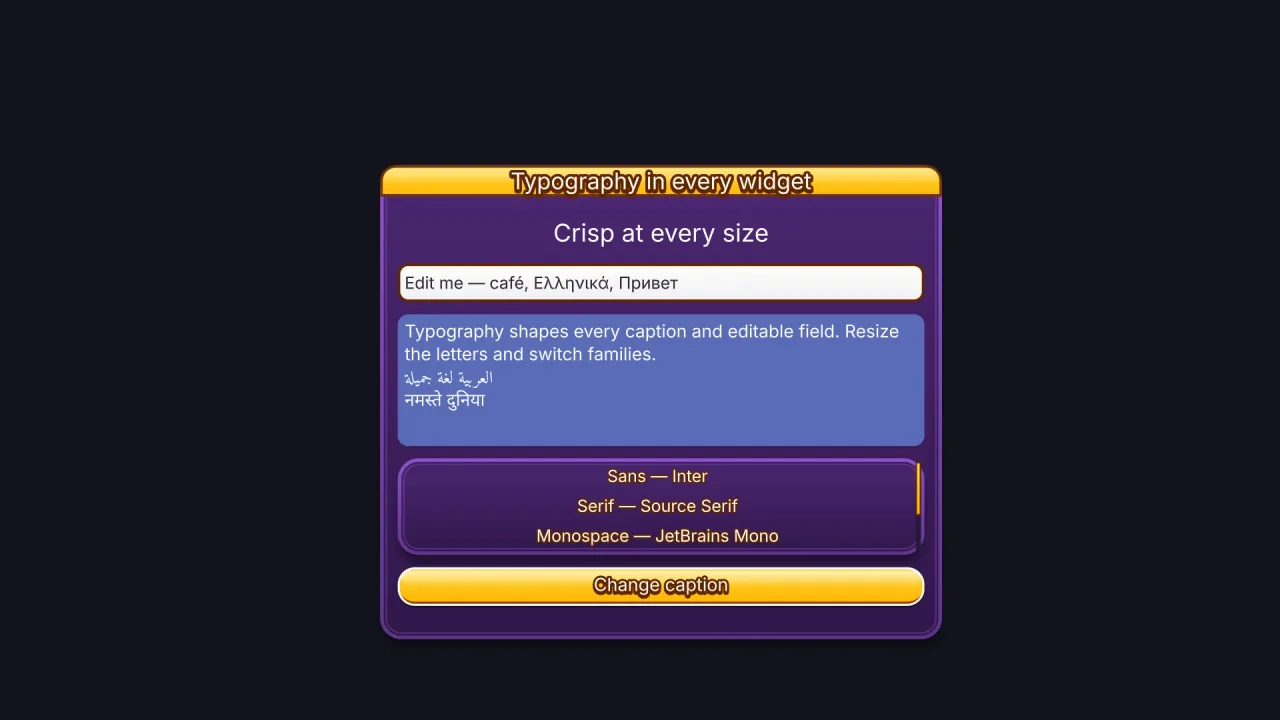
offset — with styles as data (built-ins plus defineStyle) and hover/pressed/disabled overrides. Labels use retained Typography paragraphs on both rendering backends. Buttons, toggles, sliders and progress bars are built from those two. Pointer driven
in the ui.input step; anchors re-lay on resize. WebGPU for the panels; headless the widgets exist and answer input.
Functions
drawUiIcon
function drawUiIcon(ctx: CanvasRenderingContext2D | OffscreenCanvasRenderingContext2D, name: UiIconName, size: number, color = '#ffffff', stroke = 0): voidThe icon's paths filled in color, on a square size units wide (a slash cut across music-off). With stroke
(in the same units) the shape is grown by that much all round, round-jointed: the silhouette an outline or an
extrusion is drawn from. Path2D is the browser's.
parseUiTheme
function parseUiTheme(input: unknown): UiThemeDefRead a theme file (an object or its JSON). Lenient and capped: unknown fields and bad values are dropped, numbers clamped, at most 64 roles and 8 fonts. Throws only when there is no theme there at all.
readUiDialogue
function readUiDialogue(raw: unknown): UiThemeDialogue | undefinedThe dialogue section, coerced.
readUiField
function readUiField(key: keyof UiStyleFields, v: unknown): unknownOne field, coerced to what the catalogue allows, or undefined when it cannot be read.
readUiFields
function readUiFields(raw: unknown): UiStyleFieldsStyle fields only, each coerced; unknown keys dropped.
readUiFrame
function readUiFrame(raw: unknown): UiThemeFrame | nullAn illustrated frame, or null when its measurements cannot hold together.
readUiStyle
function readUiStyle(raw: unknown): UiStyleDataA whole style: fields, base and states. Lenient: a bad field is dropped, never fatal.
registerUiTheme
function registerUiTheme(k: { registry: { add(kind: string, def: UiThemeDef): void } }, def: UiThemeDef): voidWhat a pack that brings a theme calls in attach (ui-skins does, for each skin): register def under the registry kind 'ui-theme' so game.ui.theme = def.name finds it. Requires the ui pack.
serializeUiTheme
function serializeUiTheme(def: UiThemeDef): UiThemeFileThe canonical file for a theme.
uiCornerPack
function uiCornerPack(c: UiCorner | UiCorners<UiCorner> | undefined): numberFour corner shapes in one number for the shader: tl + 4·tr + 16·br + 64·bl, each 0 round, 1 cut, 2 scoop, 3 notch.
Constants
isUiColor
const isUiColor = (v: unknown): v is string=> …A colour the shader can read: #rgb, #rgba, #rrggbb or #rrggbbaa.
UI_CORNERS
const UI_CORNERS: readonly UiCorner[]Every UiCorner value. The shader reads a corner as its index here, so the order (round, cut, scoop, notch) is part
of the format.
UI_DEFAULT_STYLES
const UI_DEFAULT_STYLES: Record<string, UiStyle>The candy skin's styles as the ui pack's built-in look, in the engine's bold sans (compose ui-skin-candy for its display face).
UI_DRAWER_ID
const UI_DRAWER_ID: 4The id this pack registers its drawer under.
UI_GLOSS_SHAPES
const UI_GLOSS_SHAPES: readonly UiGlossShape[]Every UiGlossShape value. The shader reads a style's gloss shape as its index here, so the order is part of the
format.
UI_ICON_ALIASES
const UI_ICON_ALIASES: { readonly 'arrow-left': "back"; readonly undo: "restart"; }Names that are another icon's picture under the word a game reaches for.
UI_ICON_LABELS
const UI_ICON_LABELS: Readonly<Record<UiIconName, string>>What each icon means, in words: the accessible name of a button that shows it and nothing else.
UI_ICON_PATHS
const UI_ICON_PATHS: Readonly<Record<Exclude<UiIconName, 'music-off' | 'arrow-left' | 'undo'>, ReadonlyArray<string>>>The path data, on a 256-unit square.
UI_ICONS
const UI_ICONS: readonly ["pause", "play", "sound-on", "sound-off", "music-on", "music-off", "restart", "home", "settings", "close", "fullscreen", "fullscreen-exit", "back", "arrow-left", ... 110 more ..., "vibrate"] …The engine's own icons for a game's buttons — pause, sound, music, restart, and the hundred more a game's menus,
shop and HUD reach for (stars, coins, hearts, locks, arrows, trophies) — so a game never has to spell them out
("II", "SND") or ship art for them. Each is SVG path data on a 256-unit square, its ink filling the square
(Phosphor's Fill weight; the marks that read better as a line — close, restart, back, check, plus, minus, the arrows
and carets, menu, more, redo, shuffle — from its Bold weight), painted white on first use and tinted by the widget's
style. music-off is music-on with a slash drawn across it; arrow-left and undo are back and restart.
UI_PATTERNS
const UI_PATTERNS: readonly UiPattern[]Every UiPattern value. The shader reads a style's pattern as its index here, so the order is part of the format.
UI_RIM_FINISHES
const UI_RIM_FINISHES: readonly UiRimFinish[]Every UiRimFinish value. The shader reads a style's rim finish as its index here, so the order is part of the
format.
UI_ROLES
const UI_ROLES: ReadonlyArray<{ id: string; what: string }>Every role the built-in widgets draw with, and what each one is. A theme may add its own names too.
UI_STYLE_FIELDS
const UI_STYLE_FIELDS: { readonly [K in keyof Required<UiStyleFields>]: UiFieldSpec }The field catalogue: every style field with its range and default. The parser clamps to these.
UI_STYLES
const UI_STYLES: Record<string, UiStyle>The built-in styles, the look a game has before it chooses a skin: the candy skin's (UI_DEFAULT_STYLES, written out
from ui-skin-candy and drawn in the engine's bold sans rather than candy's display face). 'default' is a yellow
candy pill with a white rim, a jelly gloss, a passing shine and a lip it presses into; 'good', 'warn', 'bad' and the
colour buttons ('green', 'red', 'blue', 'yellow', 'orange', 'purple', 'pink', 'teal', 'grey', 'brown') are the same
pill in other colours; 'flat' a grey one; 'dark' a purple window; 'panel', 'title', 'label', 'heading' and 'icon' the
roles a theme restyles; 'track', 'fill', 'knob', 'box', 'tick', 'dot', 'field', 'focus', 'row', 'rowSelected',
'scrollTrack' and 'scrollThumb' the widgets' parts. Two more are the engine's own: 'glass' and 'retro'.
UI_TEXTURE_MODES
const UI_TEXTURE_MODES: readonly UiTextureMode[]Every UiTextureMode value. The shader reads a style's texture mode as its index plus one (0 means no texture), so
the order is part of the format.
UI_THEME_FORMAT
const UI_THEME_FORMAT: "phaser-ae-ui-theme"The format value that marks a file as a UI theme: 'phaser-ae-ui-theme'.
Types
UiAnchor
type UiAnchor = 'top-left' | 'top' | 'top-right' | 'left' | 'center' | 'right' | 'bottom-left' | 'bottom' | 'bottom-right'Where a widget sits relative to the screen (or, inside a container, relative to its content box when the container has no layout); x y are offsets from that anchor.
UiApi
interface UiApigame.ui.
ready(): Promise<void>— Load bundled UI fonts and prepare existing widgets; also awaited during game startup.font: TypographyFonts | null— Default loaded Typography font selection; null uses style-selected families.panel(spec: UiWidgetSpec): UiHandle— A styled box.modal(h: UiHandle, on?: boolean): void— Raise a widget and everything under it onto a MODAL band above every other widget, and make everything outside it inert — no hover, no click, no wheel. Modals stack: the newest is the one that takes input.on: falsedrops it back. Killing the widget drops it too.readonly modalTop: UiHandle | null— The modal taking input, or null.label(spec: UiWidgetSpec): UiHandle— Text only (no panel).button(spec: UiWidgetSpec & { onClick?: (h: UiHandle) => void }): UiHandle— A panel with a label that firesonChange(1)on click.toggle(spec: UiWidgetSpec & { value?: number; onChange?: (v: number, h: UiHandle) => void }): UiHandle— An on/off switch;value0 or 1.slider(spec: UiWidgetSpec & { value?: number; min?: number; max?: number; step?: number; onChange?: (v: number, h: UiHandle) => void }): UiHandle— A horizontal slider.valueis 0..1 unlessmin/maxgive it a range, andstepquantises it — a difficulty picker is a slider withmin: 0, max: 3, step: 1.progress(spec: UiWidgetSpec & { value?: number }): UiHandle— A bar filled tovalue0..1.checkbox(spec: UiWidgetSpec & { value?: number; onChange?: (v: number, h: UiHandle) => void }): UiHandle— A square tick box with a label;value0 or 1.radio(spec: UiWidgetSpec & { group: string; value?: number; onChange?: (v: number, h: UiHandle) => void }): UiHandle— A round option in agroup: selecting one clears the others in the group;onChange(1)on the one chosen.input(spec: UiTextSpec): UiHandle— A single-line text field: click to focus, type, Backspace, arrows, Home/End, Enter submits.textarea(spec: UiTextSpec): UiHandle— A multi-line text box: wraps, scrolls by wheel or caret, Enter breaks a line, Ctrl+Enter submits.list(spec: UiListSpec): UiHandle— A scrollable list of options: wheel scrolls by row, click selects.dropdown(spec: UiListSpec): UiHandle— A button showing the selected option; click opens a list below it.readonly focus: UiHandle | null— The focused interactive widget, or null.navigate(direction: 'next' | 'previous' | 'left' | 'right' | 'up' | 'down'): void— Move focus through the eligible order (Tab / Shift+Tab).window(spec: UiWindowSpec): UiHandle— A container with a title bar and a column layout (padding 16, gap 10, children centred) — put widgets in it withparent.defineStyle(name: string, style: UiStyle): void— Register a named style. Defining a name again (a built-in's too) REPLACES it, live: every widget repaints in it, as for a theme switch; an identical definition does nothing. An active theme's style of the same name still wins.readonly styles: ReadonlyArray<string>— Every style name.defineTheme(def: UiThemeDef): void— Register a theme at runtime (aui-skin-*pack registers its skin in attach). Defining a name again REPLACES it, live — an editor can restyle as it goes. Itsfontsstart loading at once; widgets repaint when they land.loadTheme(source: string | object): Promise<string>— Load a theme file (phaser-ae-ui-themeJSON — a URL, which goes through the asset loader so a pack's base URL applies, or the parsed object), wait for its fonts, define it, and return its name. It does not switch to it:game.ui.theme = await game.ui.loadTheme(url).readonly themeDef: UiThemeDef | null— The active theme's definition (styles, fonts, its dialogue section), or null for the built-in styles.readonly themes: ReadonlyArray<string>— Every composed theme name.theme: string— The active theme name,''for the built-in styles. Set it (or calluseTheme) to reskin every widget live — window, buttons, checkboxes, slider, scrollbars, list, dropdown and inputs.useTheme(name: string): void— Switch theme by name (''reverts to the built-in styles).readonly hot: UiHandle | null— The widget under the pointer, or null.readonly widgets: ReadonlyArray<UiHandle>— Live widgets.readonly icons: ReadonlyArray<UiIconName>— The engine's icons, by name (UI_ICONS, 125 of them): 'pause', 'play', 'sound-on', 'sound-off', 'music-on', 'music-off', 'restart', 'home', 'settings', 'close', 'back', 'check', 'plus', 'star', 'heart', 'coin', 'gem', 'lock', 'trophy', 'shop', 'arrow-right', 'caret-left'…icon(name: UiIconName): string— One of the engine's icons as a picture by name, painted white on first use, for a sprite of its own:game.spawn({ texture: game.ui.icon('pause'), tint: '#ffd166', layer: 'hud' }).pauseButton(spec?: UiIconButtonSpec): UiHandle— The pause button: a square button with the pause icon, top right. A press opens the game's pause menu, the scene called 'pause', pushed over play so play is held beneath it while the menu runs (scenes.push('pause'); the menu resumes withscenes.pop()).onClickreplaces that. It is notgame.commands.pause(), which holds everything, the menu included. Takes any widget spec:iconfor the game's own picture,anchor x y w h style.muteButton(spec?: UiIconButtonSpec & { mutedIcon?: string }): UiHandle— The sound button: a square button showing the sound on or off, beside the pause button. A press mutes or unmutes the game (game.commands.mute()/unmute()), and it follows the sound however it was muted.iconandmutedIconswap in the game's own pictures;onClickruns after the switch (to save the choice).
UiCorner
type UiCorner = 'round' | 'cut' | 'scoop' | 'notch'How a corner is shaped. The size is the radius.
UiCorners
type UiCorners<T> = [T, T, T, T]The four corners, clockwise from the top left.
UiFieldSpec
type UiFieldSpec = | { kind: 'number'; min: number; max: number; def: number; step?: number } | { kind: 'color'; def?: string } | { kind: 'enum'; options: readonly string[]; def: string } | { kind: 'radius'; min: number; max: number; def: number } | { kind: 'corner'; def: UiCorner } | { kind: 'font'; def: string } | { kind: 'name'; def: string }What a field holds, for validation and for editors.
UiGlossShape
type UiGlossShape = 'cap' | 'band' | 'pill' | 'dome'The gloss's shape: 'cap' fades down from the top; 'band' lightens the top part, cut straight across (a two-tone candy face); 'pill' is an inset rounded highlight, bright at its top (jelly); 'dome' is an ellipse over the upper face (a sphere, for round buttons).
UiHandle
type UiHandle = Handle & { ui: UiWidgetApi }A widget is a roster handle with a ui sub-object.
UiIconButtonSpec
type UiIconButtonSpec = UiWidgetSpec & { onClick?: (h: UiHandle) => void }What pauseButton and muteButton take: any widget spec, all of it optional.
UiIconName
type UiIconName = (typeof UI_ICONS)[number]The name of one of the engine's icons: any entry of UI_ICONS.
UiKind
type UiKind = 'panel' | 'label' | 'button' | 'toggle' | 'checkbox' | 'radio' | 'slider' | 'progress' | 'window' | 'input' | 'textarea' | 'list' | 'dropdown'Every widget kind.
UiLayout
interface UiLayoutHow a container lays its children out — a CSS flex row or column.
direction?: 'column' | 'row'— Stack children down ('column', default) or across ('row').padding?: number | { top?: number; right?: number; bottom?: number; left?: number }— Space inside the container's edges: one number, or per side. Default 16.gap?: number— Space between children. Default 10.align?: 'start' | 'center' | 'end' | 'stretch'— Cross-axis placement of each child: 'start' | 'center' (default) | 'end' | 'stretch' (the child takes the content width/height).justify?: 'start' | 'center' | 'end' | 'space-between' | 'space-around'— Main-axis placement of the run of children: 'start' (default) | 'center' | 'end' | 'space-between' | 'space-around'.
UiListSpec
interface UiListSpec extends UiWidgetSpecWhat lists and dropdowns take.
options: ReadonlyArray<string>— The options.value?: number— Selected index, -1 for none. Default -1 (list) / 0 (dropdown).rows?: number— Visible rows before scrolling. Default 5.rowHeight?: number— Row height. Default 28.onChange?: (index: number, h: UiHandle) => void— Called with the selected index.
UiPattern
type UiPattern = 'none' | 'lines' | 'grid' | 'dots' | 'checks' | 'grain' | 'hex'A procedural pattern over a panel's fill.
UiRimFinish
type UiRimFinish = 'flat' | 'tube' | 'chrome'How a rim is finished: 'flat' paint (default); 'tube', shaded as a rounded tube lit from the style's light; 'chrome', a polished metal ring that reflects a bright sky over a dark horizon.
UiStyle
interface UiStyle extends UiStyleFieldsA panel's look. Every field optional; missing ones come from base then the defaults. The data fields are
listed, with their ranges, in format.ts (UI_STYLE_FIELDS); this adds what only code can hold.
textFont?: TypographyFonts— Loaded Typography font or fallback stack. Omit to inherit game.ui.font or the style family.base?: string— A named style to inherit from.hover?: UiStyle— Overrides while the pointer is over an interactive widget.pressed?: UiStyle— Overrides while pressed.disabled?: UiStyle— Overrides while disabled.
UiStyleData
interface UiStyleData extends UiStyleFieldsA style as data: fields, a named base to inherit, and overrides per state.
base?: string— A named style to inherit from.hover?: UiStyleFields— Overrides while the pointer is over an interactive widget.pressed?: UiStyleFields— Overrides while pressed.disabled?: UiStyleFields— Overrides while disabled.
UiStyleFields
interface UiStyleFieldsEvery field a style can carry, without inheritance or states.
designHeight?: number— The height this style was drawn for, px. A widget of any other height scales every px measure with it — radius, rim, lip, gloss inset, shadow, font size, stroke — so one style looks the same on a 40 px button and a 120 px one. 0 (default) keeps every measure as written.radius?: number | 'pill' | UiCorners<number>— Corner size: one number, 'pill', or [tl, tr, br, bl]. Default 12.corner?: UiCorner | UiCorners<UiCorner>— Corner shape: 'round' (default), 'cut' (a straight chamfer), 'scoop' (an inward quarter circle), 'notch' (a square step). One, or [tl, tr, br, bl].fill?: string— Fill colour (gradient start). Default '#5a6bb8'.fillTo?: string— Gradient end colour; omit for flat.fillMid?: string— A middle stop, for a three-stop gradient.fillAngle?: number— Gradient direction, degrees: 0 top→bottom, 90 left→right. Default 0.fillShape?: 'linear' | 'radial'— 'linear' (default) or 'radial' — fill at the centre, fillTo at the corners.pattern?: UiPattern— A pattern over the fill. Default 'none'.patternColor?: string— Pattern colour; its alpha is its strength. Default '#ffffff22'.patternScale?: number— Pattern period, px. Default 8.patternAngle?: number— Pattern rotation, degrees. Default 0 — lines run across; 45 makes diagonal stripes.patternSize?: number— Pattern weight 0..1: line or dot thickness as a share of the period, or the amount of grain. Default 0.3.texture?: string— A TEXTURE across the face: a picture by name, tiled. A texture pack's ('wood' isui-texture-wood's), or any picture the game has (painted, or loaded from assets.json). Default none.textureScale?: number— One tile of the texture across, px. Default 128.textureStrength?: number— The texture's strength, 0..1. Default 1.textureAngle?: number— The texture's rotation, degrees. Default 0.textureMode?: UiTextureMode— How it lies over the fill: 'overlay' (default), 'multiply' or 'image'.textureOn?: 'face' | 'all'— Where it goes: 'face' (default), or 'all', the rim as well — a frame cut from the same wood.border?: number— Rim thickness inside the edge; 0 none. Default 0.borderColor?: string— Rim colour. Default '#ffffff'.borderColorTo?: string— Rim gradient end; omit for flat.borderDash?: number— Dash length of the rim, px; 0 is solid.borderFinish?: UiRimFinish— The rim's finish: 'flat' (default), 'tube' or 'chrome' — chrome inborderColoris silver in grey, gold in yellow.borderStripeColor?: string— Stripes across the rim in this colour (its alpha their strength), like a candy-striped frame; transparent is none. Default '#00000000'.borderStripeWidth?: number— The stripes' period, px: one stripe and one gap. Default 12.borderStripeAngle?: number— The stripes' angle, degrees. Default 45.ring?: number— A second rim inside the first — a double frame. Width, px; 0 none.ringInset?: number— Distance from the edge to the inner rim, px. Default border + 3.ringColor?: string— Inner rim colour. Default the rim colour.ringDash?: number— Dash length of the inner rim, px; 0 is solid — short dashes are stitching.dashGap?: number— Gap between dashes, px. Default the dash length.bevel?: number— Bevel strength 0..1. Default 0.bevelWidth?: number— Bevel reach in from the edge, px. Default 6.light?: number— Light direction, degrees clockwise from above. Default 0.gloss?: number— Gloss strength 0..1. Default 0.glossHeight?: number— Gloss height as a fraction of the panel. Default 0.45.glossInset?: number— Gloss inset from the sides, px. Default 6.glossColor?: string— Gloss colour; the sparkle and the shine use it too. Default '#ffffff'.glossShape?: UiGlossShape— The gloss's shape: 'cap' (default), 'band', 'pill' or 'dome'.sparkle?: number— Glints on the gloss: a short streak and a dot inside the top-left corner, 0..1. Default 0.shine?: number— A band of light that sweeps across the face everyshinePeriodseconds on the game clock, 0..1. Default 0.shinePeriod?: number— Seconds from one shine to the next. Default 4.shineWidth?: number— The shine's width, as a share of the face. Default 0.22.depth?: number— The LIP: the panel drawn as a slab this many px thick — its face on top, its darker side showing beneath. The face is the box less the lip; captions and icons sit on the face. Default 0.depthColor?: string— The lip's colour. Default the fill's end colour, darkened.press?: number— How far the face has sunk into the lip, px, up todepth: a pressed state sayspress: depthand the button goes down. Default 0.innerShadow?: number— Inner shadow strength 0..1. Default 0.innerShadowWidth?: number— Inner shadow reach, px. Default 10.innerShadowColor?: string— Inner shadow colour. Default '#000000'.shadow?: number— Drop shadow strength 0..1 — with no offset and a colour, a glow. Default 0.shadowX?: number— Shadow offset x. Default 0.shadowY?: number— Shadow offset y. Default 4.shadowBlur?: number— Shadow blur, px. Default 10.shadowSpread?: number— Shadow spread, px. Default 0.shadowColor?: string— Shadow colour. Default '#000000'.tint?: string— Multiply tint over the finished panel. Default '#ffffff'.alpha?: number— Opacity. Default 1.offsetX?: number— Shift the panel, px. Default 0.offsetY?: number— Shift the panel down. Default 0.contentInset?: number— Space a window or panel keeps clear inside its edge, px, before its layout's padding: a wide frame's width, so children never sit on the frame. A list keeps its rows and scrollbar itsborderplus this inside its edge. Default 0.textColor?: string— Label colour. Default '#ffffff'.font?: string— Label CSS font: size and family, e.g. 'bold 16px Cinzel'. Default 'bold 15px sans-serif'.textOutline?: number— Label outline width, px (distance-field fonts). At most about 1/20 of the font size, the reach of the font's distance field; a wider outline is drawn at that width. Default 0.textOutlineColor?: string— Label outline colour. Default '#000000'.textColorTo?: string— The label's gradient:textColorat the top of the letters, this at the bottom. Omit for flat.textStroke?: number— A STROKE round the label (and an engine icon), px, of any width: the chunky outline of game text. Drawn behind the letters;textOutlineis the thin distance-field one. Default 0.textStrokeColor?: string— Stroke colour. Default '#000000'.textDepth?: number— The label's EXTRUSION: the stroked letters again, this many px lower, behind — the depth of 3D game text. Default 0.textDepthColor?: string— Extrusion colour. Default '#00000080'.textShadowX?: number— Label hard shadow offset x, px. Default 0.textShadowY?: number— Label hard shadow offset y, px. Default 0.textShadowColor?: string— Label shadow colour; transparent is none. Default '#00000000'.letterSpacing?: number— Extra space between letters, px. Default 0.textCase?: 'none' | 'upper' | 'lower'— Label case. Default 'none'.textAlign?: 'center' | 'left' | 'right'— Where a label or button caption sits across its box. Default 'center'.textInset?: number— Distance from the edge to a left- or right-aligned caption, px. Default 12.textBox?: 'line' | 'caps'— What a caption is centred on, up and down: 'line' (default), its line of text, or 'caps', its capital letters — level on a button whatever the font's ascent and descent.
UiTextSpec
interface UiTextSpec extends UiWidgetSpecWhat text widgets take beyond the common spec.
value?: string— Starting text. Default ''.placeholder?: string— Grey text shown while empty.maxLength?: number— Maximum UTF-16 length, without splitting a grapheme. Default 64 (input) / 2000 (textarea).password?: boolean— Show dots instead of characters. Default false.onInput?: (text: string, h: UiHandle) => void— Called as the text changes.onSubmit?: (text: string, h: UiHandle) => void— Called on Enter (input) or Ctrl+Enter (textarea).rows?: number— Visible rows (textarea). Default 4.readOnly?: boolean— Prevent editing while retaining the normal appearance. Default false.textAlign?: 'left' | 'center' | 'right'— Align each line within the field. Default left.textOverflow?: 'scroll' | 'hidden'— Scroll overflowing text, or clip it without scrolling. Default scroll.
UiTextureMode
type UiTextureMode = 'overlay' | 'multiply' | 'image'How a texture lies over the fill: 'overlay' lays its light and shade over the colour, which keeps its hue (grey wood grain over blue is blue wood); 'multiply' darkens by it; 'image' shows its own colours.
UiThemeDef
interface UiThemeDefA theme, as the engine holds it.
name: string— How a game selects it.description?: string— One line for the catalogue.styles: Record<string, UiStyleData>— Role name → style. A role absent here falls back to the built-in of the same name.font?: string— The default label font (CSS shorthand) for every style that does not set its own.fonts?: UiThemeFont[]— Fonts to load before the theme's labels can use them.dialogue?: UiThemeDialogue— The matching dialogue box.
UiThemeDialogue
interface UiThemeDialogueThe dialogue box that matches the theme — read by the dialogue pack when a game opens one without a preset.
panel?: UiStyleData— Native panel material behind the words.ink?: string— Body text colour.accent?: string— Accent: nameplate and ornaments.nameInk?: string— Speaker name colour.motif?: string— One of the dialogue pack's procedural compositions (lace, ribbon, rose, gold, paper, arcane, school, noir, cinema, prism, holo, terminal, pixel, ledger, wood, comic, phone, novel).size?: number— Body text size, logical px.font?: string— Font for the speech, CSS shorthand ('20px Lora').frame?: UiThemeFrame— An illustrated frame instead of the procedural ornaments.
UiThemeFile
interface UiThemeFile extends UiThemeDefThe theme as a file.
format: typeof UI_THEME_FORMAT— AlwaysUI_THEME_FORMAT;parseUiThemethrows on a file that names any other format.version: 1— File format version; always 1.
UiThemeFont
interface UiThemeFontA font a theme needs, loaded from a baked Typography GLB and registered under family.
family: string— The family name styles use infont('16px Cinzel').url: string— The baked GLB, usually a CDN URL from the font catalogue.bold?: string— A bold face for the same family ('bold 16px Cinzel').
UiThemeFrame
interface UiThemeFrameAn illustrated nine-slice dialogue frame: artwork plus measurements, in source pixels.
url: string— Transparent PNG/WebP, CORS-enabled.width: number— Image size.height: number— Image height in source pixels, the second half of the size.slices: UiCorners<number>— Protected left, top, right, bottom margins.mode?: 'nine' | 'horizontal'— 'nine' (default) or 'horizontal'.borderScale?: number— Fixed ornament scale.textInset?: number— Horizontal text padding, logical px.aperture: { x: number; y: number; width: number; height: number }— The reading surface inside the artwork.speaker: { x: number; y: number; width: number; height: number }— Safe text bounds inside the speaker plate.
UiTopics
interface UiTopicsSignals, per step.
'ui.change': { id: string; value: number }— A button was clicked, a toggle/checkbox/radio flipped, a slider released, a list/dropdown picked.'ui.input': { id: string; text: string }— A text widget's text changed.'ui.submit': { id: string; text: string }— A text widget submitted (Enter / Ctrl+Enter).
UiWidgetApi
interface UiWidgetApiThe ui sub-object on a widget handle.
readonly kind: UiKind— The kind.readonly id: string— The id it reports in signals (the spec'sid, else its kind).readonly parent: UiHandle | null— The container this widget is inside, or null.readonly children: ReadonlyArray<UiHandle>— Children placed inside this widget, in order.layout: UiLayout | undefined— The container's layout; set it (or mutate andrelayout()) to re-place the children.relayout(): void— Re-run the layout (after changing children's sizes in place).readonly content: { x: number; y: number; w: number; h: number }— The content box this frame (inside padding and the title bar), screen px.text: string— Label text; setting repaints.icon: string | null— The icon (an engine icon's name, or a picture by name), or null for none; setting swaps it.style: string | UiStyle— The style, live (replace it, or mutate and callrestyle()).roles: UiWidgetSpec['roles']— Auxiliary material roles scoped to this widget.restyle(): void— Apply after mutating the style object in place.readonly hover: boolean— Pointer over it.readonly pressed: boolean— Pressed.disabled: boolean— Disabled: no input,disabledstyle.hidden: boolean— Hidden: not drawn, no input.value: number— Toggle/checkbox/radio (0/1), slider (0..1, or its ownmin..max), progress (0..1), list/dropdown (the selected index). Setting moves the widget; nochangefires.textValue: string— Text widgets: the text. Setting repaints; nochangefires.placeholder: string— Empty text-field hint, live.readOnly: boolean— Text fields: editing is disabled, appearance is unchanged.textAlign: 'left' | 'center' | 'right'— Text fields: line alignment, live.textOverflow: 'scroll' | 'hidden'— Text fields: scrolling or fixed clipping.focused: boolean— Keyboard/controller focus for any interactive widget. Set it to focus by code.scroll: number— Lists, dropdowns, textareas: the first visible row/line.options: ReadonlyArray<string>— Lists and dropdowns: the options (replace the array to change them).readonly group: string— Radios: the group name.w: number— Width, px.h: number— Height.x: number— Offset from the anchor.y: number— Offset y.anchor: UiAnchor— The anchor.onChange?: (value: number, h: UiHandle) => void— Called on a click (button), a flip (toggle) or a drag/release (slider).readonly rect: { x: number; y: number; w: number; h: number }— Screen rect this frame: left, top, width, height.
UiWidgetSpec
interface UiWidgetSpecWhat every widget takes.
accessibleLabel?: string— Accessible control name. Defaults to the visible label, then id.tabIndex?: number— Focus order; negative excludes from sequential navigation. Default creation order (0).neighbours?: Partial<Record<'left' | 'right' | 'up' | 'down', string>>— Explicit directional focus targets by widget id; otherwise spatial navigation is used.safeArea?: boolean— Root widgets use the mobile safe rectangle. Default true; false allows edge-to-edge decoration.anchor?: UiAnchor— Anchor. Default 'top-left'.x?: number— Offset from the anchor (the widget's own anchor point is the same corner). Default 0.y?: number— Offset y. Default 0.w?: number | 'auto'— Width, px. A BUTTON without one sizes itself to its icon and caption (and'auto'says so); one with a width shrinks its caption and icon to fit. Default 120 for other widgets.'auto'on a ROW container sizes it to its children plus its padding.h?: number | 'auto'— Height, px. Default 36.'auto'on a COLUMN container sizes it to its children plus its padding — the bottom padding is the one a hand-written height always gets wrong.layer?: string— The screen layer. Default 'hud'.z?: number— Depth. Default 0.style?: string | UiStyle— A style name or object. Default 'default'.text?: string— Label text.icon?: string— A picture on the widget, in its style's text colour: one of the engine's icons (UI_ICONS: 'pause', 'sound-on', 'restart'…), or any picture by name (painted, or loaded from assets.json) shown as it is. Beside the text when it has some.iconSize?: number— The icon's size, px. Default 60% of the face's height (the widget's smaller side). On a button it shrinks with the caption when the two would not fit.disabled?: boolean— Start disabled. Default false.hidden?: boolean— Start hidden. Default false.id?: string— An id for signals. Default the kind.parent?: UiHandle— Put this widget inside a container (awindowor apanel). With alayouton the parent the widget is placed by it andanchor x yare ignored; without,anchor x yare relative to the parent's content box.layout?: UiLayout— Make this widget a container: lay its children out like a flex row or column.alignSelf?: 'start' | 'center' | 'end' | 'stretch'— Override the parent layout'salignfor THIS child — flexbox's align-self. A column of stretched fields with one left-aligned caption needs it.bounce?: boolean— Press feedback (the style'spressed.offsetX/Ysink). Default true for buttons, false for everything else.clip?: boolean— Containers: clip children's panels to the content box (a scissor rect). Labels are not clipped. Default false.roles?: Partial<{ track: string | UiStyle; fill: string | UiStyle; knob: string | UiStyle; tick: string | UiStyle; dot: string | UiStyle }>— Material overrides for auxiliary parts (fills, knobs, ticks and dots).
UiWindowSpec
interface UiWindowSpec extends UiWidgetSpecWhat window takes: a panel with a title bar and a column layout by default.
title?: string— The title, drawn in a bar at the top.titleHeight?: number— Title bar height. Default 36.titleStyle?: UiStyle— Style for the title label. Default the window style's font/colour.