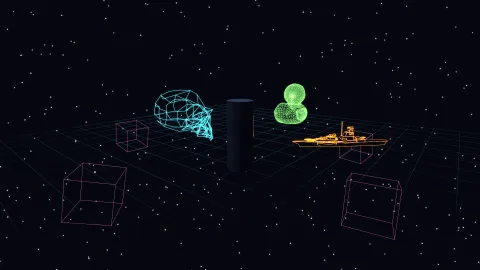

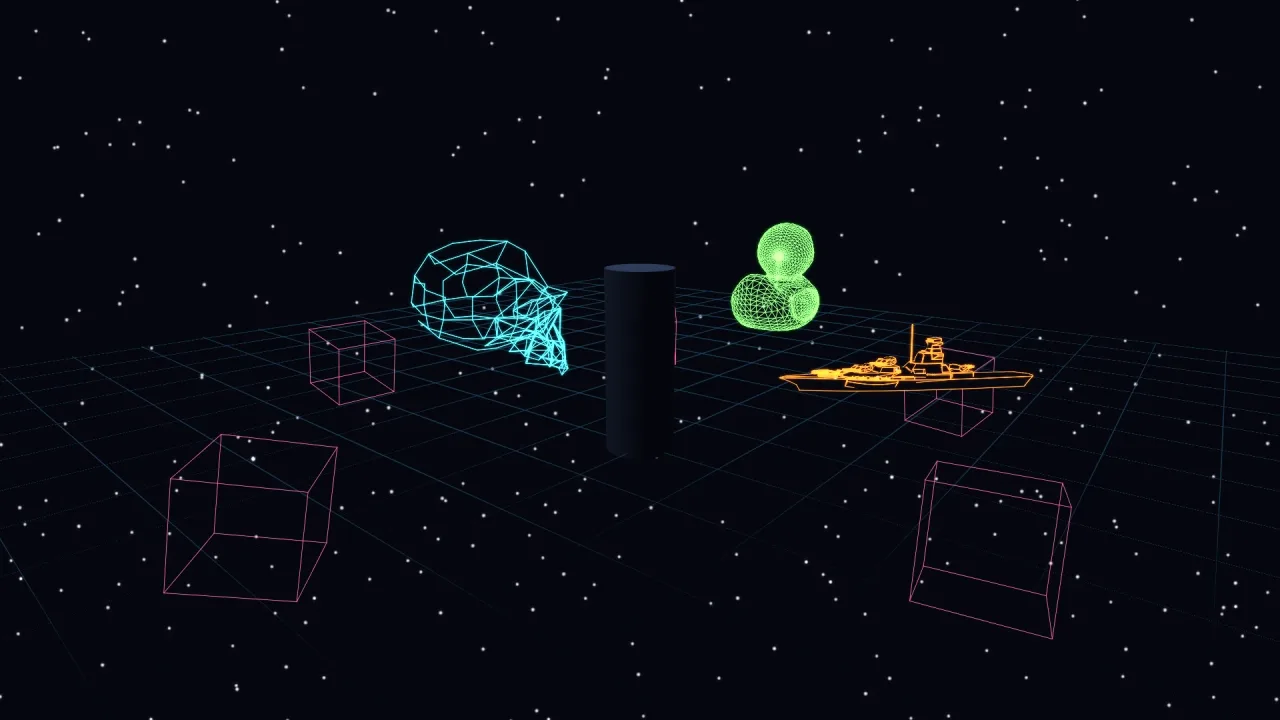
What it does
Each segment has two 3D endpoints. The vertex stage expands it into a quad in screen space, so the line's core is measured in pixels, while its depth comes from the real endpoints, so walls and models occlude it correctly. Lines are depth-tested but never write depth, so they sit among the solids without disturbing anything drawn after them. A tube mesh cannot do this: built from cylinders, a wireframe thins to nothing as it recedes.
game.wire.wireframe turns a triangle soup into the edges that mean something. Positions are welded, then an edge is
kept only if it borders one face or its two faces crease by more than an angle. The diagonals inside flat polygons
vanish, so a cube comes out as 12 edges, not the 36 triangle sides it is built from, and a model shows its shape rather
than its triangulation.
Two things that usually go wrong are handled. A segment with one end behind the camera is clipped at the near plane rather than dropped, so a floor grid running under the camera does not vanish where it matters. The depth bias that stops an edge fighting the surface it lies on is proportional to distance, so back edges stay hidden at range.
Features
- Pixel-constant width —
widthin screen pixels; under 1 is a hairline, cut flat rather than capped. - Real depth — occluded by the world through
render-3d's depth, without writing depth itself. - Outline edges —
wireframe(verts, { angle })keeps boundaries and creases;angle: 0keeps every unique edge. - Retained shapes — live
x,y,z,yaw,pitch,roll,scale,color,width,alphaandvisible, withsetSegsto replace the geometry. - Polylines and segments —
linesbuilds a shape from paths,shapefrom raw segments, andsegdraws one line for a frame. - Gradients —
color2runs a line from one colour to another. - Near-plane clipping — lines crossing the camera are shortened, never lost.
- Edges as data —
wireframeEdgesreturns a mesh's outline edges for your own use.
Good for
- Wireframe tank games, in the style of Battlezone, with real occlusion between solid and wire.
- Space combat and trading games, in the style of Elite, with wireframe ships against the stars.
- Holograms and targeting overlays that stay crisp however far away the target is.
- Selection cages and floor grids in builders and voxel games.
- Trajectory arcs for throwing and launching.
- Debug overlays — physics hulls, bounds and rays that stay legible at any distance.
Make it yours
A shape's position, rotation, scale, colour, width, opacity and visibility are all live, so a wireframe can turn,
pulse or fade without being rebuilt. The crease angle decides how much of a model you see: a hard-edged model wants
a threshold, while a smooth one such as a fine sphere wants angle: 0 to keep every edge, and so does a double-sided
sheet, which has no boundary. The manifest's only option is enabled, which you can also set live.
Two different uses: a retro tank game where every enemy and obstacle is the outline of its mesh, drawn in thin green lines over a dark world, and solid scenery hides the wires behind it; and a builder where a pink selection cage and a faint floor grid sit over fully lit 3D models, each line one pixel wide whether the camera is near or far.
A quick look
A cube's twelve outline edges as a live shape, a floor cross and a one-frame line:
const verts = game.world3d.meshVerts(game.world3d.mesh('box'))!;
const cage = game.wire.wireframe(verts, { y: 2, scale: 3, color: '#f072b6', width: 1 });   // 12 edges
game.wire.lines([[[-10, 0, 0], [10, 0, 0]], [[0, 0, -10], [0, 0, 10]]], { color: '#1d4a66', width: 1 });
cage.yaw = 0.5;                                                     // every field is live
game.wire.seg([0, 0, 0], [0, 5, 0], { color: '#ffd166' });        // this frame only
Works with
render-3d— required; its depth is what hides the lines behind solids.world-3d— the 3D world and the meshes whose outlines it draws.post-bloom— for a glow, which this pack does not draw itself.lines-3d— polylines as scene objects, for routes, wires and rays.vector-2d— 2D line art with a phosphor halo, fills and shatter.vector-wire— wireframes projected to 2D, for an all-vector screen.
Good to know
- There is no halo and no shatter here; those live in
vector-2d. - The transform is applied on the CPU and segments are packed every frame: right for the counts a wireframe reaches, not for a hundred thousand segments. A very large static wireframe pays its packing cost every frame.
- A smooth or double-sided model needs
angle: 0, or it comes out as scattered feature lines.