
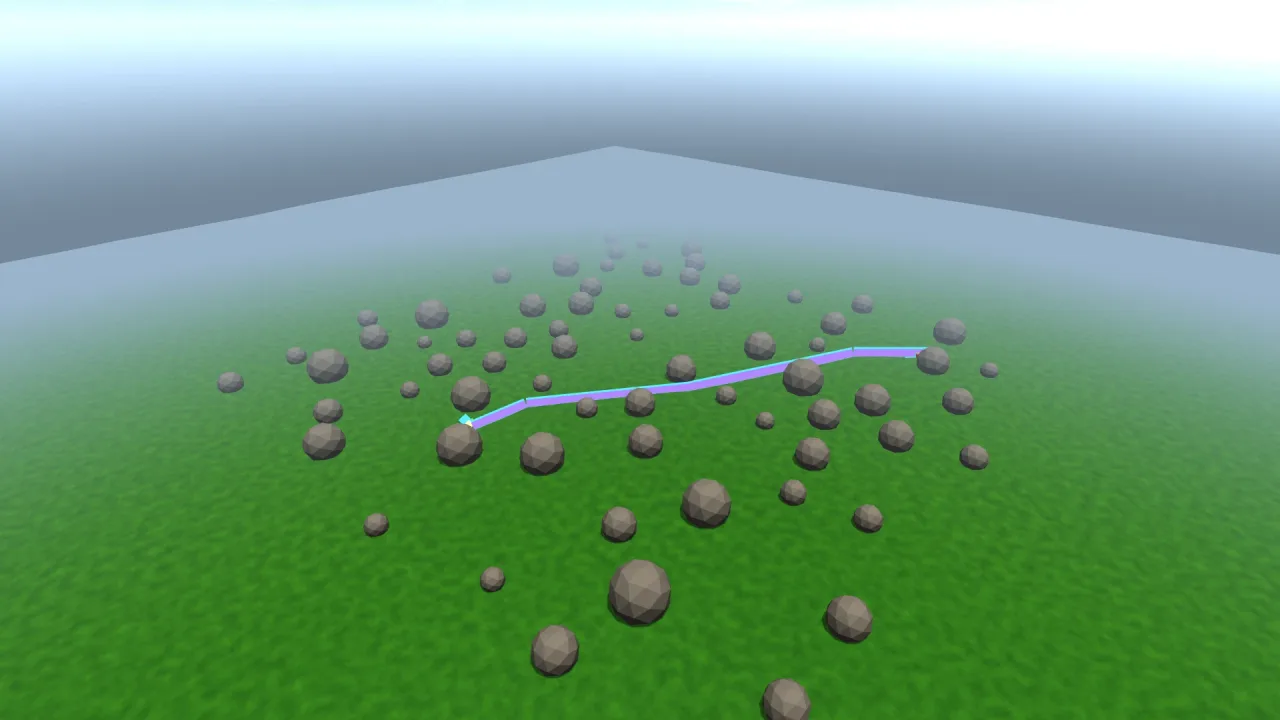
What it does
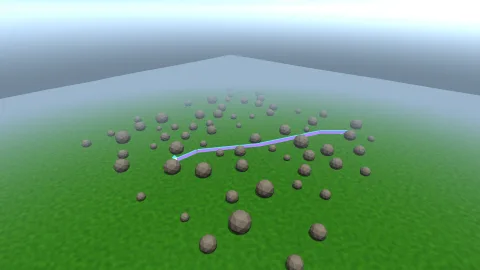
A line is an object with a points array that your game owns. Mutate it in place or assign a new one, as points or as
a flat run of numbers, and it is read and re-uploaded each frame, with no commit step. A path from a pathfinder, a
raycast from a weapon or the corners of a selection become visible by assigning them.
Each segment is expanded on the GPU into a quad facing the camera, its half-width scaled by its own distance to the
eye, which is what holds the line at a constant pixel width near and far. A segment pointing straight at the camera
falls back to the camera's right rather than vanishing. Lines are depth-tested, so a route behind a hill is hidden by
the hill, and xray draws one over everything. Every segment of every line shares one buffer and goes out in at most
two draws.
Features
- Lines as objects —
addreturns a line whose points, colour, width, alpha, closed flag, visibility and x-ray are all live. - Constant pixel width — legible at any distance, set per line or as a default.
- Shortcuts —
segmentfor a straight run between two points, andboxfor the twelve edges of an axis-aligned box. - Depth-tested or x-ray — hidden by solids in front of it, or drawn through them for debugging and selection.
- Cheap — at most two draws for every line in the scene, with
drawnreporting the segments.
Good for
- Strategy and tactics games — showing a unit's planned route or a patrol path over the terrain.
- Debugging — raycasts, navigation paths and bounding boxes made visible while you work.
- Editors and tools — world axes, gizmos and the edges of a selection.
- Puzzle and wiring games — wires and connections between objects that read clearly from any angle.
- Tethers and links — a line from a grappling point to the player, or between linked objects.
Make it yours
Each line takes its points, colour, pixel width, alpha, whether it closes into a loop, whether it is visible and whether it draws as an x-ray. The pack's options set the default width (2 pixels), the default colour and whether the pass starts on. Two different uses: a strategy game drawing each selected unit's route in its team colour, a little above the ground and hidden behind hills, rewritten whenever the path changes; and a debug view that draws every raycast as a red x-ray segment and every collider's bounds as a yellow box, visible through walls.
A quick look
A route rewritten every step, a debug ray drawn through solids and a bounding box:
const route = game.lines3d.add({ color: '#5cf0ff', width: 2.5 });
route.points = path.map(p => ({ x: p.x, y: p.y + 0.5, z: p.z }));
game.lines3d.segment({ x: 0, y: 0, z: 0 }, hit, { color: '#ff4040', xray: true });
game.lines3d.box(bounds.min, bounds.max, { color: '#ffd166' });
Works with
render-3d— draws the lines into the 3D scene and supplies the depth they test against.nav-meshandpath-3d— routes and paths to show as lines.beams-3d— for a visible shaft of light rather than a line.trails-3d— for a trail behind a moving object.
Good to know
- No dashes, caps or joins: a corner is two quads meeting, which shows a notch at very wide widths.
- One colour and one width per line; use two lines for a change of either.
- Lines do not write depth, so where two lines cross they resolve by the order they were packed, not by depth.
- Lines cast no shadows and cannot be picked; headless, they are held but not drawn.