
What it does
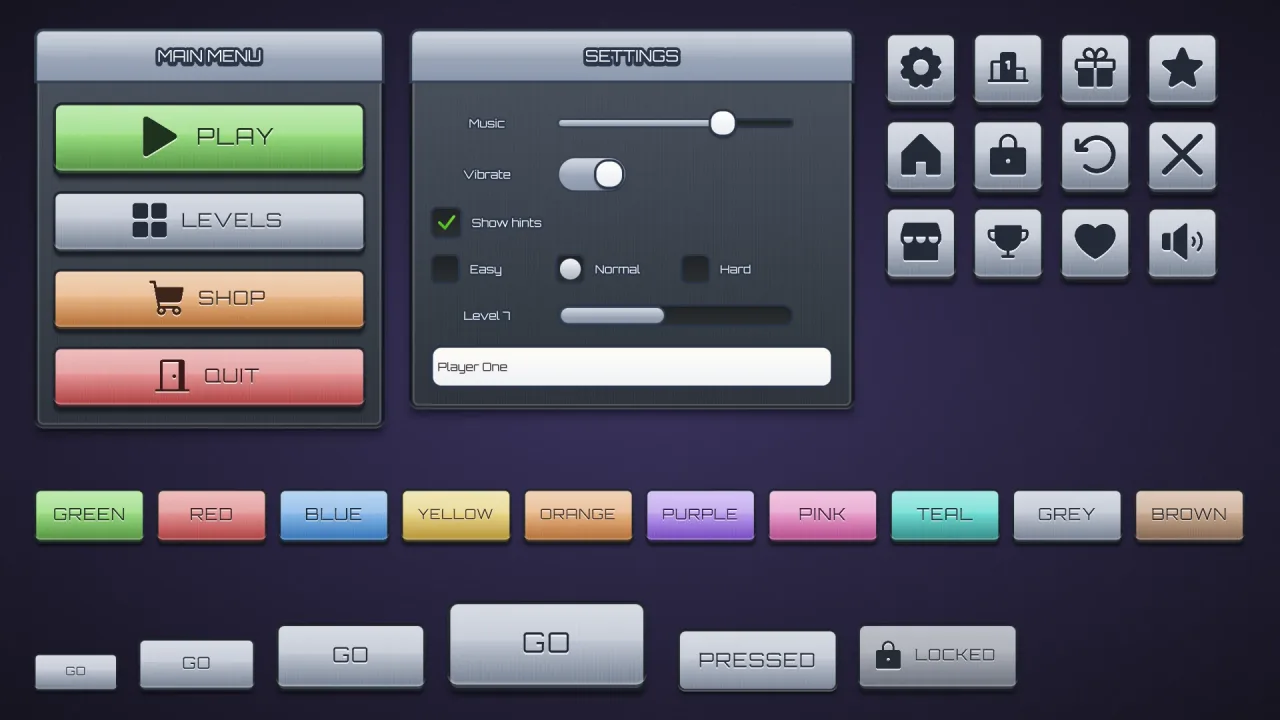
Set game.ui.theme = 'metal' and every widget the ui pack draws wears it: buttons in every colour, rounded-square
icon buttons, windows and title bars, sliders, toggles, progress bars, checkboxes, radios, text fields and lists. A
button's colour is mixed with steel grey, so colours anodise the metal rather than hide it. Its face runs through three
stops with fine vertical brushing and a band of gloss, under a bevel lit from above and a dark rim, and a narrow glint
sweeps across every six seconds. The caption is engraved: dark, upper case, letter-spaced, with a light edge beneath.
It is style data, not images, and one button style fits every height.
Features
- Brushed steel — a three-stop face, fine vertical brush lines and a band of gloss.
- A lit bevel and a slow glint — light from above, and a narrow shine every six seconds.
- Engraved captions — upper-case Orbitron, letter-spaced, pressed into the metal.
- Anodised colours — every named colour as tinted steel, plus
good,warn,badandflat. - Steel windows — dark, brushed and bevelled, with an inner line; the speech box matches.
Good for
- Sci-fi games, with steel consoles and menus.
- Racing games with a hard, mechanical front end.
- Military games that want plain, engraved controls.
- Industrial games, all brushed plates and bevels.
Make it yours
The options are color (grey by default), surface for panels, grooves and boxes (a slate grey), accent for title
bars, slider fills, knobs, dots and selected rows, radius (8, or 'pill'), depth (5), roles, extra colors and
designHeight; the material has no trim. Keep plain grey steel with an orange accent for an industrial game, or
anodise the buttons blue with teal accents for a sci-fi console.
A quick look
// manifest: … typography, ui, ui-skins, ui-skin-metal
game.ui.theme = 'metal';
game.ui.button({ text: 'PLAY', style: 'good', icon: 'play', onClick: start });   // sized to its caption and icon
game.ui.button({ h: 72, icon: 'settings', style: 'icon' });                     // the icon button
game.skins.use({ material: 'metal', color: 'pink', name: 'pink-metal' });     // another colour, live
Works with
ui-skins— required; the generator andgame.skins, overuiandtypography.ui-skin-bezel— glossy candy faces in polished chrome frames.ui-skin-block— a plain flat look without the metal.
Good to know
- The window body is always dark steel; the colour options change the buttons, title bars, panels and accents.
- Button captions are always upper case in this skin.
- The options recolour and reshape the look but do not change it; for another, compose another skin.
- Orbitron comes from the CDN when the skin is first chosen, and covers Latin, Greek and Cyrillic.
Changes
3.0.0-3 (2026-10-21)
- Fixed: the skin's font, Orbitron, loads a re-baked copy with fewer specks at sharp corners and where strokes cross, which showed in large titles and buttons.