
The pack
vector3d
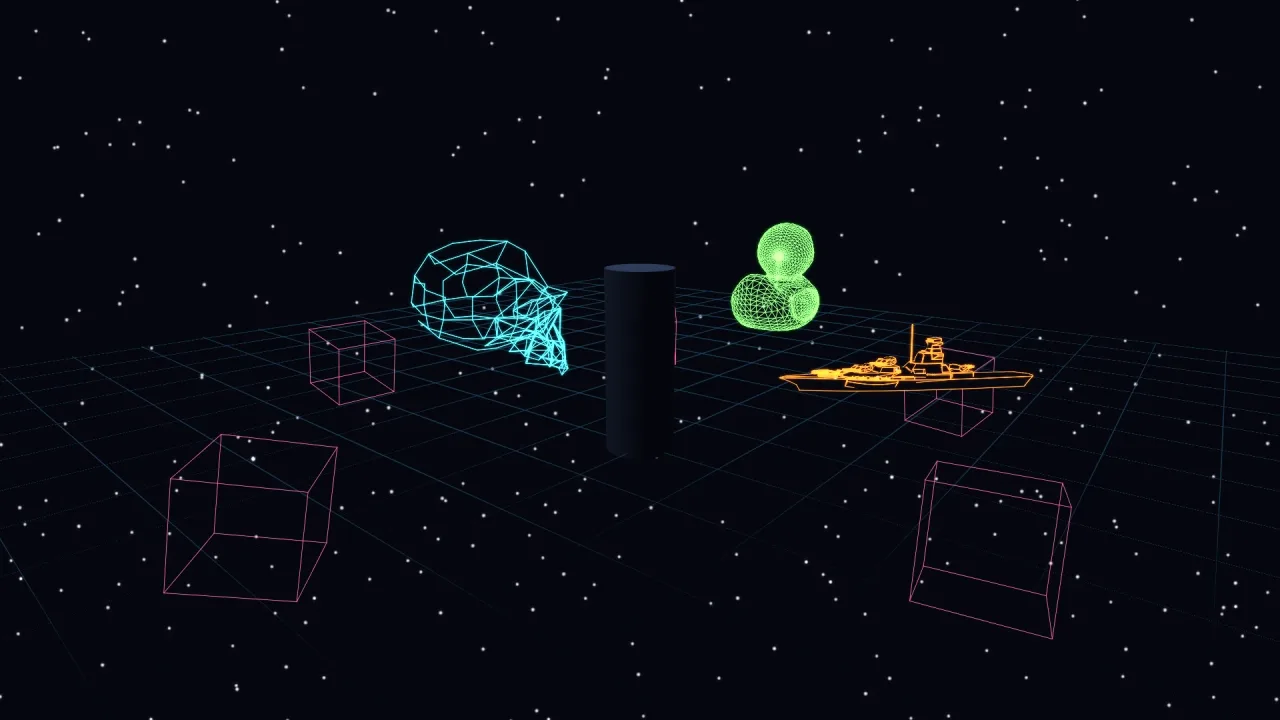
function vector3d(opts: Vector3dOptions = {}): Pack<{ wire: Vector3dApi }>The vector-3d pack: retained wireframe line art in the world, one instanced draw. Requires a 3D world and
render-3d, whose depth it tests against so lines occlude correctly.
Helpers
wireframeEdges
function wireframeEdges(verts: Float32Array, angle = 20): Seg3[]Turn a triangle soup into clean OUTLINE edges. Positions are welded onto a 1e-4 grid, then an edge survives
only if it borders ONE face — a boundary, on open geometry — or its two faces crease by more than angle
degrees. That is what makes the interior diagonals of flat polygons vanish: a cube comes out as 12 edges
rather than the 36 triangle sides it is actually built from.
angle <= 0 keeps EVERY unique edge, the classic full-mesh wireframe. That is the right look for a SMOOTH
model, where almost nothing creases and a threshold leaves only scattered feature lines — half a model.
The soup is the engine's stride-8 vertex: position, normal, uv.
Functions
buildLine3dWgsl
function buildLine3dWgsl(): stringThe 3D line shader. Each segment expands to a SCREEN-SPACE quad in the vertex stage, so the capsule core renders at a PIXEL-CONSTANT width — the retro vector look, where a hairline stays a hairline at any distance — while the depth comes from the real 3D endpoints, so a wireframe occludes correctly against the solid world.
polylinesToSegs
function polylinesToSegs(polylines: ReadonlyArray<ReadonlyArray<readonly [number, number, number]>>, closed = false): Seg3[]Polylines to segments; closed joins each line's last point back to its first.
transformLinePoint
function transformLinePoint(x0: number, y0: number, z0: number, scale: number, yaw: number, pitch: number, roll: number, x: number, y: number, z: number): [number, number, number]Apply the same yaw/pitch/roll convention as render-3d to one shape-local line endpoint.
Constants
LINE3D_FLOATS
const LINE3D_FLOATS: 16Floats one packed segment uses: endpoint a with the pixel half-width, endpoint b with the cap flag, two colours.
Types
Seg3
type Seg3 = [number, number, number, number, number, number]One segment, in the soup's own coordinate space.
Vec3Shape
interface Vec3ShapeA retained 3D line shape. Every field is live.
x: number— World position.y: number— Height.z: number— Depth.yaw: number— Yaw, radians.pitch: number— Pitch, radians.roll: number— Roll, radians.scale: number— Uniform scale.color: string— Colour, css.width: number— Core width in screen pixels.alpha: number— Opacity.visible: boolean— Whether it draws.readonly segs: readonly Seg3[]— Its segments, in its own space.setSegs(segs: readonly Seg3[]): void— Replace them.kill(): void— Remove it.readonly alive: boolean— True until killed.
Vec3Style
interface Vec3StyleHow a 3D line shape is placed and drawn.
x?: number— World position. Default 0.y?: number— Height. Default 0.z?: number— Depth. Default 0.yaw?: number— Yaw, radians. Default 0.pitch?: number— Pitch, radians. Default 0.roll?: number— Roll, radians. Default 0.scale?: number— Uniform scale over the shape's own points. Default 1.color?: string— Colour, css. Default#7df9ff.color2?: string— A second colour, so a line runs as a gradient.width?: number— Core width in SCREEN PIXELS — under 1 is a hairline, cut flat. Default 1.5.alpha?: number— Opacity 0..1. Default 1.
Vector3dApi
interface Vector3dApigame.wire.
shape(segs: readonly Seg3[], style?: Vec3Style): Vec3Shape— A retained shape from raw segments.wireframe(verts: Float32Array, style?: Vec3Style & { angle?: number }): Vec3Shape— A shape from a triangle soup's OUTLINE edges.angleis the crease threshold in degrees; 0 or less keeps every unique edge, which is what a smooth model wants.lines(polylines: ReadonlyArray<ReadonlyArray<readonly [number, number, number]>>, style?: Vec3Style & { closed?: boolean }): Vec3Shape— A shape from polylines.seg(a: readonly [number, number, number], b: readonly [number, number, number], style?: Vec3Style): void— One segment, this frame only.readonly all: readonly Vec3Shape[]— Every live shape.clear(): void— Remove them all.enabled: boolean— Turn the layer off.readonly segments: number— Segments drawn last frame.
Vector3dOptions
interface Vector3dOptionsManifest options.
enabled?: boolean— Whether the layer draws. Default true.