
What it does
The pack is a bundle. Naming it in a manifest composes twenty-three packs in order: the renderer that picks WebGPU or
WebGL2 for the device, the 3D world with y up, screen layers for the HUD, the orbit camera with follow, primitive
meshes and physically based lighting, point and spot lamps, models made from parts with clips, attaching one thing to
another, 3D collisions and particles, camera shake, text, sound, tweens, maths and colour, saving, and background
gradients and stars. Meshes and models are ordinary game objects, game.spawn({ mesh: 'box' }) and
game.spawn({ model: 'hero' }), with tags, data and scene ownership like anything else.
Then it adds three calls of its own. game.text puts text on the HUD in screen pixels, over the 3D view.
game.background sets what is behind every mesh: a colour, a gradient sky, stars or a picture, with fog fading far
meshes towards it. And game.moveDir(right, forward) turns an input such as the arrow keys into a direction on the
ground for the camera as it is turned now, so pressing right moves the hero to the screen's right whichever way the
camera faces. That removes the classic first bug of a 3D game before you write it.
One camera frames most genres. The orbit rig looks at a fixed point or a followed object from a distance, at a
yaw and a pitch, so a chase camera, a top-down view, an isometric map and a side-on 2.5D level are four sets of
angles rather than four cameras. Dragging and the wheel are off until a game turns them on. As in every core, a scene
owns what it makes: leaving it removes its meshes, models, lamps, text, backgrounds, steps, timers, tweens and
collision rules, while the camera and the light stay as they were set.
Features
- One line, twenty-three packs — every pack above, configured and in order, with nothing to wire up.
- Ten primitive meshes — box, sphere, cylinder, cone, capsule, torus, plane, quad, wedge and rounded box, sized per axis, with colour, metallic, roughness, emissive glow, unlit and see-through surfaces, and a picture on any of them.
- Models as data — a tree of primitive parts with materials and named clips that move, turn and scale each part, defined once and spawned by name.
- Lighting presets —
noon,golden,overcast,night,dungeon,studioandboardgameset the sun, ambient light, fog and shadows in one call, andsetchanges what differs. - Lamps as objects — point and spot lights placed, moved, flickered and destroyed like anything else.
- An orbit camera for every genre — follow or focus, distance, yaw and pitch, with optional drag to turn and a wheel zoom between bounds.
- Movement that matches the screen —
game.moveDirmaps right and forward onto the ground for the camera's current facing. - The pointer in the world —
game.world3d.groundAtfinds where the pointer meets the ground, andgame.world3d.pickthe thing under it. - 3D collisions — overlap rules and solid walls by tag, boxes or spheres, contacts that say which side touched, and raycasts.
- Particles and juice — 3D emitters that burst or flow and can follow a hero, plus shake, flash and hit-stop.
- Attachments — carry a sword in a model's hand with
game.attach.to. - The shared surface — text, sound, tweens, saving, scenes and menus, with the same calls as the 2D core.
Good for
- Endless runners — a chase camera low behind the hero down a track, in the style of Temple Run or Subway Surfers.
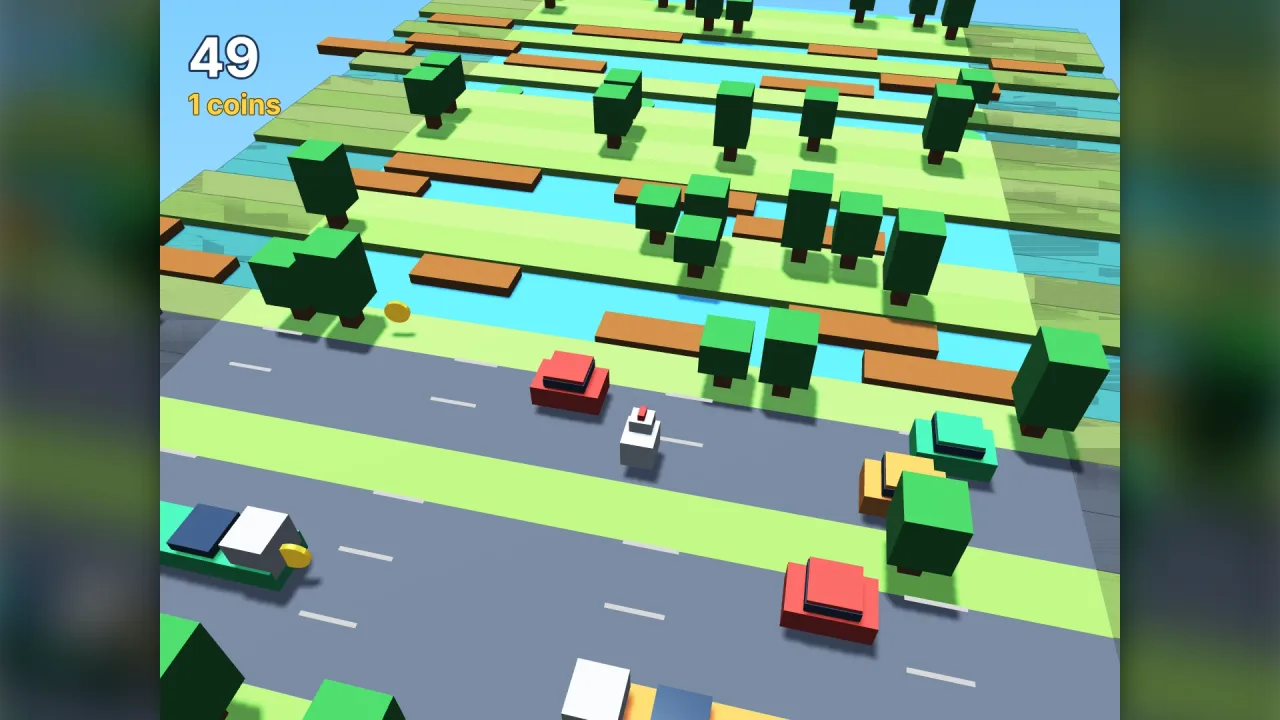
- Lane-crossing hoppers — a high camera over a field of lanes, as in Crossy Road.
- Collect-and-avoid arenas — a hero on a field picking up coins and dodging rolling hazards.
- Top-down and twin-stick games — the orbit camera pitched steeply down, with
aim-3dto face the pointer. - Isometric tactics and city maps — a pitch of about 35 degrees, a yaw of π/4 and a narrow field of view.
- 2.5D side-on platformers — the camera almost level, looking across the play.
- Board and tabletop games — the
boardgamelighting preset under a top-down camera, with pieces picked by the pointer.
Make it yours
The pack has no options of its own; name a pack it composes in the manifest and that pack, with your options, takes
its place. Name a rig such as rig-fps and it replaces the orbit camera, or keep the orbit and turn on its drag and
wheel from game code. Lighting is a preset plus overrides, models are data, and every mesh's surface is set per object.
Two very different uses. A chase-camera runner: the camera 8 to 14 units behind the hero at a low pitch, noon light,
and fog fading the track into a gradient sky. And an isometric tactics board: the camera at about 35 degrees and a yaw
of π/4, a narrow field of view, the boardgame preset and pieces chosen with game.world3d.pick.
A quick look
Light, a sky, a ground, a hero the camera follows, movement that matches the screen, and a pickup:
game.render3d.lighting.preset('noon');
game.background.gradient('#6fb8ff', '#e6f4ff');
game.spawn({ id: 'ground', mesh: 'box', x: 0, y: -0.5, z: 0, size: [28, 1, 28], color: '#5fa04e' });
const hero = game.spawn({ id: 'hero', model: 'hero', x: 0, y: 0, z: 0, tags: ['hero'] });
game.rig.follow(hero); game.rig.distance = 12; game.rig.pitch = 0.75;
game.step('play', dt => {
    const d = game.moveDir(ax, az);   // ax, az: right and forward from the keys, -1..1
    hero.x += d.x * 6 * dt; hero.z += d.z * 6 * dt;
});
game.collide.on('hero', 'coin', (_, coin) => coin.destroy());
Works with
rig-fpsandrig-minecraft— first-person cameras in the orbit camera's place.model-files-3d— models an artist made as.glbor.objfiles, with their animation.physics-3d— rigid bodies, joints, a character controller and vehicles when overlap rules are not enough.terrain-3d,water-3dandsky-3d— ground, water and a time-of-day sky.aim-3dandturntable— face the pointer on the ground, or spin an object by dragging it.controls-touch— a thumb stick and buttons for phones.bars— health, timers and meters on the HUD.core-2d— the same start for a 2D game.
Good to know
- It has no options itself: change a part by naming its pack in the manifest.
- Collisions are boxes and spheres with no dynamics; falling, stacking and vehicles need
physics-3d. - Built-in models are trees of primitives; files from a modelling tool need
model-files-3d. - Adding to
xdoes not follow the camera: seen from its default side, +x is the screen's left, which is why movement goes throughgame.moveDir. - On devices without WebGPU the WebGL2 fallback draws one shadow map rather than cascades and at most eight local lights.