
R is an open source programming language widely used for statistics, data science, research and data visualisation. Shiny is a web application framework for R that lets developers build interactive web apps without needing to write JavaScript. Neither was designed for game development, but Maciej Banaś saw an opportunity: if Phaser handles the hard parts of 2D game development, why not build a bridge between the two?
The result is shinyphaser, an R package available on CRAN (the Comprehensive R Archive Network) that provides an R Shiny interface to selected features of Phaser 3. It lets R developers build small to medium 2D game-like interactions inside Shiny apps, without writing a line of JavaScript.
shinyphaser Features: 2D Games in R Shiny
The current API covers the core building blocks of a 2D game:
- 🎮 Game canvas in your Shiny UI
- 🧩 Images and animated sprites with spritesheet support
- ⌨️ Keyboard-based player controls with configurable speed and directions
- 💥 Overlap and collision detection between game objects
- 🔔 Game events triggerable from R server logic
Potential use cases include educational games and quizzes, gamified learning platforms, marketing games (spin-to-win, memory games, scratch cards), interactive training applications, and serious games and simulations. It's a niche use case, but one that opens up interesting possibilities for the R community.
How to Build a Phaser Game with R and Shiny
A shinyphaser game lives inside a regular Shiny app. The package provides an R6 class called PhaserGame that you instantiate with a width and height. From there, you call methods on that object to build up your scene: adding images, sprites, controls, animations, colliders and overlaps. Under the hood, shinyphaser loads Phaser 3 and translates your R calls into the corresponding Phaser API calls.
A Complete Example: The Hedgehog Game
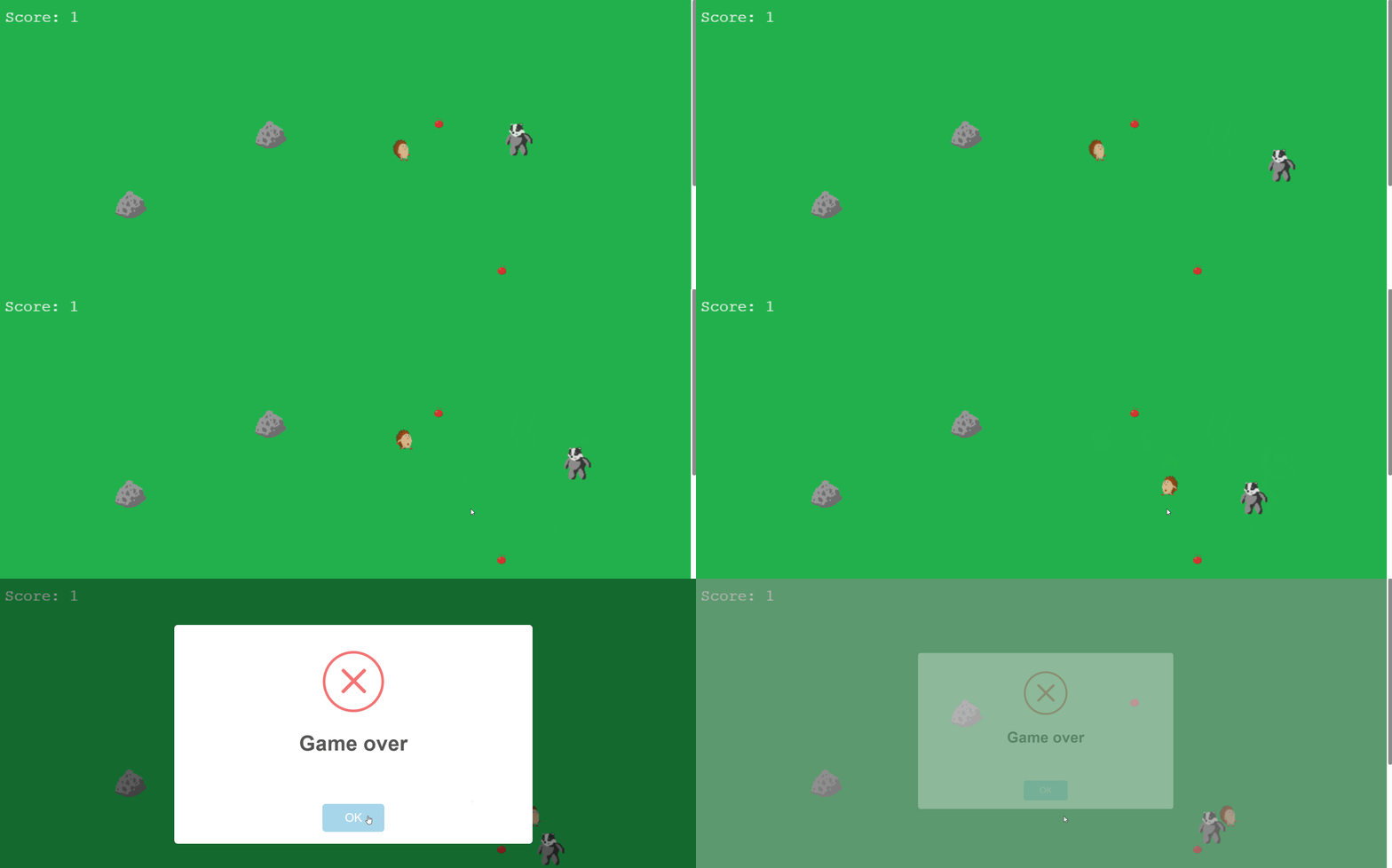
Maciej built a sample game called hedgehog to demonstrate what shinyphaser can do. A hedgehog moves around with arrow keys, collects apples (overlap events), collides with rocks (collision), and avoids a wandering badger enemy. If the hedgehog touches the badger, it's game over. The enemy changes direction every 0.7 seconds using a simple timer, giving it a lightweight patrol feel without writing a full AI system.
You can play the hedgehog demo and read the full step-by-step tutorial.
shinyphaser apps deploy the same way as standard Shiny apps, including to shinyapps.io using rsconnect::deployApp().
How to Install shinyphaser from CRAN or GitHub
The stable release is available on CRAN with install.packages("shinyphaser"). The development version is on GitHub via pak::pak("maciekbanas/shinyphaser"). Once installed, you can run the built-in sample app with shinyphaser::run_sample_app().
Explore shinyphaser
Everything you need to get started is in the documentation: examples, a step-by-step first game tutorial, and the full API reference. The source code is on GitHub.