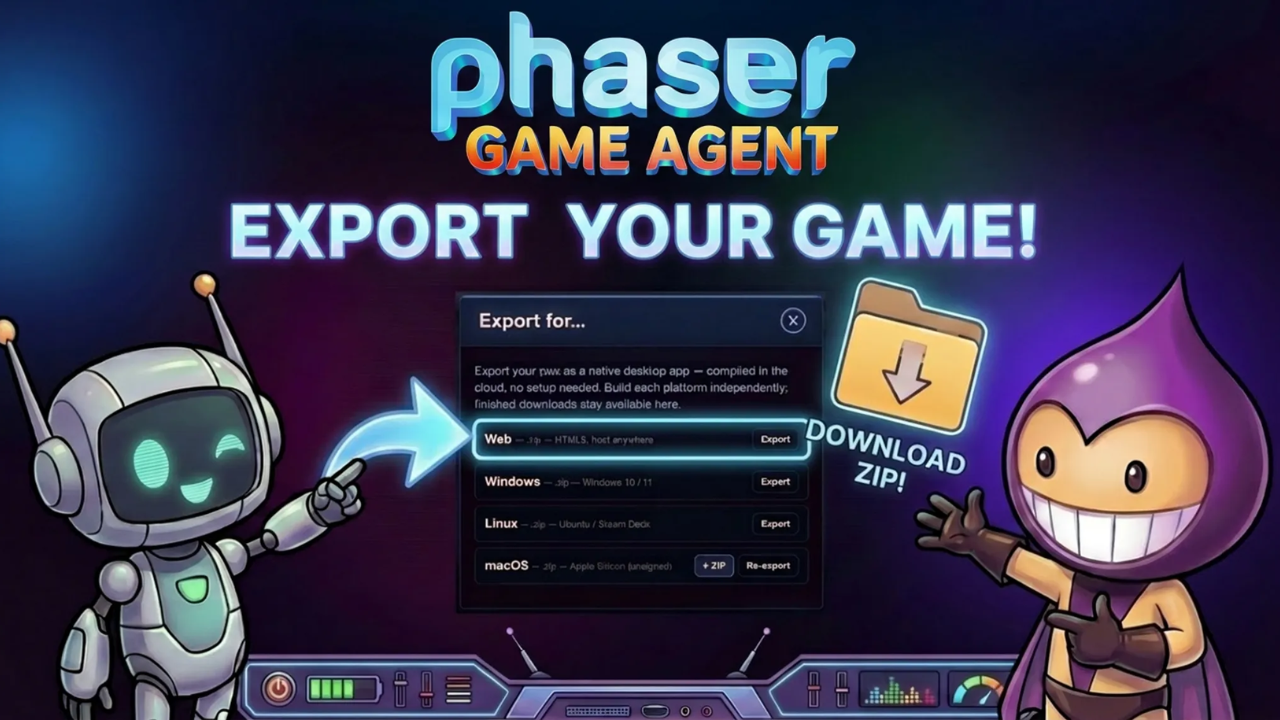

Every game you build with the Phaser Game Agent belongs to you. You can play it in the browser, share the link with anyone, and when you're ready, export it as a packaged file to host it yourself or run it on the desktop. The export options cover Web (HTML5), Windows, macOS and Linux, and everything is packaged in the cloud so you don't need any tools installed on your computer.
Phaser Game Agent: Web Export vs Desktop Export
Web
An HTML5 zip you can unzip and host on any web server, upload to itch.io, or drop into your own site.
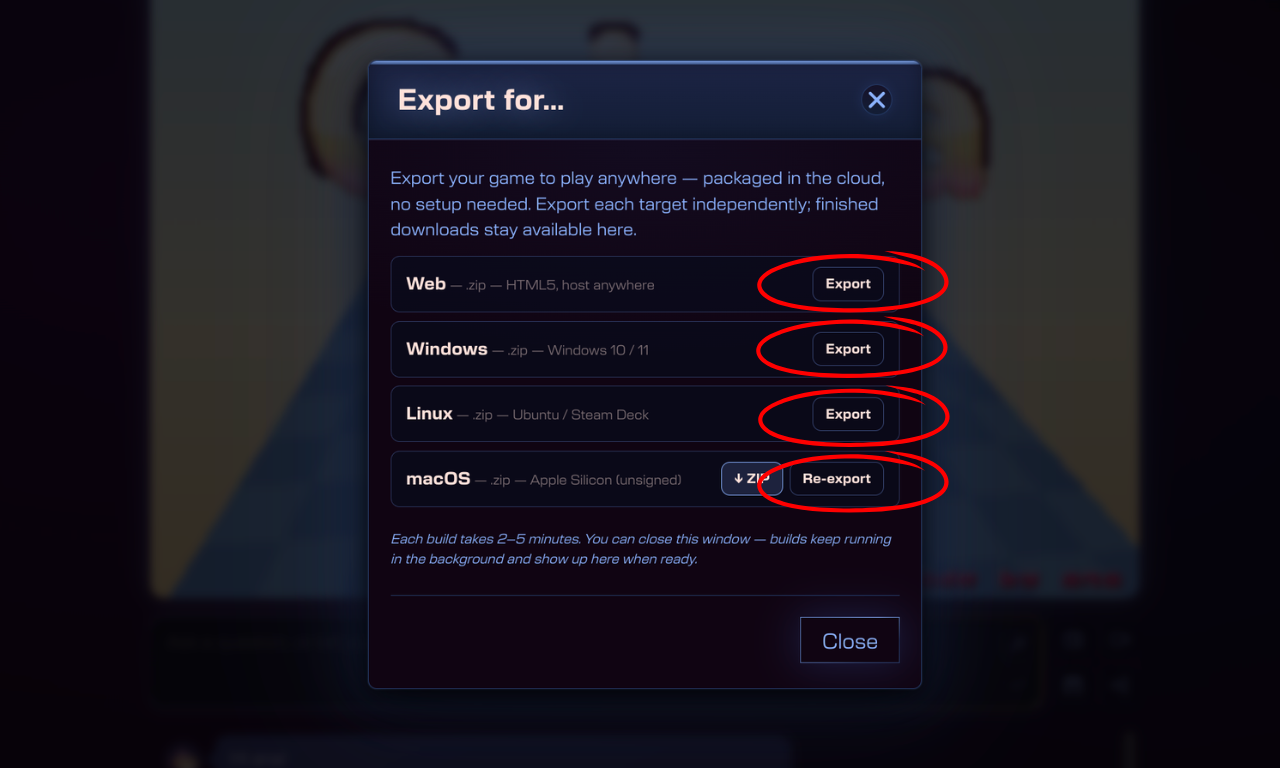
▸ Web — .zip, HTML5, host anywhere
Desktop
A standalone app packaged for the platform of your choice. No browser required.
▸ Windows — .zip, Windows 10 / 11
▸ Linux — .zip, Ubuntu / Steam Deck
▸ macOS — .zip, Apple Silicon (unsigned)
How to Export a Phaser Game Agent Game Step by Step
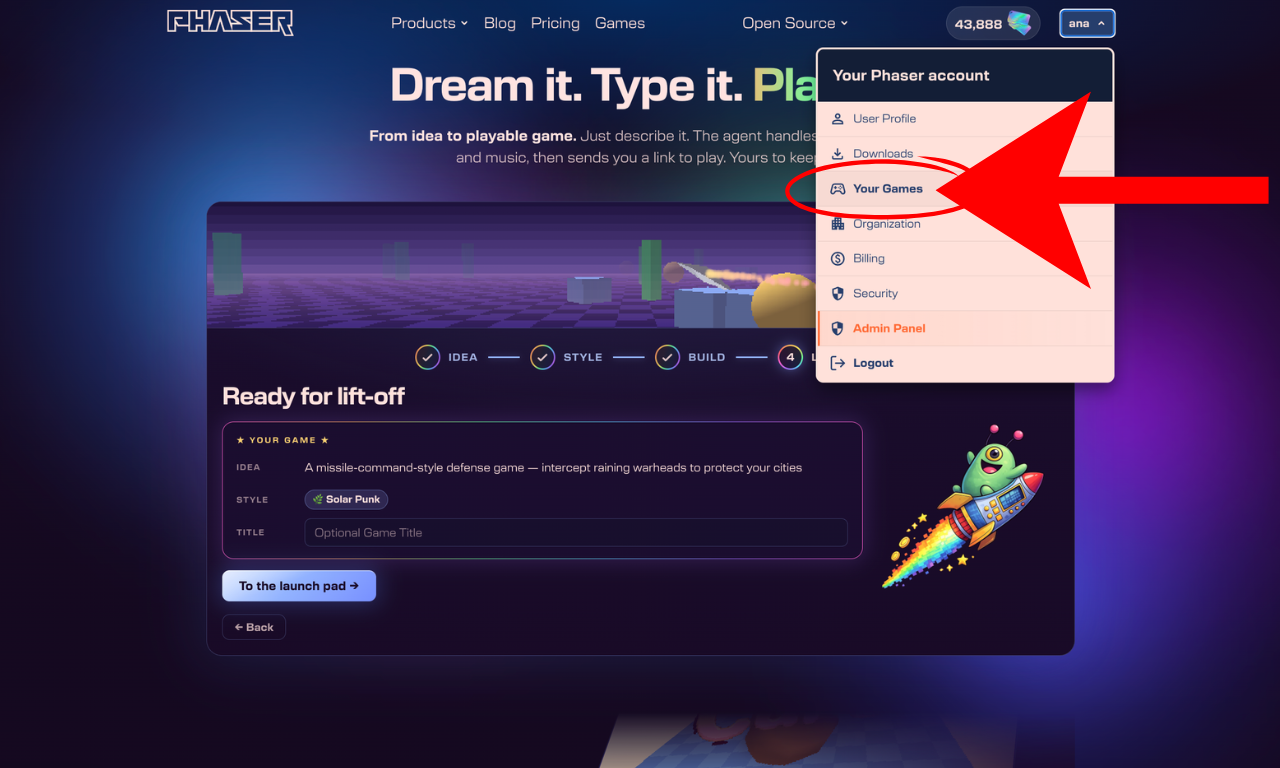
1. Click your account name in the top right corner. Select Your Games from the menu.
2. Your library of games appears. Click the game you want to export.
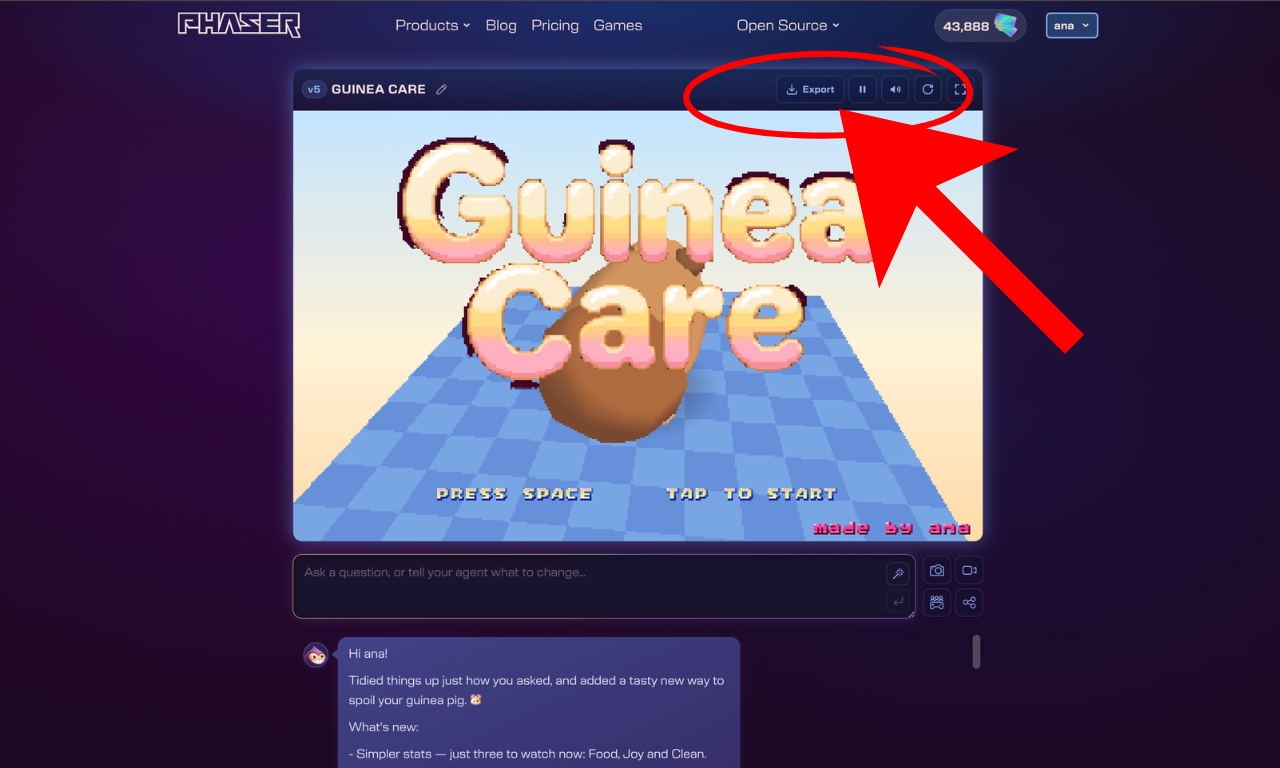
3. Your game loads in the editor. Click the Export button in the top right of the screen.
4. The export panel opens with all available targets. Choose Web, Windows, Linux, or macOS and click Export next to your chosen option.
5. The build runs in the cloud and takes between 2 and 5 minutes. You can close the window and come back later. Finished downloads stay available in the same panel whenever you return.
6. When the build is ready, click the download button to save the zip to your computer.
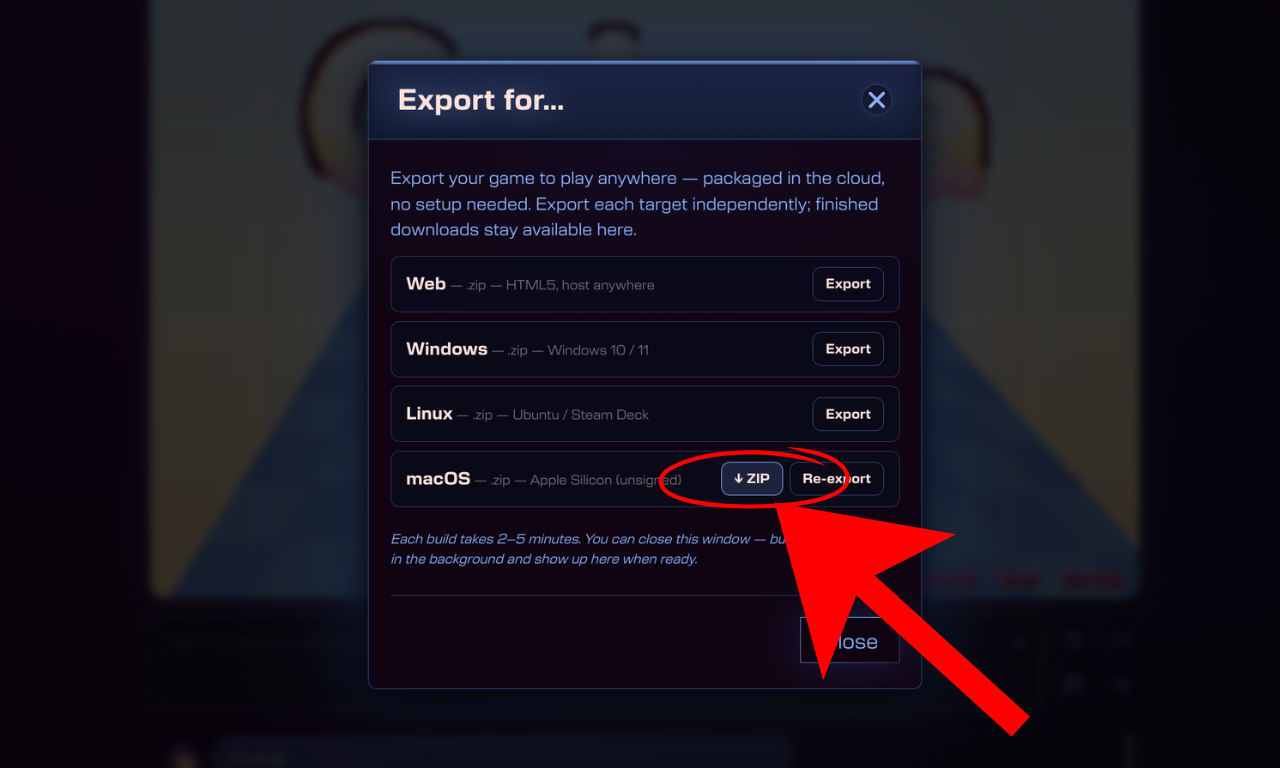
You can export each platform independently. If you want all four, run them one at a time, and they will all be available for download when ready.
Build and Export Your Game
Your game, your way. Build it with the Phaser Game Agent and take it anywhere, browser, desktop, or wherever players are.