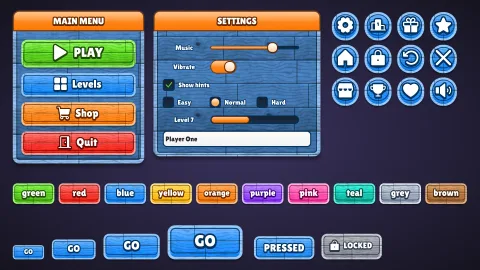

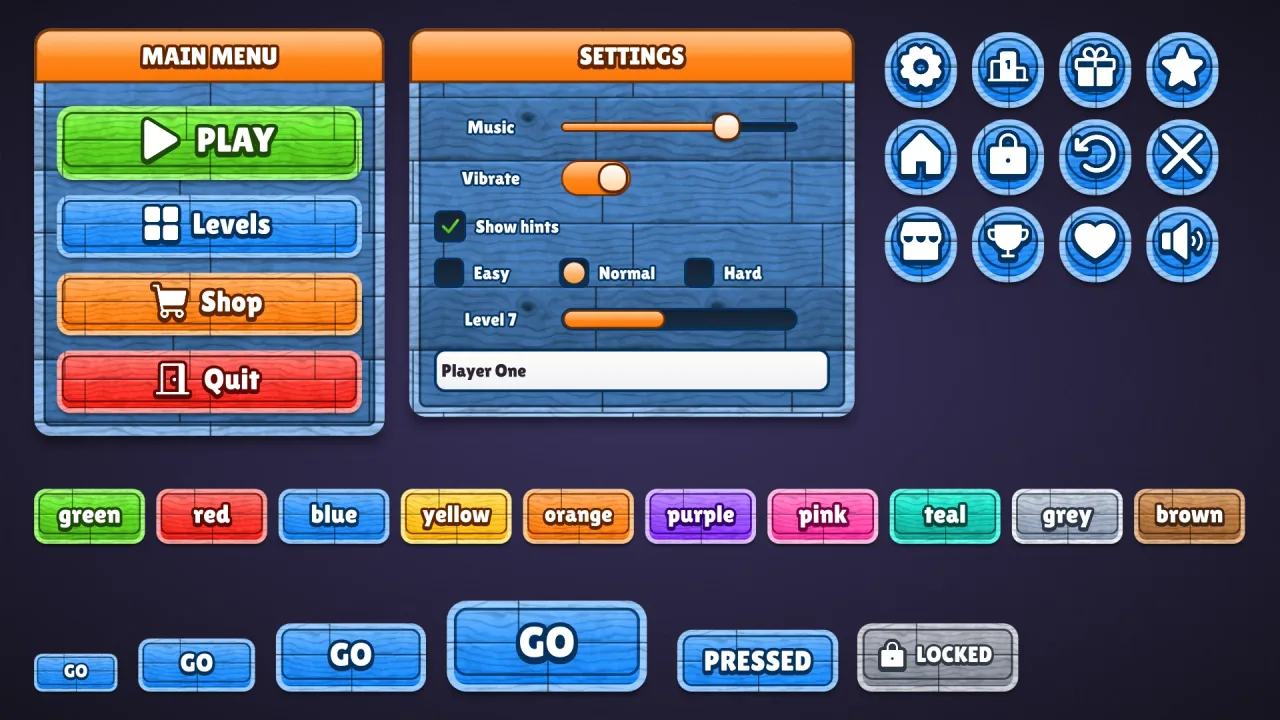
What it does
Set game.ui.theme = 'timber' and every widget the ui pack draws wears it, from buttons in every colour to windows,
sliders, checkboxes, fields and lists. Each button samples the ui-texture-wood grain under its colour, so the paint
shows the boards beneath, with a lighter rim, a dark inner line, a soft gloss and a lip. Windows and panels are planks
in the surface colour, the windows in a wide painted frame. Title bars, slider fills, knobs, dots and selected rows
take a second, glossy colour that stands out against the wood. The grain scales with the button, and one style fits
every height.
Features
- Real grain — the generated wood texture under every button, window and panel, tinted by its colour.
- Painted rims — a lighter rim cut from the same board, with a dark line inside.
- Glossy accents — title bars, fills, knobs and selected rows in a second colour, orange by default.
- Any stain — blue is painted timber, brown is oak, green is a garden shed.
- A button per colour —
default,good,warn,bad,flatand ten named colours, with a matching speech box.
Good for
- Farm and village games, with painted signs and planks.
- Pirate and adventure games with painted plank menus.
- Builder games with sturdy wooden menus.
- Casual games after the blue-painted wood of a cartoon UI kit.
Make it yours
The options are color (the paint on the buttons, blue by default), accent (the glossy parts, orange), surface
(the paint on windows and panels, a mid blue), radius (14, or 'pill'), depth (6), roles, extra colors and
designHeight; the material has no trim. Keep blue boards with orange accents for a cheerful casual kit, or make oak:
brown buttons with green accents on brown planks for a farm. The grain itself comes from ui-texture-wood's options,
so you can cut different boards.
A quick look
// manifest: … typography, ui, ui-texture-wood, ui-skins, ui-skin-timber
game.ui.theme = 'timber';
game.ui.button({ text: 'PLANT', style: 'good', icon: 'plus', onClick: plant });              // sized to its caption and icon
game.skins.use({ material: 'timber', color: 'brown', accent: 'green', surface: '#8a4f22', name: 'oak' });  // oak, live
Works with
ui-texture-wood— required; the grain it paints over.ui-skins— required; the generator andgame.skins, overuiandtypography.ui-skin-wood— wood with a drawn grain and no texture pack, when nothing should be generated at startup.
Good to know
- It names the texture
'wood': composeui-texture-woodunder its default name. With no texture of that name it draws untextured and warns once. - The grain is a 256 px tile drawn 128 px across a button at the design height, and the atlas has no mipmaps, so on
small buttons it can shimmer in motion; compose
ui-texture-woodwithsize: 128for a game of small buttons. - Lilita One comes from the CDN when the skin is first chosen; characters outside its Latin, Greek and Cyrillic set use the typography pack's fallback font.
Changes
3.0.0-2 (2026-10-21)
- Fixed: the skin's font, Lilita One, loads a re-baked copy with fewer specks at sharp corners and where strokes cross, which showed in large titles and buttons.