
What it does
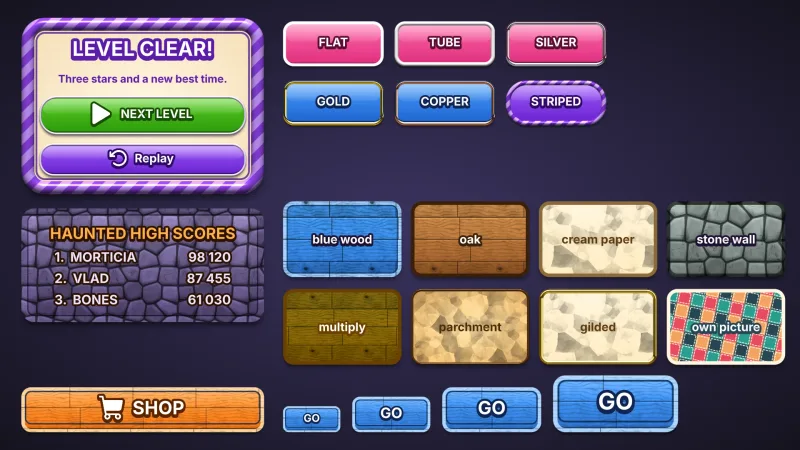
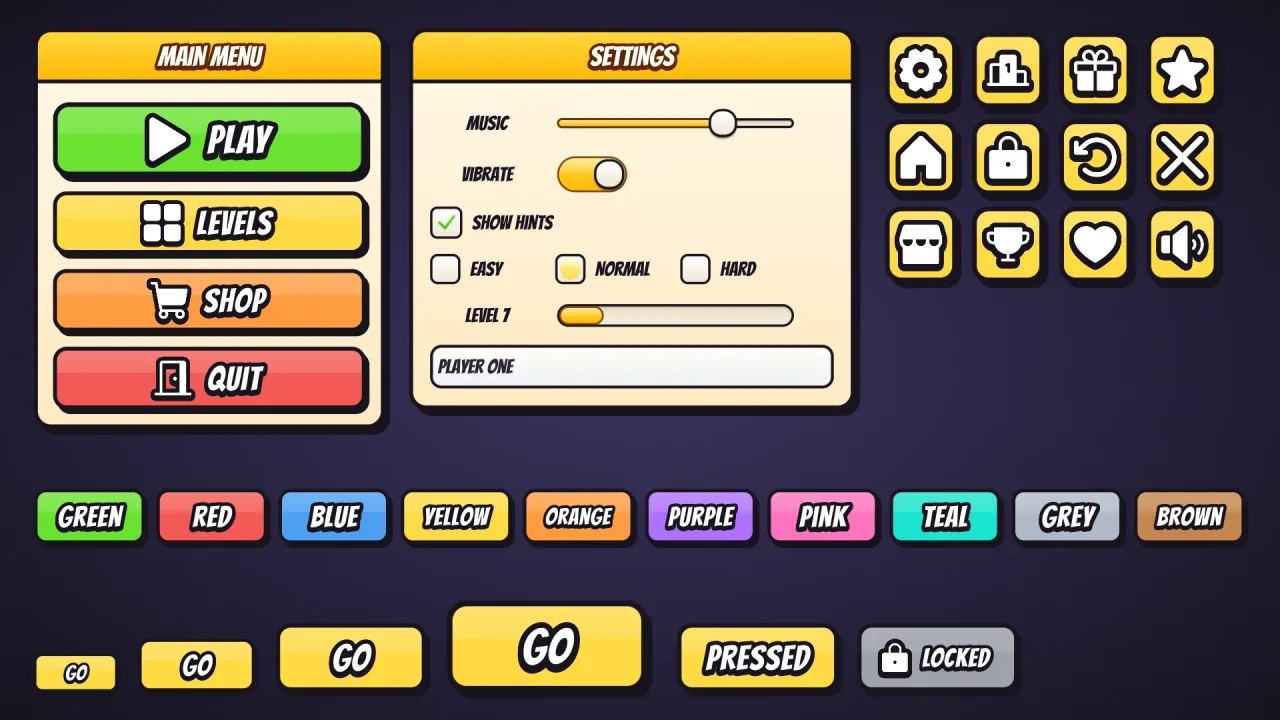
Set game.ui.theme = 'cartoon' and every widget the ui pack draws wears it. A button is a flat face of colour with a
faint band of gloss, a 4 px ink outline and a hard shadow offset down and to the right. Under the pointer it lifts a
pixel and its shadow grows; pressed, it jumps down onto its shadow. There is no lip by default: the shadow does that
job. Windows are cream and panels white, outlined in ink with hard shadows of their own, and the labels, list rows,
checkboxes and fields inside them are inked too. The round icon button is a rounded square here, to match. It is style
data, not images, and one button style fits every height.
Features
- Ink outlines — every button, window, panel, box and field in one dark ink.
- The comic press — a hard offset shadow, a lift on hover and a jump onto the shadow when pressed.
- Bangers lettering — white captions with a thick ink stroke, spaced a little apart.
- Cream windows — light cards with dark text and hard shadows.
- A button per colour —
default,good,warn,bad,flatand ten named colours, with a matching speech box.
Good for
- Comic-book games, with comic lettering and inked panels.
- Pop-art styles, with flat colour and heavy outlines.
- Brawlers, with loud buttons that jump when pressed.
- Games with ink-outlined art, so the menus match the sprites.
Make it yours
The options are color (yellow by default), accent for title bars, slider fills, knobs, dots and selected rows,
radius (14, or 'pill'), depth (0), roles, extra colors and designHeight; the material has no trim. Keep
yellow comic buttons for a comic brawler, or make pink pills with a mint colour added for a lighter pop-art game.
Set depth above 0 to give the buttons a lip as well as their shadow.
A quick look
// manifest: … typography, ui, ui-skins, ui-skin-cartoon
game.ui.theme = 'cartoon';
game.ui.button({ text: 'PLAY', style: 'good', icon: 'play', onClick: start });   // sized to its caption and icon
game.ui.button({ h: 72, icon: 'settings', style: 'icon' });                     // the round icon button
game.skins.use({ material: 'cartoon', color: 'pink', name: 'pink-cartoon' });     // another colour, live
Works with
ui-skins— required; the generator andgame.skins, overuiandtypography.ui-skin-candystripe— cream windows too, in a striped frame instead of ink.ui-skin-block— flat colour without the ink.
Good to know
- The windows, panels, slider tracks and boxes are always cream and white in ink; the colour options change the buttons, title bars and accents.
- The options recolour and reshape the look but do not change it; for another, compose another skin.
- Bangers comes from the CDN when the skin is first chosen, and covers Latin, Greek and Cyrillic.
- The caption stroke and extrusion redraw the text: fine on buttons, wasteful on a label rewritten every frame.
Changes
3.0.0-3 (2026-10-21)
- Fixed: the skin's font, Bangers, loads a re-baked copy with fewer specks at sharp corners and where strokes cross, which showed in large titles and buttons.