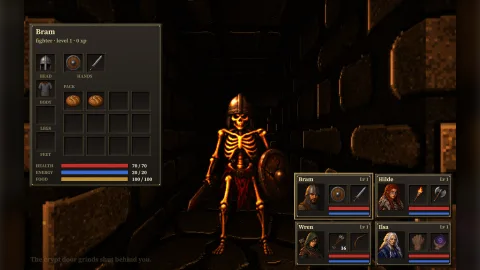

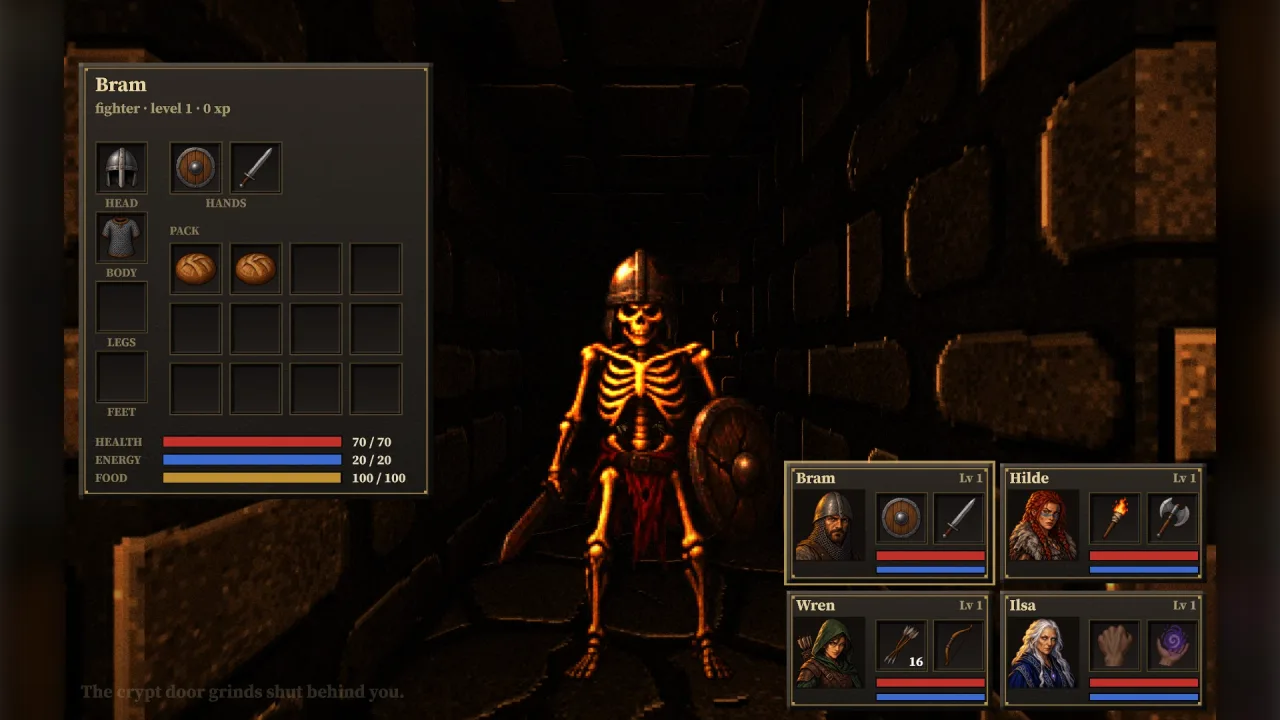
What it does
A first-person crawler shows its monsters as pictures standing in the corridor, and they have to look right from every side. Each monster here comes in seven poses: its front, its back and its side, two walking steps, an attack and a flinch. The poses were drawn from the front view of the same creature, so they match, and they are cut out at one scale and stand on one ground line, so swapping one for another never makes a monster jump or shrink.
Loading paints a monster's poses into the atlas as eight frames, the side pose twice so it can face either way, and tells you how big to draw it in the world. Each frame, one call picks the pose: the front when it faces the camera, striking for most of an attack, flinching just after a hit and stepping while it walks; its back when it faces away; its side, mirrored as needed, when it crosses the view. It reads the grid crawler's view of a monster directly.
The rest of the party panel is here too: a portrait for each of the crawler's five characters, an icon for every item in its two dungeons with a fist, a spell hand, a pack and a rest icon besides, and nine rune tiles for a three by three spell grid. Each set loads as one strip of squares at a key you choose.
Features
- Eight monsters — a skeleton warrior, a skeleton archer, a crypt crawler, a grave wisp, the Bone King, a cave leech, a drowned sailor and a vault crab.
- Seven poses each — front, back, side, two walking steps, an attack and a flinch, at one scale on one ground line.
- Pose by facing — one call turns a monster's facing, action and the camera into the frame to show.
- Sized for the world — each monster's usual height in world units, and the units per pixel to draw it at.
- Five portraits — a fighter, a barbarian, a rogue, a mage and a lone explorer.
- Thirty-two icons — weapons, armour, food, potions, keys, scrolls, a lantern, an idol, and panel icons.
- A rune grid — fire, life, air, spirit, balance, body, earth, death and water.
- Found by name — the grid crawler's own ids match exactly; other monsters, items and roles find the closest.
Good for
- A party-based crawler — the grid crawler's crypt dressed straight away, monsters, party and items.
- A lone explorer in the dark — the flooded vault's leeches, drowned and crab, and its explorer's portrait.
- A crawler with its own content — name matching dresses a skeleton guard, a zombie or a long sword without a map.
- A prototype or a jam game — art that looks the part while your own is drawn, then replaced key by key.
- An inventory or spell panel in any game — square icons, portraits and runes work in 2D as well.
Make it yours
Every load takes your own ids and keys, and { id, art } dresses an id in the art you choose: a boss can wear the
crab, a party of your own can wear any portraits. A monster's frames can be painted at another resolution, and the
pose choice takes how long a flinch shows and how much of an attack shows the strike. The pictures themselves are
plain PNG data you can read and draw any other way, and the script that made them can make them again from its
prompts.
A quick look
Load a dungeon's monsters and pick each one's pose every frame.
const monsters = await game.crawlerArt.loadMonsters(dungeon.monsters.map(m => m.id));
for (const m of run.view().monsters) {
    const a = monsters[m.kind]!, [h] = pool.get(m.id);
    h.frame = game.assets.frames(a.key) + game.crawlerArt.frame(a, m, game.world3d.camera);
    h.sx = a.width * a.units; h.sy = a.height * a.units;
    h.x = m.x; h.z = m.z; h.y = m.y + h.sy / 2;
}
Works with
grid-crawler— the dungeons, party and monsters this art is drawn for, matched by id.sector-view— draws the floors and gives the billboards the monsters and items stand on.retro-textures— the walls, floors and doors, in a matching period style.fps-weapon-art— weapons seen in the hand, for a shooter rather than a crawler.
Good to know
- These are pictures, not a generator: they cannot be recoloured or redrawn at run time.
- A monster has one side pose, mirrored for the other side, and walks and strikes only facing the camera.
- About 1.2 MB of picture data comes with the pack.
- A renderer that treats sprite colours as linear shows them brighter than the walls around them; dim their tint to match.