
What it does
A species lists its parts: a built-in mesh such as a trunk, a conifer crown, a broadleaf crown, a bush, a palm trunk or fronds, or a mesh of your own, each with colours to pick from per tree, a height and offset for its centre and a size, all as fractions of the tree's height. Give it a height range, a weight against the other species and a function for where it grows, and the pack has a tree. Six species come ready: pine, fir, oak, birch, palm and bush.
game.forest.build plants a forest over any extent on a lattice, jittered as much as you like: no jitter gives an
orchard in rows, the default a natural wood. Your height function puts every tree on the ground, and a density
function decides the chance that each site is planted, which is how paths, lakes, slopes and biomes are kept clear or
filled. The planting is deterministic for its seed, and a site the mask rejects never moves another tree, so editing a
path does not reshuffle the wood around it.
The trees are packed into render-3d static batches, two per species part: one with detailed meshes near the camera
and one with simple meshes for the rest. As the camera travels the split is redone, nothing past the draw distance is
drawn, and the GPU culls what is out of view. Draw calls grow with the number of species and parts, not with the
number of trees.
Features
- Species as data — parts made of built-in or registered meshes, with colours, placement and size as fractions of the tree's height.
- Six ready species —
forestSpecieshaspine,fir,oak,birch,palmandbush. - Seeded planting — a jittered lattice over any extent, from rows to a scattered wood, the same for the same seed.
- Masks and weights —
densityAtfor paths, water, slopes and biomes, and a weight andwhereper species. - Near and far detail — detailed meshes inside the detail distance, simple meshes beyond, and nothing past the draw distance.
- Live quality —
qualityswitches between detailed and simple meshes near the camera, as an option or at run time. - Planting without drawing —
plantForestgives the trees for a minimap, a save or a test, andvalidateForestlists every fault in a set of options. - Counts —
trees,visible,nearandcountOfreport what was planted and drawn.
Good for
- Open-world and exploration games that need woods, forests and scrub across a whole landscape.
- Flight and driving games flying or racing over wooded hills, with the far trees cheap.
- Island and beach scenes with palms and bushes along the shore.
- Farms and estates, with orchards planted in straight rows.
- Lakesides and parks, with birches near the water and paths kept clear by the mask.
Make it yours
build takes the ground's height function, the species, the extent or a square size, the lattice spacing, the
jitter, the seed, the density mask, a scale for every species' height, and the detail distance, draw distance and
quality for this forest. The pack's options set the default detail distance (85), draw distance (400) and quality.
Species are yours to define, with your own meshes for parts.
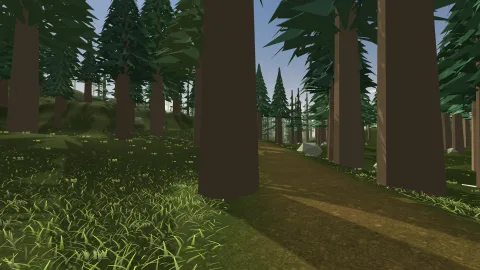
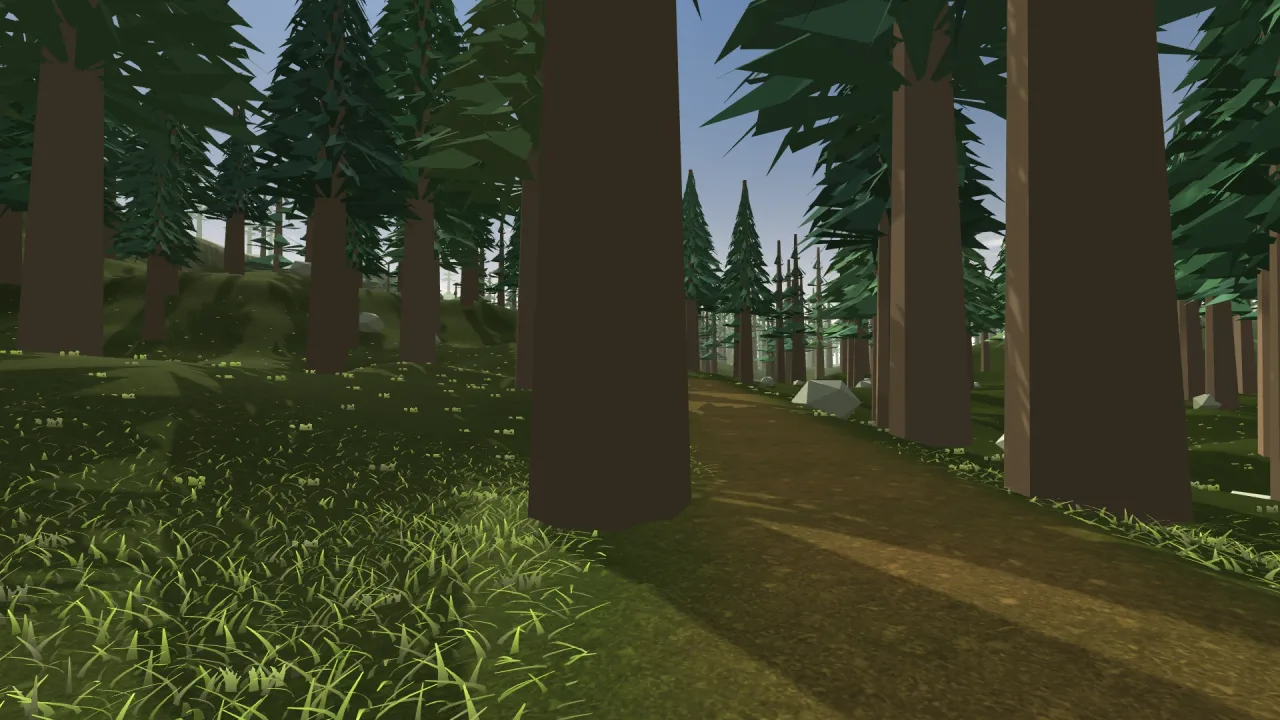
Two different plantings: a mixed wood over rolling terrain, birch near the lake, oak and bush elsewhere, with a biome mask from the terrain and a path kept clear; and an orchard of one species in straight rows, no jitter, on a flat field, with tighter spacing and a smaller draw distance for a close farm view.
A quick look
A mixed wood on the terrain, with birches by the lake and a path kept clear:
game.forest.build({
    size: 680, spacing: 10, seed: 73,
    species: [{ ...forestSpecies.birch, where: nearLake }, forestSpecies.oak, forestSpecies.bush],
    groundAt: game.terrain.heightAt,
    densityAt: (x, z) => clearOfPath(x, z) ? game.terrain.biomeAt('forest', x, z) : 0,
});
Works with
render-3d— required: the static batches the trees are drawn in.world-3d— required: the 3D world, and the registry for meshes of your own.terrain-3d— the ground to plant on and the biomes to mask by.grass-3d— grass and flowers under the trees.model-3d— for a handful of trees that must sway, fall or block, as ordinary meshes.
Good to know
- The trees are static: no wind, no falling trees, and no per-tree collisions or queries. Rebuild after editing the terrain under them.
- Trees stand upright, and a leaning trunk is a mesh that leans.
- Crowns are opaque geometry, with no alpha cut-outs, translucency or impostors.
- Repacking as the camera moves is cheap for thousands of trees but noticeable for hundreds of thousands, and a planting considers at most 200,000 lattice sites.